

You want the best ai voice recorder for you. Pick UMEVO Note Plus if you want a device that gives great sound every time, even in noisy places. This recorder gives you clear sound for meetings, classes, and interviews. Use Otter.ai if you like using software and need good sound for online recording. Both choices give you clear sound and make every recording easy to hear and trust. Think about how you work, how you record, and which one fits your life.
Key Takeaways
-
Pick UMEVO Note Plus for recording in person. It has clear sound, is easy to carry, and the battery lasts long.
-
Use Otter.ai if you want software for online meetings. It works well with business tools and lets you share easily.
-
Both tools type what you say right away. UMEVO Note Plus works best in loud places and is right 99% of the time.
-
Think about how much privacy you need. UMEVO Note Plus keeps your data safe. Otter.ai has strong security for online use.
-
Look at your budget. UMEVO Note Plus costs more at first but gives free typing for a year. Otter.ai has a free plan but with fewer features.
AI Voice Recorder Overview
UMEVO Note Plus Features
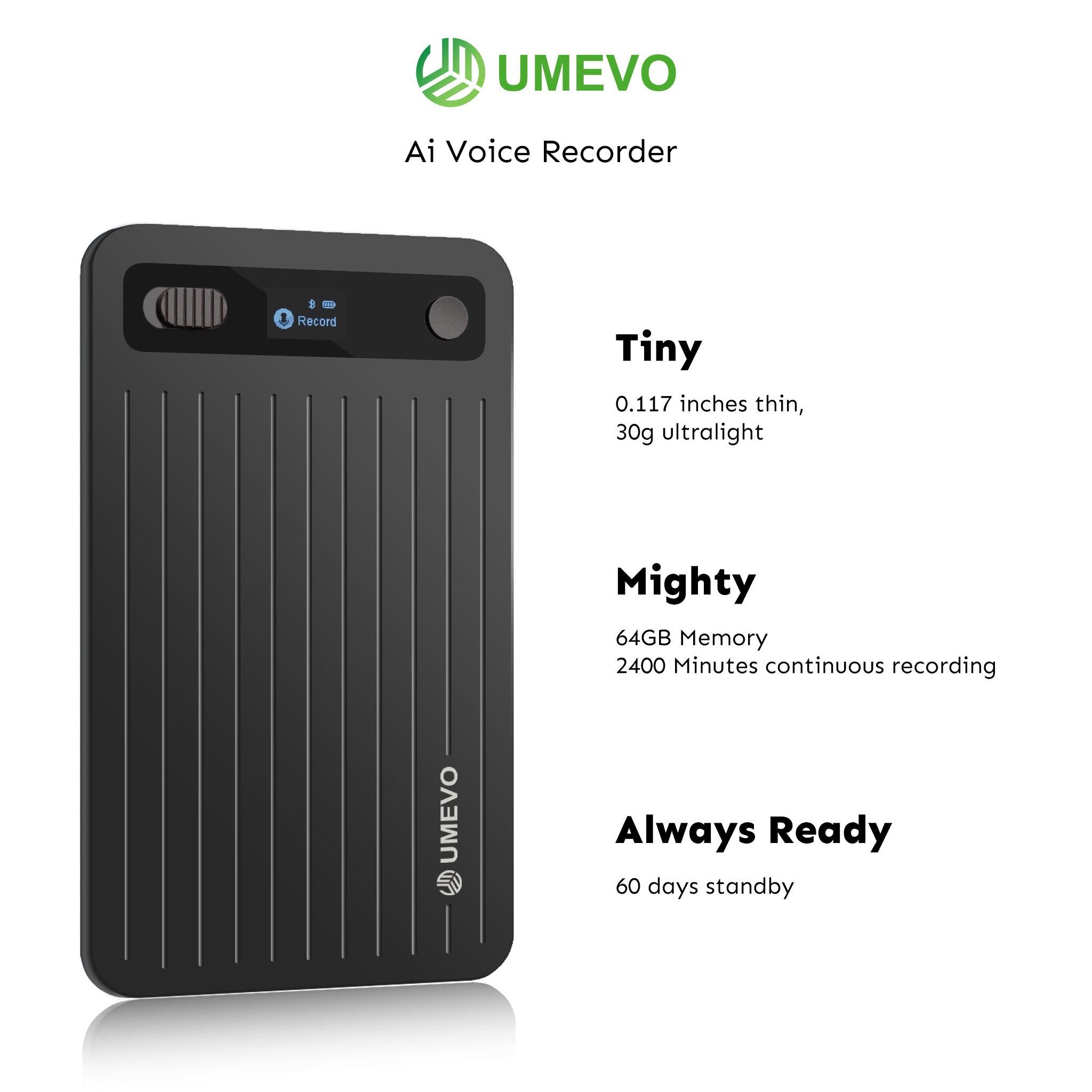
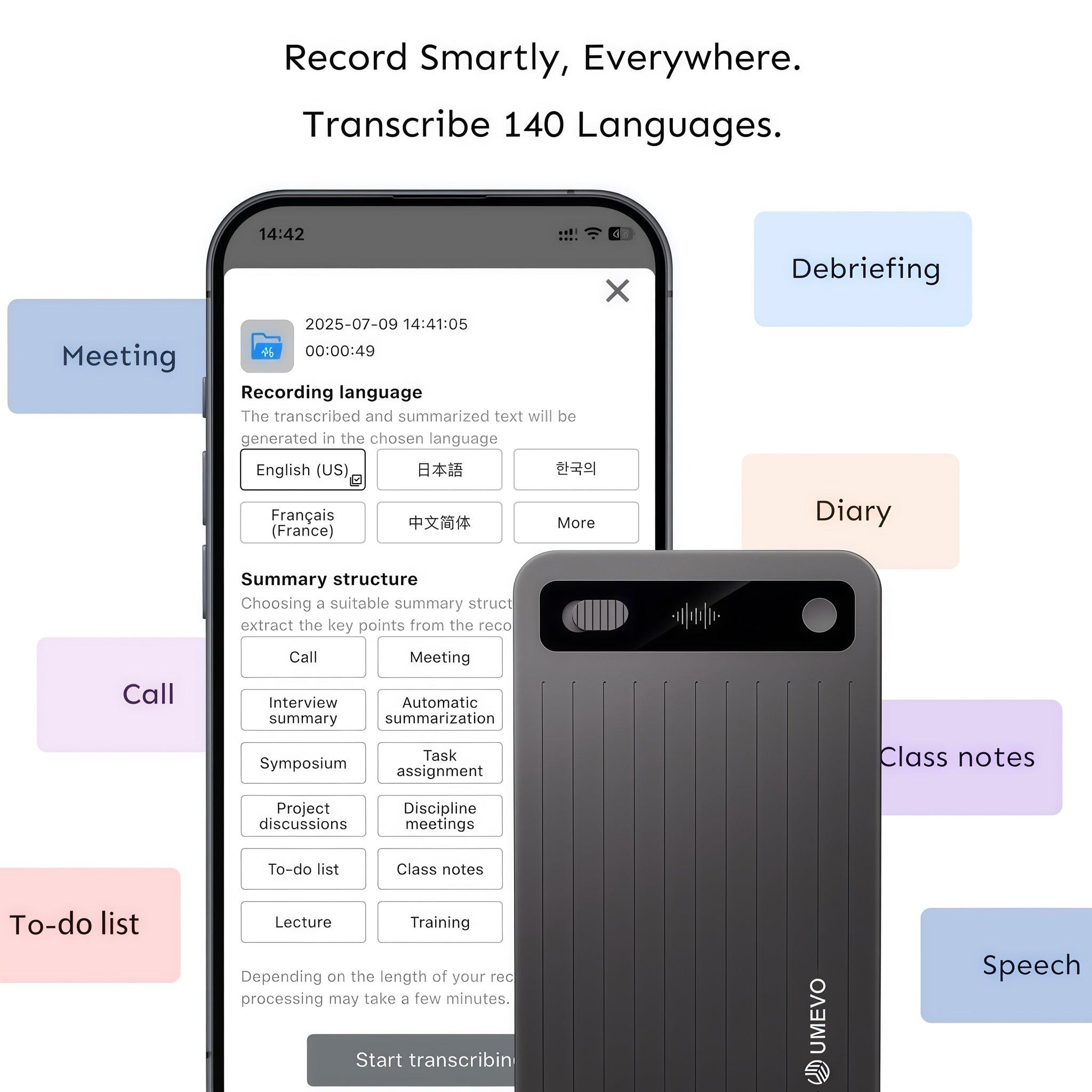
The UMEVO Note Plus is a strong ai note-taking device. You can carry it with you anywhere you go. It changes your spoken words into text right away using ai-powered transcription. The battery lasts for up to 40 hours, so you can record long meetings or classes without worry. The device can store up to 400 hours of recordings, so you can keep all your files together.
-
The UMEVO Note Plus uses ChatGPT for ai-powered transcription and summarization.
-
You can record both in-person talks and phone calls.
-
The device works with over 140 languages, so you can use it in many places.
-
It has a 99% accuracy rate, even when it is noisy.
-
You get unlimited cloud storage and a free magnetic case for more ease.
This ai note-taking device is good for students, workers, and anyone who needs to record things. It also keeps your data safe and private by following SOC 2, HIPAA, and GDPR rules.
Otter.ai Features
Otter.ai is a software ai note-taking tool for your computer or phone. You do not need to buy a new device to use it. You can use this ai voice recorder for online meetings, interviews, or classes. Otter.ai uses ai-powered transcription to turn your audio into text right away. It also gives you meeting summaries and tracks action items for you.
-
Otter.ai works with business tools like Salesforce and HubSpot.
-
You can get to your recordings from any device with internet.
-
The ai-powered transcription can handle many languages.
-
You can share transcripts and work with others easily.
-
The ai note-taking tool helps you sort and find your recordings.
Otter.ai is great for teams or people who want a flexible, cloud-based tool. It has strong features for working together and getting things done.
AI-Powered Transcription Capabilities
Real-Time Transcription
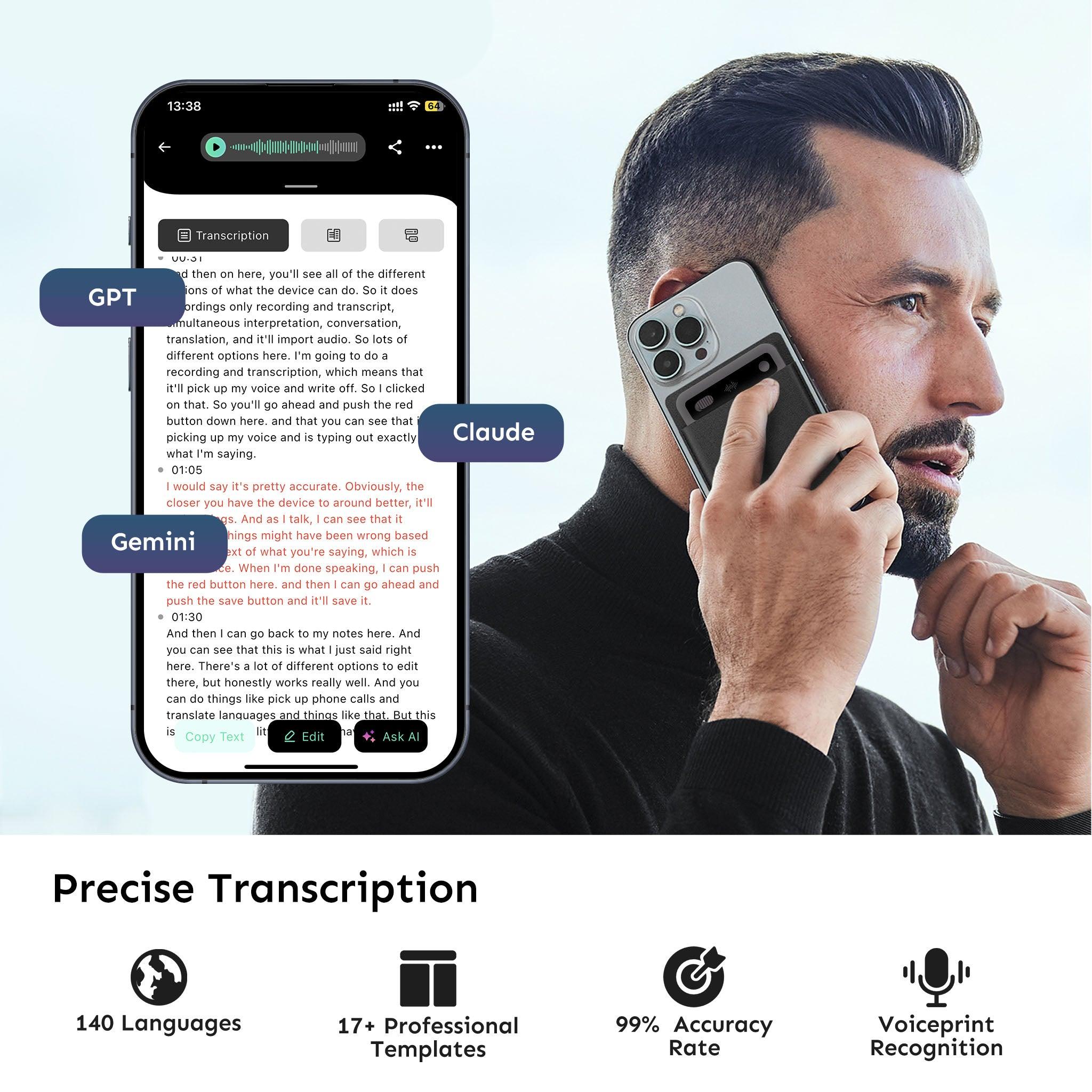
You want your words to turn into text right away. Both UMEVO Note Plus and Otter.ai can do this. UMEVO Note Plus uses ChatGPT to change your voice into text fast. You see the words show up as you talk. Otter.ai also gives real-time transcription with its online software. You can use your phone or computer to watch the words appear during meetings or interviews.
-
UMEVO Note Plus lets you get real-time transcription on a small device you can take anywhere.
-
Otter.ai lets you use real-time transcription on any device if you have internet.
-
Both tools help you save time because they make transcripts right away.
Tip: If you want real-time transcription for in-person talks, UMEVO Note Plus is best. For online meetings, Otter.ai makes real-time transcription simple.
Accuracy and Language Support
You want your transcripts to be right. UMEVO Note Plus has a 99% accuracy rate. This means your transcripts are almost always correct. The device uses HD noise reduction to keep things clear, even when it is loud. Otter.ai also gives good accuracy, especially in quiet places. You can trust both tools to give you transcripts you can use.
UMEVO Note Plus works with over 140 languages. You can record and get transcripts in many languages. Otter.ai supports several languages, but UMEVO Note Plus has more. You can use both for English, Spanish, French, and other languages.
|
Feature |
UMEVO Note Plus |
Otter.ai |
|---|---|---|
|
Real-time transcription |
Yes |
Yes |
|
Accuracy rate |
99% |
High |
|
Language support |
140+ languages |
Multiple languages |
|
Transcripts |
Instant, device-based |
Instant, cloud-based |
You get good accuracy and real-time transcription with both. UMEVO Note Plus uses ChatGPT for smart transcription and summaries. Otter.ai uses cloud tech to keep your transcripts safe and easy to find. You can pick the tool that fits your needs and gives you the accuracy you want.
Head-to-Head Comparison
Device Type and Portability
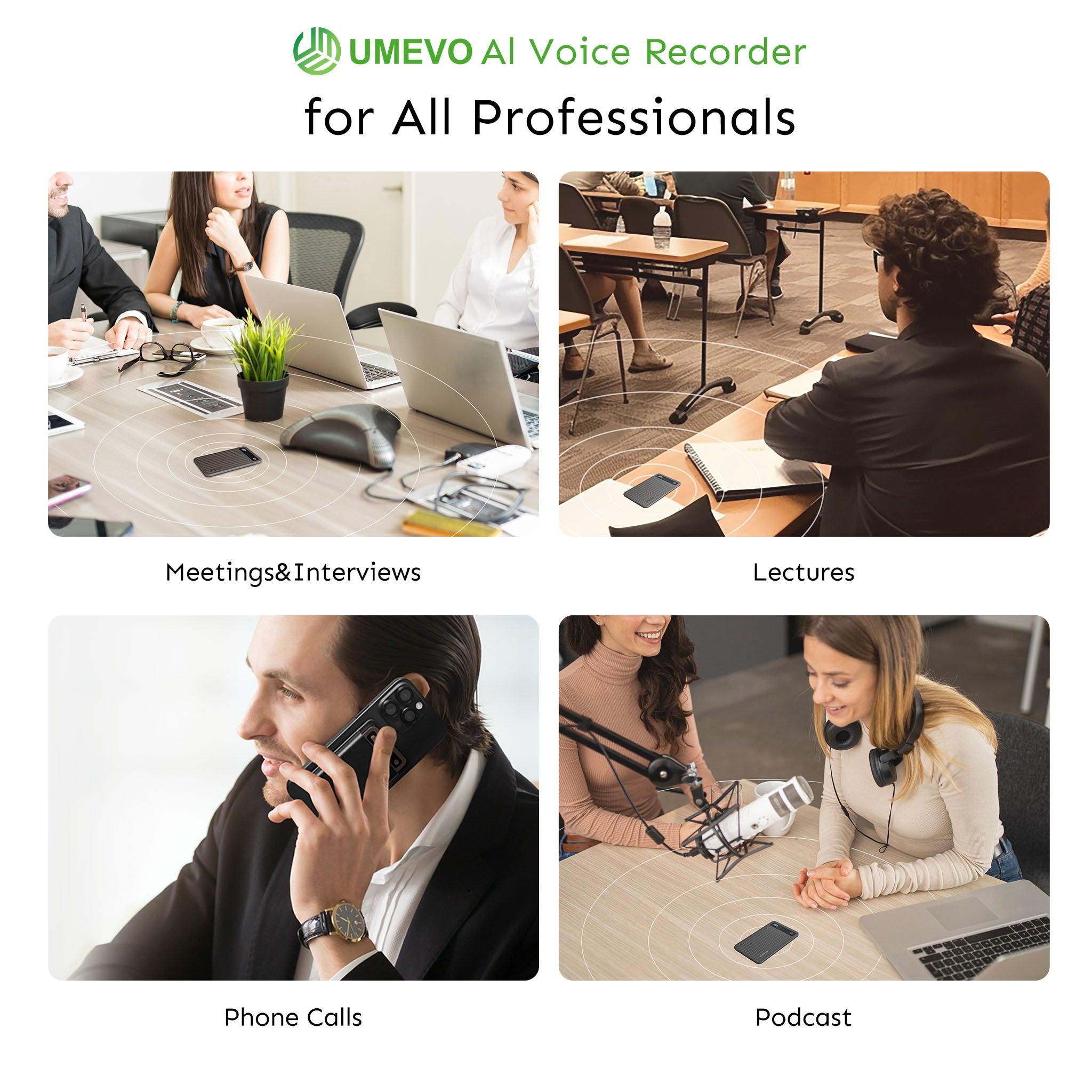
You want a recorder that matches your life. UMEVO Note Plus is a hardware ai voice recorder. It is small enough to fit in your pocket. You can use it anywhere you go. It records and transcribes talks at meetings, interviews, or classes. The battery lasts a long time, so you do not worry about charging. It comes with a magnetic case for easy carrying. You do not need internet to use UMEVO Note Plus. This helps you record and transcribe even without Wi-Fi.
Otter.ai is a software tool you use on your phone, tablet, or computer. You do not need to carry another device. You can record and transcribe meetings and interviews online. Otter.ai works best with internet. You can get your recordings from any device with internet. If you want to record anywhere, UMEVO Note Plus gives you more freedom. If you want to use your own device, Otter.ai is simple.
Ease of Use
You want recording and transcribing to be easy. UMEVO Note Plus has simple buttons and a clear screen. You press one button to start recording. Your words turn into text right away. There are no ads, so you can focus on your work. You get unlimited transcription for one year, so you do not worry about running out.
Otter.ai has an easy app and website. You click to start recording. You see live transcripts during meetings and interviews. You can organize and find your recordings fast. Otter.ai helps you track action items and get summaries. Some plans give you unlimited transcription. Both tools make recording and transcribing simple.
Integrations
You want your ai voice recorder to work with other tools. Otter.ai connects with Zoom, Microsoft Teams, and Google Meet. You can record and transcribe meetings and interviews on these platforms. Otter Meeting Agent joins meetings and gives you live transcripts and summaries. You can share important points in Slack channels. Otter.ai helps you organize tasks from meetings and interviews.
UMEVO Note Plus works with major smartphones like Apple, Samsung, and Google. You can record and transcribe calls and in-person meetings. You get unlimited transcription and cloud storage. You can save your recordings and transcripts to the cloud and get them anytime. UMEVO Note Plus helps you keep all your important talks safe and easy to find.
-
Otter.ai integrations:
-
Zoom
-
Microsoft Teams
-
Google Meet
-
Slack
-
-
UMEVO Note Plus compatibility:
-
Apple devices
-
Samsung devices
-
Google devices
-
Pricing and Value
You want to get good value for your money. UMEVO Note Plus gives you a device with unlimited transcription for one year. The battery lasts a long time and there is lots of storage. You get a free magnetic case and unlimited cloud storage. You can return the device if you are not happy. Your data is private and safe with SOC 2, HIPAA, and GDPR rules.
Otter.ai has different plans. There is a free plan with some limits. Paid plans give you unlimited transcription and more features. You get privacy and security with two-factor authentication and strong encryption. Otter.ai follows GDPR, CCPA, HIPAA, and SOC 2 rules. You can pick the plan that fits your needs.
Privacy, Security, and Compliance
You want your recordings and transcripts to stay private. UMEVO Note Plus lets you control your recordings. You start and stop recording when you want. Your important talks stay private and safe. UMEVO Note Plus follows SOC 2, HIPAA, and GDPR rules. You get unlimited transcription and cloud storage with strong privacy.
Otter.ai gives you privacy with two-factor authentication and encryption. You control who can see your recordings and transcripts. Otter.ai follows GDPR, CCPA, HIPAA, and SOC 2 Type 2 rules. You can access, fix, or erase your data. Otter.ai stores data on Amazon Web Services and shares data with some third-party providers. You should check Otter.ai’s privacy policy if you handle sensitive information.
|
Feature |
UMEVO Note Plus |
Otter.ai |
|---|---|---|
|
Device Type |
Hardware ai voice recorder |
Software app and web tool |
|
Portability |
Pocket-sized, magnetic case |
Use on any device with internet |
|
Ease of Use |
Simple buttons, ad-free, clear screen |
Easy app, live transcripts, action items |
|
Integrations |
Smartphone compatibility, cloud storage |
Zoom, Teams, Google Meet, Slack |
|
Pricing |
One-time device, unlimited transcription |
Free and paid plans, unlimited transcription |
|
Privacy |
SOC 2, HIPAA, GDPR, user control |
GDPR, CCPA, HIPAA, SOC 2, user control |
|
Security |
Strong encryption, private recordings |
Two-factor authentication, AWS encryption |
|
Compliance |
SOC 2, HIPAA, GDPR |
GDPR, CCPA, HIPAA, SOC 2 Type 2 |
Tip: If you want strong privacy and unlimited transcription for important talks, UMEVO Note Plus is a great choice. If you want many integrations and easy access to meetings and interviews online, Otter.ai fits your workflow.
This head-to-head comparison helps you pick the best ai voice recorder for your meetings, interviews, and important talks. Both tools give you strong privacy, unlimited transcription, and easy recording. You can record and transcribe with confidence and keep your data safe.
Use Cases and Recommendations
For Professionals
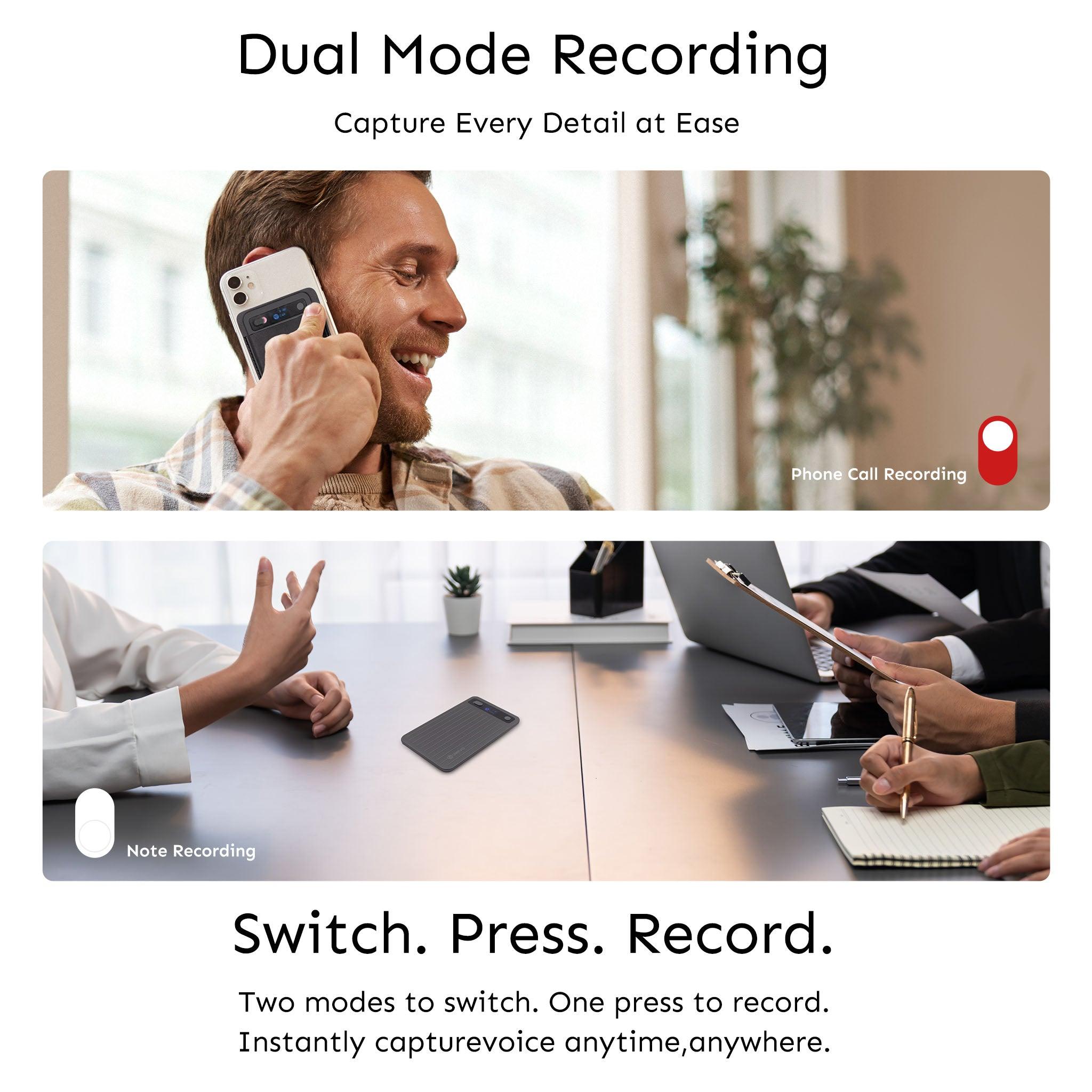
You need tools that help you stay on track and save time. An ai voice recorder helps you remember everything from meetings or calls. Real-time transcription changes your words into text as you talk. This lets you look back at important things later. You can sort your recordings and add notes to each one. Many professionals use these tools to save ideas, make meeting notes, and track tasks.
-
Real-time transcription for meetings
-
Easy way to organize your recordings
-
Works with your daily routine
-
Fast way to save ideas and reminders
Tip: Pick a device that matches how you work. If you travel or move between offices, a small recorder like UMEVO Note Plus is good. If you join lots of online meetings, Otter.ai keeps your notes in one place.
For Students
You want to learn without worrying about missing notes. An ai voice recorder lets you record lectures and study groups. You can listen again so you do not miss anything. Otter.ai gives you real-time transcription, a mobile app, and easy sharing with friends. You get 600 free minutes every month, which is enough for most classes.
|
Feature |
Otter.ai |
UMEVO Note Plus |
|---|---|---|
|
Real-time Transcription |
Yes (95% accuracy) |
N/A |
|
Mobile App Integration |
Yes |
N/A |
|
Collaborative Features |
Yes (easy sharing of transcriptions) |
N/A |
|
Free Usage |
600 free minutes monthly |
N/A |
|
Campus Integration |
Works with Zoom and Microsoft Teams |
N/A |
Note: Recording your classes helps you study and keep your notes in order. You can share transcripts with classmates and work together on homework.
For Journalists
You need to catch every word in interviews and when reporting. An ai voice recorder gives you fast and correct transcripts. You can mark keywords and find quotes quickly.
“What makes Otter special is the fast transcription and how it works with other recording apps…”
“Do I check the transcription by listening to calls? Yes, I do. I want to be sure. But if I am in a hurry and need quotes from Otter, I trust it.”
-
Real-time transcription saves every detail
-
Keyword highlighting marks important words
-
Searchable transcripts help you find quotes fast
For Teams
You want your team to remember all the important things. Recording meetings helps everyone keep track of details. Automatic meeting notes and summaries save time. You can handle more than one meeting at once and share notes with your team.
|
Feature |
Description |
|---|---|
|
Automated Meeting Notes |
Saves time by making notes from meetings automatically. |
|
Automated Slide Capture |
Takes pictures of slides during meetings to remember key points. |
|
Automated Summary |
Gives a summary of the meeting so everyone knows what happened. |
|
Concurrent Meetings |
Pro and Business plans let you record more than one meeting at a time. |
|
Auto-join and Auto-share |
Connects with your calendar to join and share meeting notes automatically. |
Tip: Use recording tools to help your team work better. You can share meeting notes and summaries so everyone knows what is important.
Decision Guide
Choosing the Right AI Voice Recorder
You want to find the best tool for you. First, think about how you work. If you need a device for in-person recording, UMEVO Note Plus is a good choice. You can use it anywhere, even without internet. It works well for long meetings or interviews. The device keeps your data safe with strong privacy and security.
If you join lots of online meetings or work with a team, Otter.ai is helpful. It can join meetings and make transcripts by itself. You use it on your phone or computer, so you do not need another device. Otter.ai helps you keep your recordings organized and lets you share them. It is easy to use and keeps your files safe, which is good for teams.
Money is also important when you choose. Otter.ai has a free plan, but you only get a few recording minutes each month. If you need more, you can pay for a plan with extra features. These plans help groups with small budgets because they let you control who can see files and how long you keep them. UMEVO Note Plus costs more at first, but you get unlimited transcription for a year and a device that lasts.
Here are some things to think about:
-
Pick UMEVO Note Plus if you want a device for in-person recording and long battery life.
-
Choose Otter.ai if you want meeting summaries and easy sharing.
-
For teams with less money, Otter.ai’s free plan helps, but paid plans give you more minutes and better controls.
-
UMEVO Note Plus gives you strong privacy and security for important recordings.
Tip: Think about where you record most. If you move around and need a device, UMEVO Note Plus is a smart pick. If you work online and want things done for you, Otter.ai makes it simple.
Summary Table
You can use this table to compare UMEVO Note Plus and Otter.ai. Look at workflow, budget, and what you like. This helps you see which ai voice recorder is best for you.
|
Feature |
UMEVO Note Plus |
Otter.ai |
|---|---|---|
|
Device Type |
Hardware (portable) |
Software (app/web) |
|
Recording Method |
In-person, phone calls |
Online meetings, interviews |
|
Automation |
Limited |
High (auto-join meetings) |
|
User-Friendliness |
Moderate |
High |
|
Scalability |
Moderate |
High |
|
Cost |
Higher upfront |
Lower, flexible plans |
|
Security |
Moderate |
High (compliance focus) |
|
Privacy |
SOC 2, HIPAA, GDPR |
GDPR, CCPA, HIPAA, SOC 2 |
|
Storage |
64GB + unlimited cloud |
Cloud-based |
|
Language Support |
140+ languages |
Multiple languages |
|
Integrations |
Smartphone compatible |
Zoom, Teams, Slack, Google |
|
Best For |
Professionals, travelers |
Teams, students, remote work |
You can see UMEVO Note Plus is best for people who want a device for recording. Otter.ai is good for people who need software for online meetings and working with others. Both tools help you save and manage your recordings, but each one is better for different ways of working.
You now know which ai voice recorder fits your needs. If you want a device for in-person use, choose UMEVO Note Plus. If you prefer software for online meetings, pick Otter.ai. Think about how you work, your privacy needs, and your budget. Try a demo or read user reviews before you decide. This helps you make the best choice for your daily tasks.
FAQ
How do you choose between UMEVO Note Plus and Otter.ai?
You should think about how you record. If you want a device for in-person use, pick UMEVO Note Plus. If you need software for online meetings, Otter.ai works well.
Can you use UMEVO Note Plus without the internet?
Yes, you can use UMEVO Note Plus offline. The device records and transcribes audio without Wi-Fi. You get full features anywhere.
What languages do these AI voice recorders support?
|
Recorder |
Supported Languages |
|---|---|
|
UMEVO Note Plus |
140+ |
|
Otter.ai |
Multiple |
You can record in many languages with both tools. UMEVO Note Plus supports more languages.
Is your data safe with these AI voice recorders?
Both UMEVO Note Plus and Otter.ai protect your data. They follow privacy rules like SOC 2, HIPAA, and GDPR. You control your recordings and transcripts.





0 comments