

Product Managers and Agile leaders spend an average of 6.25 hours per week attending standard Scrum ceremonies, and up to 8 hours per week manually writing documentation, meeting notes, and sprint reports. While AI transcription software promises to eliminate this administrative burden, traditional AI meeting bots introduce new friction. Visible bots trigger developer surveillance anxiety, alter meeting dynamics, and are increasingly blocked by corporate IT. For agile teams, the most effective AI meeting recorder for a scrum standup is often a "botless" hardware device that captures audio locally without joining the call.
This guide explores how to automate notes for every Agile ceremony—from the 15-minute daily standup to the sprint retrospective—while navigating hybrid team challenges, IT security, and subscription costs.
Best AI tools for meeting notes
The Problem with AI Meeting Bots in Agile Ceremonies
Status Theater and Developer Surveillance Anxiety
Visible AI bots transform daily standups from peer-to-peer alignment sessions into management status reports, triggering surveillance anxiety among developers and stifling transparent communication about sprint blockers.
Agile philosophy dictates that a daily standup is a synchronization event for the development team, not a progress update for stakeholders. When a visible AI bot (like an Otter.ai or Fireflies participant) joins a Zoom grid, it fundamentally alters the psychological safety of the room. Developers often subconsciously shift their language from collaborative problem-solving to defensive posturing, a phenomenon known as "status theater." Consequently, minor blockers that should be raised early are hidden until they become critical sprint failures.
Corporate IT Blocks and Bot Fatigue
Enterprise IT departments frequently block third-party AI bots from joining enterprise communication platforms due to unauthorized calendar scraping and data privacy compliance risks.
According to 2025 industry data, major institutions including Stanford University and Oxford University (as of August 2025) have explicitly banned and blocked bots like Otter.ai and Fireflies.ai from Microsoft Entra ID and Zoom. Furthermore, in visual stress tests of software bots, we observed that tools like Otter.ai take a significantly long time to connect to a call. If a host attempts to remove them, they often remain awkwardly in the meeting room. For a strict 15-minute daily standup, waiting for a bot to join or dealing with IT compliance warnings creates unacceptable friction.
Automating the Daily Scrum Standup
The Value of Stealth Hardware Recorders
Hardware voice recorders capture room audio via local air-conduction, completely bypassing the need for software permissions, IT whitelisting, or visible bot participants on a screen.
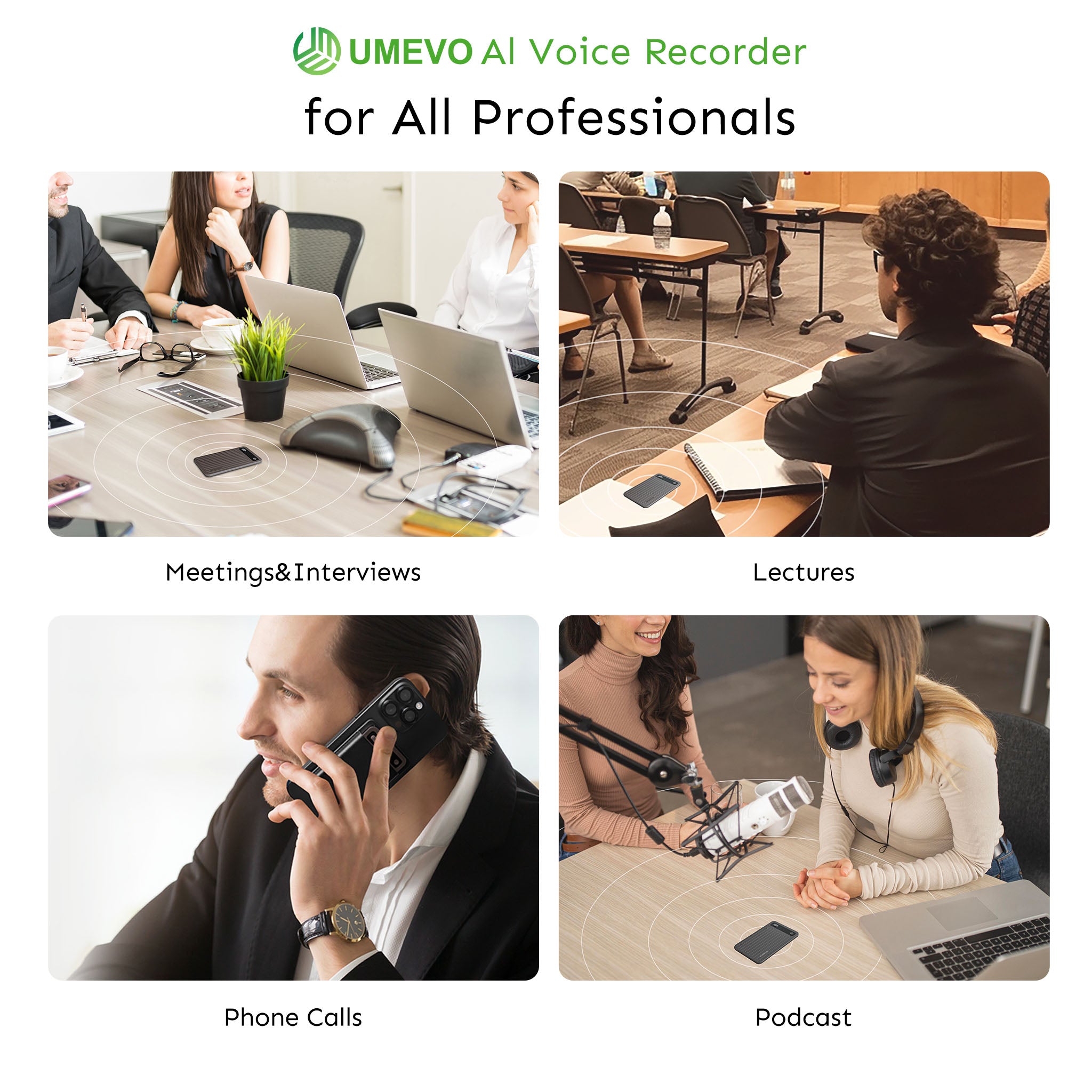
Experts point out that "bot-less" workflows are critical for agile teams. While browser extensions achieve this for remote calls by recording natively without a dummy participant in the grid, they fail entirely for hybrid or in-person standups. A dedicated physical recorder placed in the room bridges this gap. It captures both remote speakers (via laptop speakers) and in-room developers silently, preserving the natural flow of the standup while still generating the necessary documentation for the Scrum Master.
Extracting Blockers and Action Items
Modern AI transcription utilizes speaker diarization to separate overlapping voices in fast-paced standups, allowing the system to accurately assign specific blockers to individual developers.
During a daily scrum, participants speak in rapid succession. A standard transcription block is useless if the Scrum Master cannot identify who owns which Jira ticket. Advanced AI models analyze the acoustic footprint of each speaker, creating dialogue-style transcripts. This allows the AI to parse the conversation and automatically extract action items, ensuring that when a developer mentions a dependency issue, it is accurately logged against their name in the sprint backlog.

Capturing Sprint Planning and Retrospectives
Custom Summary Templates for Agile Workflows
Generic AI summaries fail to capture the structured outputs required by Agile methodologies, making custom prompt templates a mandatory feature for sprint retrospectives.
Visual demonstrations of top-tier AI tools reveal that custom templates are non-negotiable for professional workflows. Instead of a standard paragraph summary, a Scrum Master can build a template that forces the AI to output exactly three bullet points per speaker: "What they did," "What they are doing," and "Blockers." For a sprint retrospective, the AI can be programmed to categorize the transcript strictly into "Start, Stop, Continue" or "Mad, Sad, Glad" frameworks, eliminating the need for manual data sorting after the meeting concludes.

Transcribing Technical Engineering Jargon
AI recorders must support high-fidelity transcription across multiple languages to accurately process technical engineering terms and diverse accents in distributed global teams.
A common consensus among enthusiasts is that standard dictation software hallucinates when confronted with engineering vocabulary. If a developer discusses "Kubernetes clusters," "CI/CD pipelines," or "Kanban WIP limits," a basic AI will output nonsensical text, rendering the notes useless. Furthermore, distributed agile teams require robust language support. While most people think higher sample rates are universally better, for voice dictation, a 16kHz sample rate combined with a specialized Large Language Model (LLM) is actually superior for AI transcription accuracy when processing heavy accents and technical jargon.
Recording Stakeholder Updates and Remote Calls
The OS Call Recording Restriction
Mobile operating systems heavily restrict native call recording, forcing users to rely on workarounds that either break during updates or mandate disruptive audio announcements.
Product Managers frequently take ad-hoc stakeholder calls on their mobile devices to discuss sprint progress or scope changes. However, capturing these calls via software is increasingly difficult. With the release of iOS 18.1, Apple introduced native call recording but hardcoded a mandatory, un-mutable synthesized voice announcement ("This call will be recorded") that alerts all parties and cannot be disabled by the user. For a quick, informal check-in with a client, this robotic announcement disrupts the natural flow of conversation.
The MagSafe Vibration Conduction Solution
Vibration conduction sensors physically capture the chassis vibrations of a smartphone during a call, bypassing software-level OS restrictions entirely.
The UMEVO Note Plus is the clearest example of this architecture. It attaches magnetically to the back of a smartphone and uses a physical switch to toggle between standard air-conduction (for in-person meetings) and vibration conduction (for phone calls). By recording the physical vibrations of the phone's internal speaker, it captures both sides of the conversation without requiring software permissions, thereby bypassing the iOS 18.1 audio warning.
Browser extensions remain the industry standard for 100% remote desktop users, and are an excellent choice for teams who only communicate via Zoom. However, for hybrid Product Managers who need to capture mobile phone calls, in-person meetings, and remote standups, a dual-mode hardware recorder is the superior choice.
Hardware vs. Software: Evaluating AI Recorders for Scrum Masters
📺 We Tested 10 AI Note Takers: Ultimate Review
Subscription Fatigue vs. Cost Leadership
Software AI bots and premium hardware devices typically lock users into recurring monthly subscriptions, significantly increasing the total cost of ownership over a three-year period.
When evaluating AI tools, the initial purchase price is rarely the final cost. Leading competitor AI hardware devices, such as the Plaud Note, restrict users to a "Starter Plan" that caps free AI transcription and summarization at exactly 300 minutes per month before forcing users into a paid subscription. For a Scrum Master recording daily standups, weekly backlog refinements, and bi-weekly retrospectives, 300 minutes is easily consumed within the first two weeks of a sprint.
For teams prioritizing cost leadership, the UMEVO Note Plus offers a more cost-effective path. It provides 1 year of free unlimited AI transcription, followed by a generous 400 minutes per month free in subsequent years. This eliminates the immediate SaaS burden and provides a predictable Total Cost of Ownership (TCO) for budget-conscious agile teams.
Decision Matrix: Choosing Your Agile Recording Tool
| Tool Category | Best Use Case | Primary Limitation | Total Cost of Ownership (3 Years) |
|---|---|---|---|
| Software Bots (e.g., Otter.ai) | 100% remote teams without strict IT security policies. | Blocked by enterprise IT; causes "bot fatigue" and alters meeting dynamics. | High (~$720+ via $20/mo subscription) |
| Browser Extensions | Solo screen recording and remote desktop calls. | Fails completely for in-person or hybrid meetings; cannot record mobile calls. | Medium (~$360+ via $10/mo subscription) |
| Hardware AI Recorders | Hybrid teams, bypassing IT blocks, and recording stakeholder phone calls. | Requires carrying a physical device; manual file syncing required. | Low (One-time hardware cost + free tier allowances) |
Compare best AI meeting summary tools for teams

Conclusion
Automating Agile ceremonies should not come at the cost of team trust or IT compliance. While software bots offer convenience for fully remote teams, their visibility often triggers surveillance anxiety during daily standups and frequently violates enterprise data policies. Moving to a botless, hardware-based AI recording system allows Scrum Masters to capture critical sprint data silently. By utilizing local air-conduction for in-person retrospectives and vibration conduction for stakeholder phone calls, Agile leaders can focus entirely on unblocking their teams rather than acting as stenographers.
For professionals seeking a dedicated hardware solution, the UMEVO Note Plus serves as a silent assistant. With 1-year free unlimited transcription, 40-hour battery life, and MagSafe dual-mode recording, it provides the necessary infrastructure to document the entire sprint lifecycle without the recurring burden of SaaS subscriptions.
Frequently Asked Questions
1. How do I extract Jira tickets or action items from AI meeting transcripts?
Advanced AI recorders allow you to apply custom summary templates to the raw transcript. By prompting the AI to specifically look for "tasks," "blockers," and "deadlines," the software will output a structured list of action items that can be directly copied into Jira or Trello, complete with the assigned developer's name.
2. Can AI accurately identify different developers speaking in a fast-paced standup?
Yes. Modern AI utilizes speaker diarization, which analyzes the unique acoustic characteristics of each voice. Even in a rapid 15-minute standup, the AI separates the audio into distinct speaker tracks (e.g., Speaker 1, Speaker 2), ensuring that updates and blockers are attributed to the correct team member.
3. Is it secure to record proprietary product discussions and code architecture?
Hardware recorders offer a distinct security advantage over software bots because the audio is recorded locally to the device's internal storage. It is not live-streamed to a third-party cloud server during the meeting. Users control exactly when and how the audio file is uploaded for transcription, satisfying many strict corporate IT compliance requirements.
4. How do I manage the 64GB storage on a physical AI recorder?
A device with 64GB of storage can hold approximately 400 hours of uncompressed audio. For a Scrum Master, this equates to months of daily standups, planning sessions, and retrospectives. Files can be periodically offloaded to a secure local hard drive or deleted via the companion app once the AI summary has been generated and saved.
5. What is the difference between air-conduction and vibration conduction for phone calls?
Air-conduction uses a standard microphone to capture sound waves traveling through the air, which is ideal for recording a room full of people. Vibration conduction uses a specialized sensor placed against a smartphone to capture the physical vibrations of the phone's chassis. This allows it to record both sides of a phone call directly, bypassing software restrictions and ambient background noise.





0 comments