

Digital voice recorders preserve audio evidence better than handwritten notes during emotionally charged special education meetings. For parents and special education teachers, navigating an Individualized Education Program (IEP) or 504 Plan meeting requires active listening, precise documentation, and a clear understanding of state consent laws. AI transcription has emerged as a critical assistive technology, allowing advocates to capture verbatim meeting minutes, track complex acronyms, and ensure the Prior Written Notice (PWN) matches the verbal commitments made by the school district.
This guide details the legal rights of recording IEP meetings, the limitations of traditional note-taking, and the hardware specifications required for reliable special education advocacy.
The Legal Landscape of Recording IEP Meetings
Recording an IEP meeting requires compliance with state wiretapping laws, as federal education law does not grant blanket recording rights. Parents must verify whether their state requires one-party or all-party consent before capturing audio.
IDEA Guidelines and State Consent Laws
The Individuals with Disabilities Education Act (IDEA) guarantees parent participation in the IEP process, but it defers to state jurisdictions regarding audio recording. According to the U.S. Department of Education OSEP Memorandum and 2026 Prospeo State Consent Laws, 38 states and Washington D.C. operate under one-party consent, meaning a parent can record the meeting without asking the school. Conversely, 12 states require all-party (two-party) consent, mandating that every professional in the room agrees to the recording.
FERPA Rules for Parents and Teachers
While many guides suggest that recording a meeting violates student privacy, the application of the Family Educational Rights and Privacy Act (FERPA, 20 U.S.C. §1232g) depends entirely on who is pressing record. A recording made by a parent for personal use is not classified as an "education record." Furthermore, parents are not bound by FERPA when handling their own child's data.
However, schools and teachers face strict compliance rules. FERPA restricts educational institutions from uploading a student's Personally Identifiable Information (PII) to unauthorized third-party AI platforms without explicit parental consent.
Best Practices for Requesting Permission
In all-party consent states, users on community forums often report that surprising a school district with a recording device creates immediate hostility. The standard advocacy protocol is to provide 24-hour written notice to the school district via email. This establishes a paper trail, allows the school to arrange their own recording device if district policy dictates, and prevents delays on the day of the meeting.
Why Traditional Note-Taking Fails in Special Education
Handwritten notes cannot accurately attribute commitments across multiple speakers or capture the dense regulatory terminology required to enforce a student's legal rights.

The Multiple Speaker Problem
An IEP team typically consists of a general education teacher, a special education teacher, a school psychologist, a district representative, and the parents. When five to eight professionals discuss a child's behavioral intervention plan, handwritten notes fail to accurately document who made specific service commitments. AI transcription with speaker identification creates a dialogue-style transcript, ensuring accountability for every stakeholder.
Capturing Complex Special Education Terminology
Special education relies on highly specific regulatory language. Missing the context around acronyms like FAPE (Free Appropriate Public Education), LRE (Least Restrictive Environment), or BIP (Behavior Intervention Plan) can alter a child's documented service hours.
Pro Tip: While most people think higher sample rates are always better for audio, for AI voice dictation, a 16kHz sample rate is actually superior for transcription accuracy when processing dense, specialized terminology.
Relying Solely on School Minutes
School-provided meeting minutes are summaries, not verbatim transcripts. Real-world testing suggests that verbal agreements made during a meeting frequently fail to appear in the final Prior Written Notice (PWN). A personal audio recording provides the exact phrasing needed to request a correction to the PWN if the school fails to document a promised accommodation.
Choosing the Right AI Voice Recorder for IEP Documentation
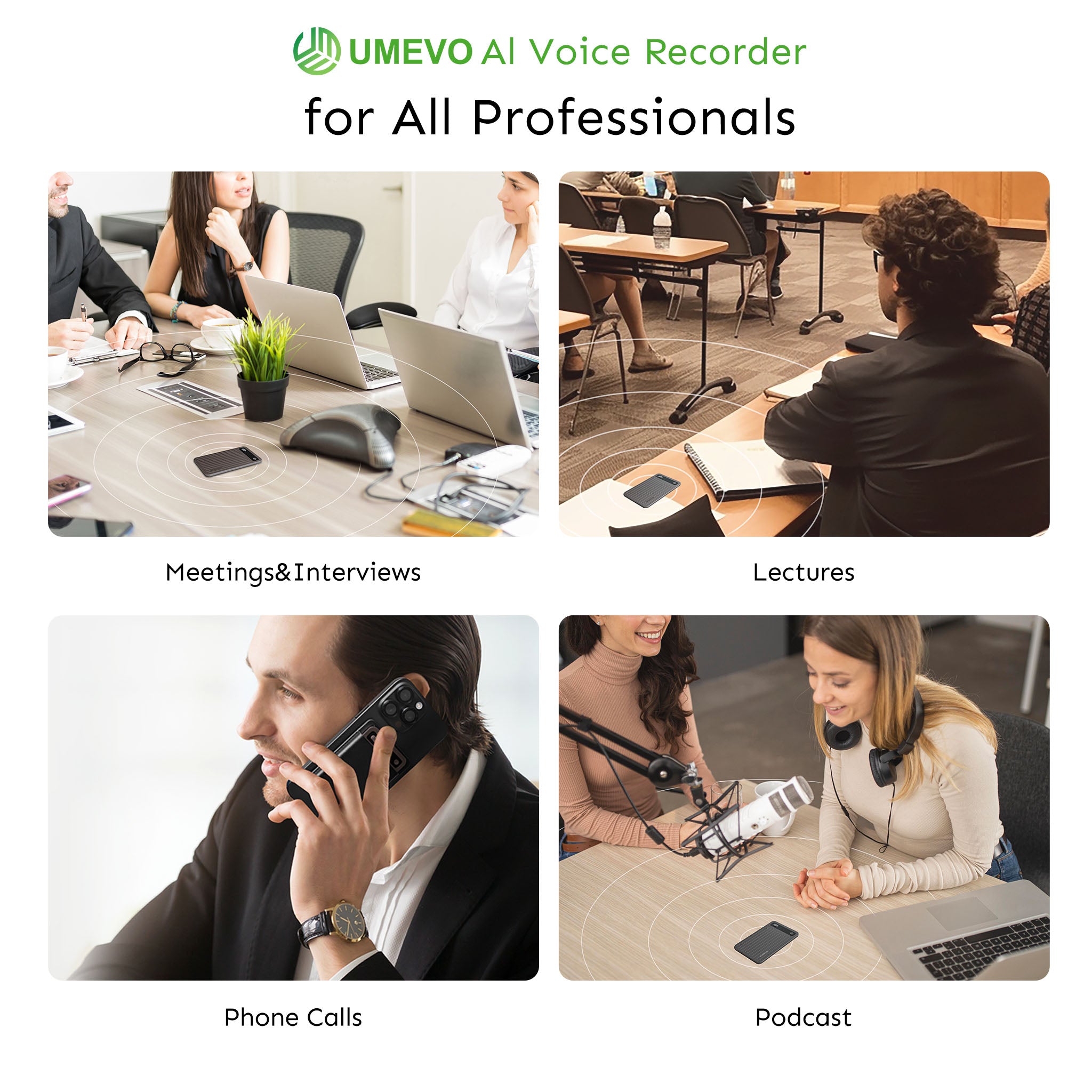
Effective IEP documentation requires hardware that bypasses software interruptions, operates discreetly to avoid defensive reactions, and possesses the battery capacity for all-day mediations.
Managing Privacy and Software Limitations
In visual stress tests, we observed that native, on-device recording bypasses the need for visible AI bots. Many cloud-based AI note-takers require a virtual "bot" to join Zoom or Teams meetings as a visible participant. In a special education context, this triggers immediate privacy reviews from school administrators. Hardware that records system audio directly from the device eliminates "bot fatigue" and maintains the privacy of the session.
Battery Life and Storage for Marathon Meetings
According to the Center for Parent Information and Resources, standard annual IEP meetings typically last 30 to 90 minutes. However, complex initial evaluations, transition planning, or dispute mediations can last several hours. Relying on a smartphone battery for an all-day mediation is a critical point of failure.

With 64GB of dedicated storage, a user can record 400 hours of uncompressed audio. This means a parent can document an entire child's K-12 IEP history on a single device without ever needing to delete files to free up space.
Handling Remote IEPs on Phone Calls
When an IEP meeting is conducted over a standard phone call, traditional smartphone recording apps fail. Operating system restrictions automatically cut off software-based recording apps if another call comes in or an alarm sounds. Hardware utilizing vibration-conduction technology bypasses these software limitations entirely.
Step-by-Step Workflow for Documenting the Meeting
A reliable documentation workflow combines pre-meeting context loading with hybrid note-taking, ensuring the AI generates structured, actionable meeting minutes.
Pre-Meeting Setup and Context Loading
Experts point out that pre-loading context into an AI system significantly improves summary accuracy. Before the meeting begins, advocates should upload past evaluation PDFs or previous IEP documents into the AI's meeting folder. This gives the system historical context, allowing it to accurately spell specific medical diagnoses or past accommodations when generating the final transcript.
The Hybrid Note-Taking Method
Relying entirely on automation often yields generic summaries. The most effective workflow is hybrid note-taking. The user allows the AI to capture the verbatim transcript while manually jotting down specific "guideposts"—such as "Ask about speech therapy minutes here." The AI then uses the full transcript to fill in the context around those manual guideposts.
Post-Meeting Summaries and PWN Verification
Following the meeting, the raw transcript should be converted into structured meeting minutes. Advocates use this document to cross-reference the school's official PWN. If the school's document omits a promised service, the parent can quote the exact timestamp and transcript text in their written correction request.
Hardware Solutions for IEP Advocacy
Dedicated AI voice recorders provide the physical sensors and cost structures necessary for parents who require reliable documentation without recurring software subscriptions.
📺 How to Transcribe Meetings - Best AI Meeting Assistant (2026)
Discreet Design for In-Person Meetings
Placing a bulky, traditional dictaphone in the center of an IEP table often makes school staff defensive. Modern assistive technology prioritizes unobtrusive form factors. Devices measuring as thin as 0.12 inches and weighing 1.06 oz do not look like traditional recording equipment, allowing the meeting to proceed without added tension.

Vibration Conduction for Remote Phone Meetings
For remote IEP meetings, capturing both sides of a phone call requires specialized hardware. The UMEVO Note Plus utilizes a Piezoelectric Vibration Conduction Sensor (VCS). This dual-mode hardware attaches magnetically to a smartphone chassis and captures the incoming audio through physical vibrations rather than relying on the phone's microphone or software permissions.
Managing Subscription Costs
The software-as-a-service model presents a financial friction point for parents.
Decision Framework:
- If you only need to transcribe a single, 30-minute virtual meeting from your laptop, cloud-based software like Otter.ai remains the industry standard and is an excellent choice for users who need immediate browser integration.
- If you prioritize data sovereignty, need to record in-person meetings, and want to avoid recurring fees, the UMEVO Note Plus is the strategic winner.
Unlike competitors that require an immediate monthly subscription, UMEVO offers one year of free, unlimited AI transcription (Max Plan). Starting in year two, users retain 400 free minutes per month. For a parent attending two to three IEP meetings annually, this cost leadership eliminates the subscription fatigue associated with standard AI apps.
Structured Decision Aid: IEP Meeting Documentation Checklist
| Phase | Action Item | Technical Requirement |
|---|---|---|
| Phase 1: 24 Hours Prior | Check state consent laws and email written notice to the school district. | Verify device has 64GB storage and 40 hours of continuous battery life. |
| Phase 2: During Meeting | State your name and the date on the recording. Use hybrid note-taking for guideposts. | Utilize discreet hardware (0.12 inches) or Piezoelectric VCS for phone calls. |
| Phase 3: Post-Meeting | Generate AI summary and compare the transcript to the school's official PWN. | Ensure the AI platform supports speaker identification and 16kHz processing. |
Conclusion
Documenting an IEP meeting should not require a law degree or a stenographer. By understanding state consent laws, navigating FERPA regulations, and utilizing dedicated hardware, parents and educators can focus on what truly matters: advocating for the student's educational needs.
Equip yourself for your next school meeting. Explore the UMEVO Note Plus as assistive technology and see how its ultra-slim design and free AI transcription can transform your advocacy. Educators can also review our University recording policies guide 2025 for compliance tips.
Frequently Asked Questions
Do I need to ask permission to record an IEP meeting?
It depends on your state. In the 38 one-party consent states, you do not legally need permission. In the 12 all-party consent states, you must obtain permission from everyone present, typically by providing 24-hour written notice.
How does AI distinguish between the principal, special ed teacher, and parent speaking?
Advanced AI transcription utilizes speaker identification algorithms to separate audio tracks based on vocal biometrics, generating a dialogue-style transcript that labels "Speaker 1," "Speaker 2," etc.
Can I use an AI recorder for my child's 504 plan meeting too?
Yes. The legal and logistical principles for documenting a 504 Plan meeting are identical to those of an IEP meeting.
Is it safe to upload special education meeting audio to an AI tool?
Parents are not bound by FERPA and can use AI tools for personal advocacy. However, schools must ensure any AI tool they use is FERPA-compliant and does not train public models on student PII.
How can special ed teachers use AI to save time on mandatory paperwork?
Teachers can use on-device AI transcription to draft initial meeting minutes and track service hour commitments, provided they have parental consent and adhere to district data privacy policies.





0 comments