

Customer Success Managers and Account Executives use AI recording during Quarterly Business Reviews (QBRs) to automate data extraction and prevent critical client insights from being lost to manual note-taking.
Relying on manual note-taking during QBRs leads to meeting amnesia and missed expansion opportunities. By integrating AI recording into your QBR workflow, you can automate transcription, extract structured action items, and generate client health summaries. However, executing this successfully requires tools that work across virtual, phone, and in-person settings without being blocked by strict enterprise IT firewalls.
You finish a high-stakes QBR. Your client shared critical product feedback, dropped three major objections, and agreed to a renewal timeline—but your manual notes are a fragmented mess of half-sentences. This guide covers the strategic shift to AI-driven QBRs, compares software bots to hardware recorders, outlines legal frameworks for recording clients, and provides a step-by-step workflow to turn raw audio into CRM-ready insights.
The Evolution of the QBR: From Static Slides to AI-Driven Insights
The Cost of Manual QBRs and Meeting Amnesia
Manual QBR preparation and note-taking consume the majority of a customer success manager's bandwidth, leaving minimal time for actual strategic advisory and relationship building.
According to Vitally's 'The Secret Lives of CSMs' Report and Statisfy industry interviews, 66% of Customer Success Managers (CSMs) report spending a significant portion of their workday on repetitive administrative tasks. Consequently, many spend only 37% (about 3 hours a day) actually building client relationships. When a CSM is forced to act as a stenographer during a live review, they lose the ability to read the room, address underlying churn risks, and pivot the conversation based on real-time feedback.
The Finite Problem Framework for Scaling Client Reviews
Scaling QBRs requires mapping common client use cases and layering product telemetry data, allowing AI to automatically match usage patterns to predefined success metrics.
Experts point out that trying to individually discover unique business problems for thousands of lower-tier customers is an unscalable mistake. In a recent video interview on customer success strategies, Andrea Bumstead highlighted this framework. She notes, "Your products and the problems you are solving for your customers are finite. They're not infinite." By mapping common use cases and layering in product usage telemetry, AI can deduce the exact value a client receives. Furthermore, experts point out that AI is purely a synthesis tool; it requires a bedrock of structured product usage data. Once that data is fed into the system, the AI can pre-populate presentation decks or internal dashboards that instantly summarize the value activated, alignment to business outcomes, and the top three recommendations for the client's next steps.
📺 How to Use AI to Scale Customer Success QBRs

Shifting from Administrative Note-Taking to Strategic Advisory
Automated transcription frees up cognitive bandwidth, allowing account executives to focus entirely on client relationship dynamics, body language, and strategic alignment during the live meeting.
Removing the burden of manual documentation allows the professional to transition from an administrative order-taker to a strategic advisor.
Software Bots vs. Hardware Recorders: Solving the Enterprise IT Block
Why Enterprise Clients Are Blocking Third-Party AI Bots
Strict data privacy policies and recent class-action lawsuits are causing major institutions and software platforms to actively block third-party AI meeting bots from joining calls.
Major institutions like Stanford and Oxford Universities have actively blocked AI meeting bots (such as OtterPilot, Fireflies, and Read AI) from joining Zoom and Teams calls due to data privacy risks. Furthermore, as of April 2026, Google Meet began flagging third-party bots as security risks. This follows class-action lawsuits, such as Cruz v. Fireflies.AI Corp (Dec 2025), filed under the Illinois Biometric Information Privacy Act (BIPA) for collecting participant voiceprints without consent. Relying exclusively on software bots introduces severe friction when enterprise clients refuse to let the bot into the meeting room.

The Multi-Channel Reality: In-Person Dinners, Hybrid Boardrooms, and Direct Phone Calls
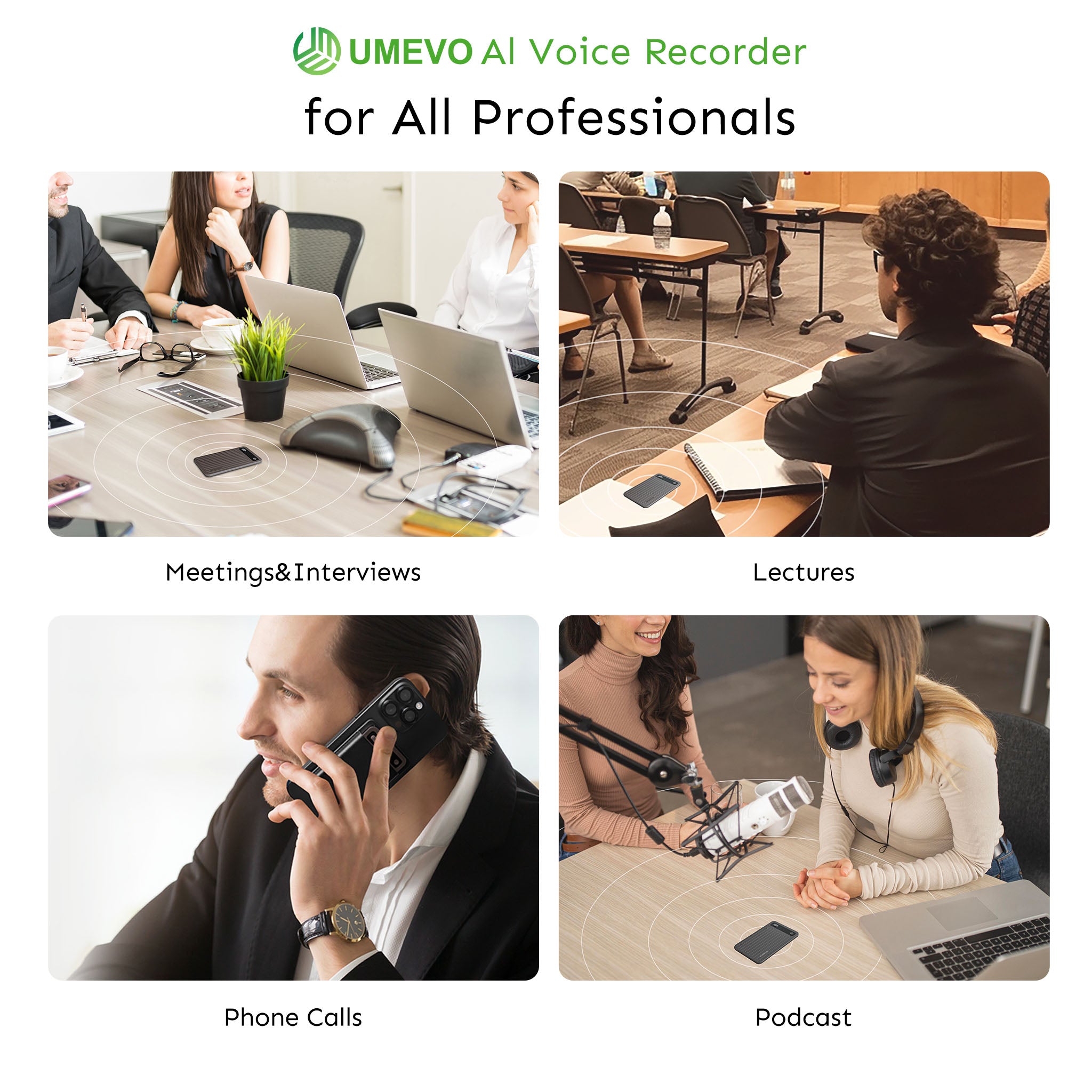
QBRs frequently occur outside of standard video conferencing platforms, rendering software-only AI bots useless for capturing insights during in-person dinners or impromptu phone calls.
Users on community forums often report frustration with software AI because it only works within its own ecosystem. Zoom AI Companion processes virtual meetings efficiently, but it fails entirely when a client calls your cell phone directly to discuss a contract, or when half the room is sharing a single microphone in a hybrid boardroom.
How Vibration Conduction Bypasses OS Restrictions and App Failures
Vibration conduction hardware captures audio directly from a smartphone's chassis, bypassing OS-level software blocks and app crashes without requiring software permissions.
Instead of relying on a phone app that stops recording when a second call comes in, vibration sensors physically absorb the sound waves traveling through the phone's internal components. The UMEVO Note Plus serves as a prime example of this technology. It features a physical switch that allows users to instantly toggle between "Call Recording" (vibration-based for MagSafe phone attachment) and "Note Recording" (standard air-conduction for in-person meetings).

Software bots like Otter remain the industry standard for purely virtual, internal team meetings, and are an excellent choice for users who need native Zoom integration. However, for AEs who prioritize multi-channel recording across phone calls and in-person dinners without IT firewall friction, dedicated hardware offers a more reliable path.
Structured Decision Aid: AI Meeting Bots vs. Dedicated Hardware Recorders
| Feature / Capability | Software AI Meeting Bots (e.g., Otter, Fireflies) | Dedicated Hardware AI Recorders |
|---|---|---|
| Virtual Meetings (Zoom/Teams) | Yes (Requires bot to join as a participant) | Yes (Records system audio or ambient room audio) |
| Direct Phone Calls | No (Requires complex dial-in workarounds) | Yes (Via physical vibration conduction sensor) |
| In-Person / Hybrid Meetings | Poor (Relies on laptop mic; lacks portability) | Excellent (Ultra-portable, dedicated dual-mic array) |
| Enterprise IT Bypass | No (Frequently blocked by client firewalls) | Yes (Operates independently of the meeting platform) |
| Annual Subscription Cost | $200 - $240+ per user, per year | $0 (Hardware bundles often include transcription) |
Legal Compliance and Etiquette: How to Ask Clients for Permission to Record
Navigating One-Party vs. Two-Party Consent Laws
While hardware recorders can physically bypass software blocks, organizations must still comply with regional consent laws regarding the capture of personal data.
According to the PBX.IM Call Recording Compliance Guide (2026) and World Population Review (2026), while the U.S. federal baseline (Electronic Communications Privacy Act) allows for one-party consent, 11 to 13 states (including major business hubs like California, Florida, Illinois, and Massachusetts) enforce strict two-party (all-party) consent laws. This requires every participant on a call to be notified before recording begins. Bypassing a software block does not bypass the law.
The Trust-First Script for Securing Client Consent
Securing client consent requires framing the recording as a mutual benefit that improves meeting focus and guarantees accurate follow-up deliverables.
Use this script at the beginning of the QBR: "Do you mind if I turn on my digital recorder? It allows me to be 100% present with you today instead of frantically typing notes, and I'll share the automated action items with you right after our call."
Balancing Stealth Hardware Capabilities with Ethical Client Relationships
The ultra-slim design of modern recording hardware is engineered for frictionless workflow integration, not for secretly recording clients without their knowledge.
Transparency builds trust. A common consensus among enthusiasts is that hiding a recording device damages long-term client relationships. The physical unobtrusiveness of the device should be used to prevent meeting distractions, not to deceive stakeholders.
Step-by-Step Workflow: Turning QBR Audio into Actionable Deliverables
Step 1: Capturing High-Fidelity Audio with Speaker Identification
Clean audio capture and multi-speaker identification are mandatory for hybrid rooms to ensure AI accurately attributes objections and commitments to the correct stakeholder.
While most people think higher sample rates are universally better, for voice dictation, 16kHz is actually superior for AI transcription accuracy because it isolates the human vocal range and discards background noise.
Step 2: Generating Structured Meeting Minutes and Mind Maps
Advanced AI engines transform raw transcripts into visual mind maps and structured summaries tailored specifically to sales and customer success frameworks.
Instead of reading a massive block of text, CSMs can review a generated mind map that visually connects a client's stated business goal to the specific product features discussed during the review.

Step 3: Extracting Action Items and Deadlines
Prompting AI to isolate explicit commitments, owners, and timelines ensures that critical client deliverables do not slip through the cracks after a QBR.
By feeding the transcript into a targeted prompt, the AI can output a clean table of deliverables. For a deeper dive into this specific workflow, read our guide on Beyond summary: prompting AI for action items.
Step 4: Building a Client SWOT Analysis from Audio
Feeding a QBR transcript into a targeted AI prompt allows you to map out the client's Strengths, Weaknesses, Opportunities, and Threats based entirely on their verbal feedback.
This transforms a standard check-in into a strategic document that can be shared with product and executive teams. Learn the exact prompts required in our breakdown on Generating SWOT analyses from meeting audio.
Maximizing ROI: Choosing the Right AI Recording Stack for Your Team
Evaluating the True Cost of AI Transcription
The recurring subscription costs of software-based AI meeting bots create a high total cost of ownership compared to hardware devices that bundle transcription services.
Based on official 2026 pricing, the annual subscription cost for business-tier AI meeting bots is approximately $230 to $240 per user, per year. Specifically, Otter.ai's Business plan costs $239.88/year ($19.99/month billed annually), and Fireflies.ai's Business plan costs $228/year ($19/month billed annually).
For teams managing tight software budgets, the UMEVO Note Plus is the strategic winner. It offers 1 year of free unlimited AI transcription (Max Plan), followed by a 400 minutes/month free tier and affordable pay-as-you-go top-ups, eliminating the $200+ annual SaaS subscription fee. However, this device is not designed for users who require deep, native integration into enterprise video editing suites. If your primary goal is editing video timelines based on text transcripts, you are better off with a software tool like Descript.
Hardware Essentials: Battery Life, Storage, and Portability for Busy AEs
Professional hardware must possess the battery life to survive back-to-back client travel days and sufficient onboard storage to record offline when Wi-Fi is unavailable.
With 64GB of built-in storage and 40 hours of continuous recording battery life, an Account Executive can record a full week of off-site client dinners, boardroom meetings, and taxi phone calls without ever needing to offload files or hunt for a charger. The ultra-slim 0.12-inch MagSafe profile ensures it remains unobtrusive during face-to-face interactions.

Integrating QBR Insights with CRM Systems
Exporting AI-generated summaries, mind maps, and action items directly into Salesforce or HubSpot keeps account health scores accurate and transparent across the organization.
Automating this data entry ensures that sales managers have real-time visibility into account health without requiring the CSM to spend Friday afternoons manually updating CRM fields.
Closing Section
AI recording eliminates the administrative friction of QBRs, allowing CSMs and AEs to focus on relationship building while capturing 100% of client insights. By moving away from easily blocked software bots and adopting a versatile hardware-software hybrid approach, teams can secure reliable data across every meeting channel.
For professionals ready to upgrade their QBR workflow, the UMEVO Note Plus Magnetic Call Recorder provides the ultimate solution. Featuring MagSafe compatibility, vibration-conduction call recording, and an exceptional value proposition that includes 1 year of free unlimited AI transcription, it ensures you never lose a client insight to meeting amnesia again.
FAQ
How do I ask a client for permission to record a QBR?
Frame it as a benefit to them. Say, "Do you mind if I turn on my digital recorder? It allows me to be 100% present with you today instead of frantically typing notes, and I'll share the automated action items with you right after our call."
Can AI identify different speakers in a hybrid QBR room?
Yes, advanced AI recorders use multi-mic arrays and speaker diarization to distinguish voices, ensuring that quotes and action items are attributed to the correct stakeholder.
How do I record a QBR if it's a direct phone call instead of a Zoom meeting?
Vibration conduction hardware captures phone call audio directly from the smartphone's chassis. This bypasses OS restrictions and allows you to record standard cellular calls without relying on third-party apps.
Does AI transcription leak sensitive client financial data?
Professional tools use secure APIs with strict data retention policies to protect enterprise information. Always ensure your chosen platform complies with regional data privacy laws like GDPR or PDPA.
What is the best way to extract action items and deadlines from a QBR transcript?
Feed the raw transcript into a structured AI prompt that specifically asks the engine to isolate commitments, assign owners, and list deadlines in a table format.





0 comments