

Evaluating an audio recorder app for professionals requires understanding the technical limits of smartphone operating systems during client calls and field interviews.
Phone recorder apps provide adequate utility for quick personal voice notes, but they introduce critical failure points in business environments. Operating system restrictions block two-way call capture, while continuous background recording drains smartphone batteries and risks thermal throttling. For consultants, journalists, and sales teams, choosing between a software app and a dedicated hardware recorder depends on three factors: acoustic capture physics, legal compliance, and total cost of ownership. If you are comparing mobile tools, explore our review of the top 10 sound recorder apps for Android and iOS to see how software options stack up.
Why Phone Recorder Apps Hit a Ceiling for Professional Work
Smartphone recording apps fail during professional use because iOS and Android operating systems actively block third-party software from accessing two-way call audio, while continuous microphone use drains the device battery within four to eight hours.

OS audio restrictions and call-capture blocks
According to the April 2026 Tech Buzz Ireland Review and UMEVO Press Release, operating system audio restrictions in iOS and Android block third-party recording apps from accessing two-way phone call audio. Mobile operating systems prioritize user privacy and carrier routing, meaning the microphone API is locked the moment a cellular or VoIP call initiates. Users on community forums often report that background recording apps are forcibly interrupted by incoming calls, notifications, or audio routing changes, resulting in silent or corrupted files.
Battery, heat, and storage trade-offs
Continuous app recording consumes smartphone battery within 4 to 8 hours and risks thermal throttling during long sessions. A smartphone processes background tasks, cellular handshakes, and screen illumination simultaneously. If a field researcher relies on a phone app for a six-hour site visit, they risk depleting their primary communication device before the day ends. Furthermore, high-fidelity audio files quickly consume local phone storage, forcing users to manually offload data to cloud drives.
Microphone and placement limits
Built-in smartphone microphones are engineered for near-field voice calls. They utilize aggressive noise-cancellation algorithms designed to isolate a single voice positioned inches from the device. In ambient, multi-speaker settings—such as a boardroom or a busy coffee shop—these microphones struggle to capture distinct voices evenly. Consequently, the resulting audio often sounds muffled, making downstream AI transcription highly inaccurate.
The app workflow gap
Many basic recorder apps leave professionals with a raw audio file and no subsequent workflow. Without integrated transcription, speaker labels, action items, or automated export capabilities, the user must manually upload the audio to a secondary service. This fragmented process introduces friction and delays the delivery of client-ready meeting minutes. To understand how dedicated mobile software compares, read our guide on AI voice recorder apps top 5 picks and reviews.
What a Dedicated Recorder Adds: Capture Physics, Battery, and Workflow
Dedicated recorders bypass software restrictions by using physical vibration sensors to capture call audio, while providing independent battery power and storage to prevent smartphone drain during extended meetings.
How Vibration Conduction Sensors record calls physically
In visual stress tests, a thin, credit-card-style recorder was shown snapping directly onto the back of an iPhone via MagSafe while held up to a user's ear. This demonstrates how physical sound vibrations from the phone's chassis are recorded directly via Vibration Conduction Sensors (VCS). Because the sensor captures the physical resonance of the phone's internal speaker, it records both sides of the conversation without needing software call-recording workarounds, jailbreaking, or cellular API access.
AI Note Taking Device vs Software: Which One Actually Wins?
Dual-mode hardware for calls and in-person notes
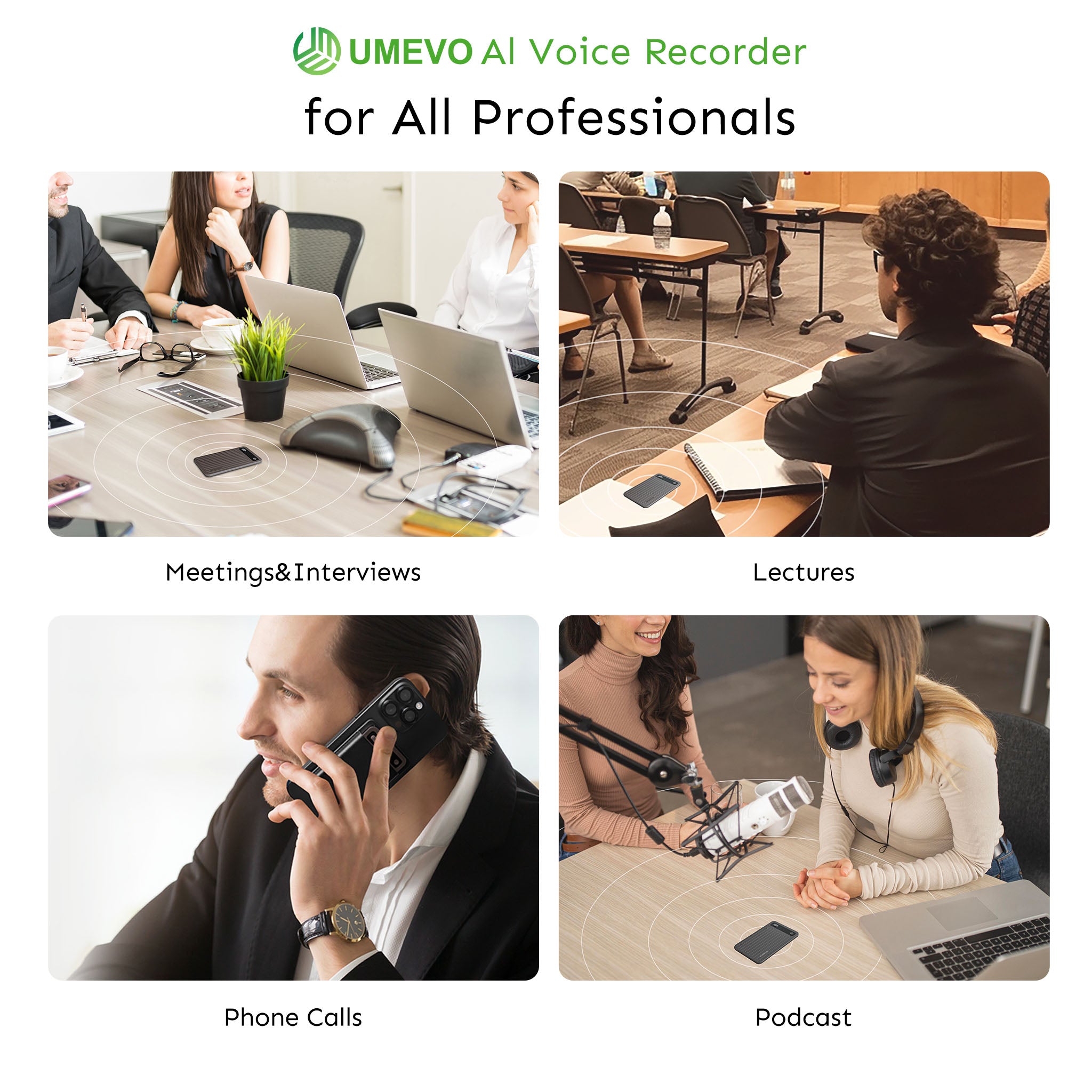
Professional workflows require flexibility between digital and physical environments. A physical one-press switch between CALL and NOTE modes allows a single device to transition from a cellular conversation to a live boardroom meeting instantly. The UMEVO Note Plus serves as a clear example of this architecture, utilizing a MagSafe attachment with VCS for call recording alongside standard air microphones for room capture.
Battery, storage, and portability
According to the August 2026 UMEVO Note Plus Official Product Specs & Review, flagship hardware features 64GB internal storage and a 400mAh battery providing 40 hours of continuous recording[2] and 60 days of standby time. With 40 hours of continuous recording, a consultant can record a full week of back-to-back client workshops without ever needing to locate a wall outlet or carry a power bank.
Physical dimensions also dictate usability. Modern dedicated recorders feature an ultra-slim 0.12-inch (3mm) body weighing just 1.06 oz (30g). This profile ensures the device remains attached to the phone in a pocket without adding noticeable bulk.

AI transcription, summaries, and export options
Capturing audio is only the first step; processing it is where dedicated ecosystems provide value. Modern devices integrate with cloud platforms to offer ChatGPT-powered AI transcription in 140+ languages.
Experts point out that tactile hardware buttons act as explicit prompt engineering directives. Pressing a physical "Press-to-Highlight" button mid-call feeds timestamp anchors directly into Large Language Models (LLMs). This instructs the AI to prioritize that specific audio window when drafting actionable summaries, mind maps, and custom templates.


Legal and Compliance: Recording Calls Safely
Recording business calls requires strict adherence to jurisdictional consent laws and enterprise data security standards to protect confidential client and patient information.
One-party versus all-party consent laws
Under federal law (18 U.S.C. § 2511[1]), one-party consent is required to record conversations. However, according to the Justia 50-State Survey, at least 11–12 U.S. states (including California, Florida, Illinois, and Pennsylvania) enforce all-party consent.
While many guides suggest simply using a dedicated recorder to bypass OS carrier limits, professional workflows actually require verbal disclosure on cross-border calls because international calls default to the strictest consent standards. VCS technology is a physical workaround for OS restrictions, not a legal loophole.
Data security for client and patient conversations
Professionals handling sensitive data cannot rely on consumer-grade cloud storage. Based on UMEVO Note Plus Compliance Specifications, enterprise security standards like SOC 2, HIPAA, GDPR, and EN 18031 govern compliant cloud storage. Devices must utilize end-to-end encryption both in transit and at rest to ensure that proprietary business data or protected health information remains secure.
A simple consent and storage checklist
- Announce the recording at the start of the call.
- Obtain and note verbal consent in the recording file.
- Store files in a secure, compliant location.
- Limit access and define strict retention periods.
- Verify the tool’s security certifications (SOC 2, HIPAA) before purchasing.
Role-Specific Decision Framework: What to Look For
Selecting the right recording tool depends entirely on your primary environment; field workers require physical durability, while remote workers benefit most from software-based meeting assistants.
The exception: virtual-meeting-only workflows
Software bots like Fireflies or Otter remain the industry standard for virtual video conferences, and are an excellent choice for users who spend their entire day on Zoom, Google Meet, or Microsoft Teams. However, for field workers or sales professionals who prioritize cellular calls and in-person meetings, dedicated magnetic hardware offers a more reliable path without software routing failures. For broader business hardware analysis, check our detailed guide on top meeting recording device reviews for business use.
Consultants
Consultants require client-ready meeting minutes, action items, and accurate speaker labels. They need a device with enough battery endurance to handle back-to-back client calls and on-site workshops without failing mid-session.
Sales teams
Sales professionals require reliable both-sides call capture and quick logging. The workflow must be low-friction, allowing them to initiate recording via a physical switch without navigating phone screens or requesting software permissions during a pitch.
Journalists
Journalists demand fail-safe continuous recording, high storage capacity, and reliable audio behavior in noisy public settings. A dedicated field recorder ensures that a critical interview is not lost due to a smartphone notification or thermal shutdown.
Field workers and researchers
Field workers require hands-free capture, magnetic mounting, long standby times, and cross-platform file transfer capabilities, including direct OTG (On-The-Go) export to Windows and Linux systems in environments without reliable internet access.
Decision matrix

| Role | Primary recording scenario | Must-have | Tool category that fits |
|---|---|---|---|
| Consultant | Client calls and meetings | AI minutes, action items, speaker ID | Dual-mode VCS recorder with transcription |
| Sales | Cellular or VoIP calls | Both-sides call capture, quick logging | Magnetic VCS recorder |
| Journalist | In-person interviews and events | Long battery, high storage, reliable audio | Dedicated field recorder |
| Field worker | On-site notes and observations | Hands-free mount, long standby, desktop export | Magnetic recorder with Windows/Linux transfer |
| Virtual-first worker | Zoom, Meet, Teams | In-app recording, live transcripts | Software meeting assistant, no dedicated hardware needed |
Total Cost of Ownership: Are Phone Apps Actually Cheaper?
While phone apps appear free initially, dedicated hardware with bundled AI transcription often presents a lower total cost of ownership over a two-year period by eliminating monthly subscription fees.
The hidden costs of free apps
Relying on a free smartphone app introduces hidden operational costs. Manual transcription time, missed action items due to poor audio quality, lost recordings from OS interruptions, and accelerated phone battery wear make "free" software highly expensive in a professional context.
AI transcription plans: compare Year 1 and Year 2
Many AI hardware devices lock users into mandatory monthly cloud processing fees from day one. This recurring cost represents a significant trade-off.
The UMEVO Note Plus carries a $149 sale price ($169 list price) and includes 1 full year of free unlimited AI transcription under the Max Plan. According to the August 2026 Review Summary, it transitions in Year 2 to a Starter Plan offering 400 free minutes per month with flexible top-up pricing. For users who record heavily, paying an upfront hardware cost to secure a year of unlimited transcription is a more cost-effective path than paying $15 to $30 monthly for standalone AI software.
A simple cost decision
If you record one brief call a week, a standard phone app is sufficient. Conversely, if you record client calls daily, conduct field interviews, or require automated meeting minutes, a dedicated recorder with included AI processing justifies its hardware cost through time saved and data secured.
Closing Section
Phone apps are enough for occasional personal notes, but dedicated recorders earn their place when calls, interviews, and meetings are business-critical. Operating system restrictions, battery limitations, and poor ambient microphones make smartphones unreliable for professional capture. By evaluating your specific role, legal requirements, and the total cost of ownership, you can determine whether software or hardware is the correct investment.
If your workflow fits the dedicated category, compare the UMEVO Note Plus against your checklist. For more context on how these devices stack up against software alternatives, explore our comparative guides below.
- UMEVO Note Plus product page[2]
- Top Meeting Recording Device Reviews for Business Use
- AI Voice Recorder Apps: Top 5 Picks
- Top 10 Sound Recorder Apps for Android/iOS
FAQ
1. Why do phone recording apps fail during calls?
iOS and Android restrict access to call audio, and background apps can be interrupted by notifications or audio routing changes. Dedicated hardware uses vibration conduction to capture call audio physically.
2. How does a magnetic recorder record phone calls without software access?
It uses Vibration Conduction Sensors to detect sound vibrations traveling through the phone body, allowing it to capture both sides of a call without OS-level permissions.
3. Is it legal to record a client call with a dedicated recorder?
It depends on your jurisdiction. Federal law allows one-party consent, but many states and some countries require all-party consent. Always verify local law and disclose the recording.
4. What happens to AI transcription after the first year on UMEVO Note Plus?
The first year includes unlimited AI transcription under the Max Plan. After that, the device shifts to a Starter Plan with 400 free minutes per month and flexible top-up pricing.
5. Can a dedicated recorder handle WhatsApp, Zoom, or VoIP calls?
Magnetic VCS recorders are designed for this because they capture the phone’s physical sound vibrations. However, you should test with your own setup and comply with consent laws.
6. Will AI transcription handle jargon, accents, and multiple languages?
Modern AI transcription supports many languages and speaker identification, but accuracy depends on audio quality. Test with your own sample and choose a tool with editable templates and summaries.
References
- 18 U.S. Code § 2511 - Interception and disclosure of wire, oral, or electronic communications prohibited — U.S. House of Representatives / Legal Information Institute
- UMEVO Note Plus Magnetic Call Recorder & AI Voice Recorder Specifications — UMEVO





0 comments