

If you've tried to record a phone call on a modern smartphone, you already know the frustration. The software options either announce your recording to everyone on the line, rely on unreliable workarounds, or lock your audio behind a monthly subscription.
Quick answer: Magnetic voice recorders are most useful when you need to record phone calls or in-person conversations without software restrictions, mandatory audio announcements, or recurring subscription fees. They work best for professionals—journalists, lawyers, business negotiators—who need discreet, reliable recording across any communication app (cellular, WhatsApp, FaceTime, Zoom) and want AI transcription without the monthly subscription trap.
This guide walks through exactly when these devices make sense, how the technology has evolved, and what to look for before buying.
The iPhone Call Recording Dilemma (Software vs. Hardware)
The iOS 18 Limitation
Apple's native call recording—introduced in iOS 18.1—works, but with a critical catch. According to Apple's official documentation, the moment you tap "Record," the system plays an audible announcement to all participants: "This call is being recorded."
This mandatory disclosure is non-negotiable. There is no setting to disable it.
For many users, this is a welcome transparency feature. For professionals who need natural, uninhibited dialogue—think journalists interviewing sources, attorneys consulting with clients, or business negotiators discussing sensitive terms—that announcement can fundamentally change the conversation.
Why Apps Fall Short
Third-party recording apps have their own problems:
| Issue | How it affects you |
|---|---|
| Three-way calling workaround | Apps often merge calls through a VoIP server, introducing audio delay and potential dropouts |
| Battery drain | Running continuous audio capture and cloud upload simultaneously drains your phone quickly |
| Subscription paywalls | Free tiers are limited; useful features often cost $10–$20/month |
| App permissions | iOS restricts background audio access, making reliable recording difficult |
| Platform limitations | WhatsApp, FaceTime, and Zoom calls often can't be captured by standard apps |
The Hardware Workaround
A magnetic hardware recorder bypasses these software limitations entirely. By capturing audio directly from the phone's chassis vibration—not through the operating system—it works with any call type and never triggers software prompts or display indicators.
For a deeper look at what specifications matter most, see our AI Voice Recorder Buying Guide.
How Modern Magnetic Recorders Actually Work (Air vs. Vibration Conduction)
Why Old Reviews Disagree with New Technology
Search for "magnetic voice recorder" and you'll find conflicting information. Some sources call them unreliable, saying audio is muffled or picks up too much background noise. Others praise them for crystal-clear call recording.
The conflict comes from technology generations.
Older magnetic recorders used standard air-conduction microphones. They sat on the back of your phone and recorded whatever audio came through the speakerphone. The result: distant-sounding voices, room echo, traffic noise, and HVAC hum bleeding into the recording.
The Vibration Conduction Shift
Modern magnetic recorders use Vibration Conduction Sensors (VCS). According to specifications detailed in professional guides on how to choose a phone call recording device, VCS technology captures micro-vibrations traveling through the phone's internal chassis—the same vibrations your ear picks up when you hold the phone normally.

Comparison: Air Conduction vs. Vibration Conduction
| Feature | Traditional Air Conduction | Modern VCS |
|---|---|---|
| Audio source | Ambient air / speakerphone | Internal phone chassis vibrations |
| Speakerphone required? | Yes | No (works during normal earpiece calls) |
| Background noise | High (room echo, traffic, HVAC) | Extremely low (isolated to phone audio) |
| Discretion | Low (everyone hears the call) | High (private earpiece call stays private) |
| Setup friction | Complex (app pairing, permissions) | Instant (magnetic attach, press record) |
This technology difference is why a modern magnetic recorder can deliver phone call audio comparable to a professional dictation device, without requiring you to put your call on speaker.
The "Throw and Stick" Test
Magnet strength matters more than you might think. A strong magnetic attachment keeps the recorder locked in position during active use—even if you're walking, turning, or reaching for something. Weak magnets can shift the recorder slightly, degrading audio quality.
For more on how design affects usability, read The Ultimate Guide to Pocket Audio Recorders.
4 Real-World Scenarios Where Magnetic Recorders Excel
Scenario 1: Discreet Phone Call Recording
The need: Recording client consultations, legal interviews, or verbal agreements without alerting the other party or showing an on-screen recording indicator.
Why hardware wins: A magnetic recorder works with any call type—standard cellular, FaceTime Audio, WhatsApp, Skype, Zoom—without requiring software permissions or app installation. You attach it, press record, and the device handles the rest independently of your phone's operating system.
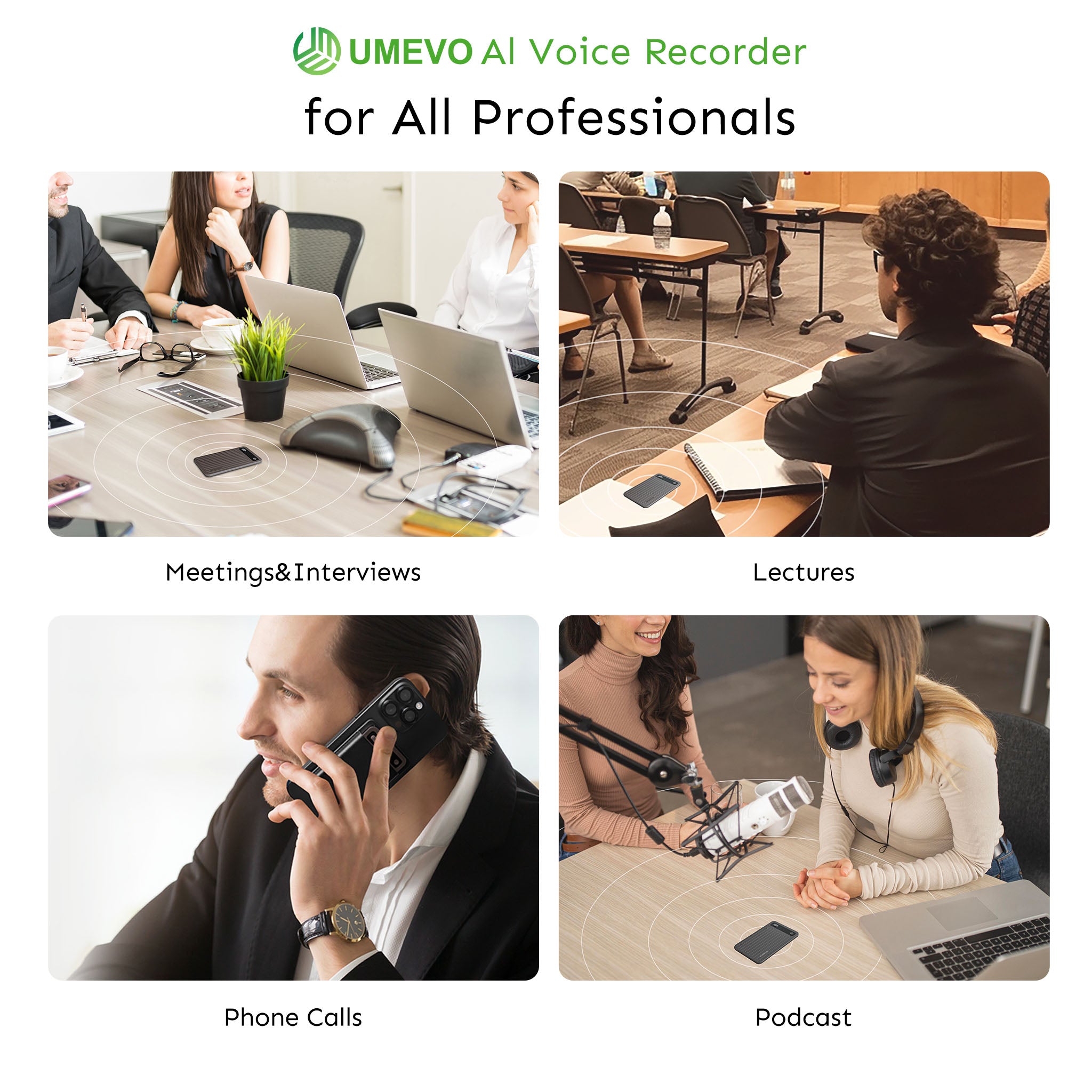
Scenario 2: In-Person Meetings and Conferences
The need: Capturing multi-party discussions where meeting bots (Zoom, Teams, Google Meet) are blocked, impractical, or not present.
Why hardware wins: Dual-mode devices switch between VCS mode (for phone calls) and ambient microphone mode (for room recording). This means the same device that records your business call can sit on a conference table and capture a full boardroom discussion, matching the versatility of the best digital voice recorders on the market.
Scenario 3: On-the-Go Voice Memos and Medical Appointments
The need: Capturing complex information when your hands are full or when you're in an environment where phone use is impractical.
The insider approach: As one reviewer demonstrated, keep the recorder running in your pocket during critical consultations—doctor's appointments, legal briefings, technical training sessions. You bypass the common problem of forgetting complex details once you leave the room. The recording becomes a safety net for your memory.
Scenario 4: The AI Summarization Workflow
The modern approach: Instead of manually transcribing or relistening to hours of audio, upload the raw recording file to an AI tool (ChatGPT, Claude) with a prompt like: "Give me a structured rundown, key action items, and a synopsis of this audio."
This workflow turns raw audio into usable notes in minutes, not hours. The magnetic recorder acts as the capture device; the AI handles the processing.

Hardware vs. Software: The Hidden Costs of AI Transcription
The Subscription Trap
Here's the pattern in the magnetic recorder market: manufacturers sell hardware at an attractive price, then require a monthly subscription to access AI transcription and summarization features.
| Competitor pricing example (prices as of early 2025) | Monthly cost | Annual cost |
|---|---|---|
| Plaud Note Pro Plan | ~$17.99/month | ~$99.99/year |
| Typical industry range | $10–$20/month | $100–$240/year |
After two years, you've paid more for the software than the hardware.

Why Flexible Pricing Matters
A device with pay-as-you-go or generous free tiers avoids this lock-in. For occasional users, a free monthly allowance (400 minutes, for example) may cover all needs. For heavy users, cheap top-ups (like $0.59 for 120 minutes) avoid the commitment of a recurring subscription.
Local Storage as a Security Feature
Hardware recorders store audio on internal physical memory (typically 32–64GB) rather than immediately uploading to a third-party cloud server. For sensitive corporate conversations or personal medical discussions, this local-first approach keeps your data under your control.
For detailed specifications on storage, battery life, and recording capacity, see our UMEVO AI Voice Recorder Specs.
Spotlight: UMEVO Note Plus
The UMEVO Note Plus addresses each pain point discussed above—software friction, audio quality, and subscription costs—in a single magnetic device.
Product Images:


Mini Magnetic Voice Recorder Review & Unboxing - 4K
Key Specifications
| Feature | Detail |
|---|---|
| Recording time | 40 hours continuous |
| Standby time | 60 days |
| Storage | 64GB built-in (no SD card needed) |
| Thickness | 0.12 inches |
| Weight | 1.06 oz |
| Compatibility | iOS, Android, Windows, Linux |
| Attachment | MagSafe-compatible magnetic mounting |
| Recording modes | Dual-mode: Call Recording (VCS) and Note Recording (ambient) |
| AI transcription | 140+ languages, speaker identification, mind maps, structured summaries |
Pricing Model
- Max Plan: Free unlimited AI transcription for the first year
- After Year 1: 400 minutes free per month
- Flexible top-ups: $0.59 for 120 minutes (no subscription required)
Direct Playback and File Transfer
The device includes wired USB-C earbuds that plug directly into the recorder, allowing you to listen to recordings without a computer or phone.
Important note for file transfer: You must turn the device switch to "OFF" before connecting it to a computer via USB. If left in the "ON" position, the computer will not recognize it as a readable drive.
Legal & Privacy Considerations
Call recording laws vary significantly by country, state, and jurisdiction.
U.S. federal law (18 U.S.C. § 2511) requires only "one-party consent"—meaning you can legally record a conversation as long as you are a participant.
However, up to 13 U.S. states—including California, Florida, Illinois, Massachusetts, and Washington—require "two-party" or "all-party" consent. In these states, everyone on the call must agree to being recorded.
Best practice: Before recording any conversation, verify your local wiretapping and consent laws. When in doubt, obtaining verbal consent at the beginning of a recorded call is the safest approach.
This guide does not constitute legal advice. Recording laws change, and local regulations may impose additional requirements.
Final Checklist Before Buying
Use this checklist to evaluate any magnetic voice recorder before purchasing:
- [ ] Does it use Vibration Conduction (VCS)? Avoid devices that rely solely on standard microphones for phone calls, as they require speakerphone and capture heavy background noise.
- [ ] Is it MagSafe compatible? Test the magnet strength. The device should hold firmly without slipping during active use.
- [ ] What are the ongoing costs? Calculate total cost of ownership over 1–2 years. Avoid devices requiring mandatory monthly subscriptions for transcription.
- [ ] Does it support dual-mode recording? Ensure it can switch between phone call recording (VCS) and ambient room recording for meetings.
- [ ] What is the physical profile? Look for an ultra-slim design (under 0.15 inches) to avoid adding bulk to your phone.
- [ ] Consider the lanyard trade-off: While a lanyard is useful for carrying, a hanging string can prevent the device from mounting flush against flat magnetic surfaces. Choose accordingly based on your primary use case.
Frequently Asked Questions
1. How do magnetic voice recorders record calls without an app?
Modern magnetic voice recorders use Vibration Conduction Sensors (VCS) to pick up audio vibrations traveling directly through the physical chassis of your phone. They do not hook into your phone's operating system or software apps, making them entirely independent hardware solutions.
2. Does using a magnetic voice recorder trigger call recording announcements on iPhone?
No. Because magnetic voice recorders operate entirely through physical hardware vibration rather than software, they bypass iOS detection. This means no automated announcements, notifications, or warnings are played to the other party.
3. What is the difference between air conduction and vibration conduction (VCS)?
Air conduction relies on a traditional microphone to pick up airborne sound waves, meaning you must use speakerphone to record both sides of a call. Vibration conduction (VCS) detects internal phone chassis vibrations directly, allowing crystal-clear recording even when using your phone's earpiece privately.
4. Are magnetic voice recorders legal to use?
The hardware itself is completely legal. However, the act of recording calls depends heavily on local laws. Depending on your location (such as specific US states), you may need either "one-party consent" or "all-party consent" (where everyone on the line must agree to be recorded).
5. Do I need a monthly subscription to transcribe recordings from a magnetic recorder?
While many competitors lock transcription behind ongoing subscription fees (sometimes costing $100–$200 per year), premium devices like the UMEVO Note Plus offer generous free tiers (such as 400 free minutes monthly) and low pay-as-you-go top-up options to eliminate subscription lock-in.
Sources and references used for this guide
-
Record and transcribe a call on iPhone
Source type: official company documentation
Used for: Confirming iOS 18 native call recording plays an audio notice to all participants.
Caution: None. -
UMEVO Note Plus Magnetic Call Recorder
Source type: official product page
Used for: Product specifications, pricing, battery life, and AI transcription features.
Caution: Vendor source; not neutral ranking evidence. -
How to Choose a Phone Call Recording Device
Source type: reputable professional source
Used for: Background context on hardware vs. app dependency for call recording.
Caution: Aggregator buying guide; use for general industry context only. -
Best Digital Voice Recorders | Tested & Ranked
Source type: independent review
Used for: Background context on the utility of dedicated digital voice recorders for meetings.
Caution: General review site; do not use for specific UMEVO claims.





0 comments