

To reliably turn meeting recordings into action items, operations managers and project teams need a structured workflow that prevents critical deliverables from being lost in unstructured conversation.
Transforming meeting recordings into trackable action items requires a structured four-step workflow: Capture, Transcribe, Extract, and Sync. By combining high-fidelity audio capture with advanced AI prompting, teams can reduce administrative overhead by up to 70% and ensure no deliverable is missed. This guide details the technical setup for capturing audio across in-person and phone environments, transcribing with speaker identification, and syncing extracted tasks directly into project management tools.
Every week, millions of hours are wasted in meetings where decisions vanish into thin air—a phenomenon known as "Meeting Amnesia." The gap between what is spoken and what actually gets done is a data management failure. Bridging this gap requires moving beyond manual note-taking and implementing a reliable, automated pipeline.
Step 1: Capture High-Quality Audio
The Impact of Audio Quality on Word Error Rate (WER)
Audio quality directly dictates AI transcription accuracy; high-fidelity recordings yield a 2.7% error rate, while noisy environments push error rates above 10%, causing AI to hallucinate or miss critical task assignments.
According to June 2026 benchmarks from NovaScribe and July 2026 data from ConvertAudioToText, OpenAI's Whisper Large-v3 model achieves a highly accurate 2.7% Word Error Rate (WER) on clean audio benchmarks (LibriSpeech test-clean). However, evaluating the performance of artificial intelligence-based speech recognition shows that audio quality directly dictates AI transcription accuracy, and this error rate spikes to 8–12% on real-world audio containing background noise or poor microphone quality. Relying on a laptop's built-in microphone across a noisy conference room guarantees a high WER, which subsequently corrupts the AI's ability to extract accurate deadlines and owners.

In-Person Meetings vs. Phone Calls: Overcoming Software Blocks
Software-only call recording apps frequently fail on modern iOS and Android devices due to strict OS-level privacy blocks, requiring hardware workarounds like Vibration Conduction Sensors to capture audio reliably.
While virtual meeting software (Zoom, Teams) has built-in recording, in-person meetings and ad-hoc phone calls present severe technical challenges. Research from Penn State University and Knowles Electronics confirms that Vibration Conduction Sensors (VCS) capture structure-borne sound (vibrations) directly from the phone chassis. This physical hardware bypasses software restrictions entirely, allowing users to record cellular calls without relying on third-party apps that are routinely disabled by Apple and Google OS updates.
Legal Compliance: Navigating Consent Laws
Recording phone calls requires adherence to local consent laws; single-party jurisdictions require only the recorder's consent, while two-party jurisdictions mandate all participants agree to the recording.
Using hardware recording does not exempt users from local wiretapping and privacy laws. For example, Singapore operates as a one-party consent state, meaning you can record a conversation you are participating in without notifying the other party. Conversely, 12 US states require two-party (or all-party) consent. Always verify local regulations before initiating a recording workflow.
Step 2: Transcribe the Audio with Speaker Identification
Why Speaker Diarization is Critical for Task Assignment
Speaker diarization partitions an audio stream by speaker identity, allowing AI to distinguish between a manager assigning a task and a team member accepting the responsibility.
A flat, single-block transcript makes it nearly impossible to assign action items accurately. Without speaker identification, the AI cannot determine who owns a deliverable. Diarization ensures the transcript reads like a script (e.g., "Speaker A: Please send the report. Speaker B: I will do it by Friday."), which is the mandatory prerequisite for automated task extraction.
Manual vs. Automated AI Transcription: A Cost and Time Comparison
Automated AI transcription processes a one-hour meeting in under five minutes, whereas manual transcription requires up to six hours of human labor for the same audio duration.
The industry standard for manual transcription requires 4 to 6 hours of human labor to transcribe just 1 hour of audio, according to June 2026 data from HappyScribe and the July 2026 Transcription ROI Calculator. Modern workflows using AI-powered transcription tools process this in 1 to 5 minutes. This recovers hours of administrative overhead, allowing project managers to focus on execution rather than typing.

Step 3: Turn Meeting Recordings into Action Items, Owners, and Deadlines
Extracting the Action, Owner, and Deadline
Effective AI extraction requires prompting for three specific data points: the specific action, the assigned owner, and the explicit deadline.
A common consensus among enthusiasts on community forums is that asking an AI for a generic "summary" results in unassigned, open-ended tasks. In visual stress tests of AI prompting workflows, experts point out that categorizing output into "Decisions," "Tasks," and "Who said what" is required for project management. As noted in recent workflow demonstrations, the golden rule is verbatim: "Ask: 'Pull out action items, owners and deadlines.' You'll get a neat list ready for email or your project tools."

ChatGPT Prompting Framework for Task Extraction
Using a highly specific prompt prevents the AI from hallucinating tasks or omitting critical context from the transcript.
Use the following prompt template to process your diarized transcripts:
"Act as an expert project manager. Analyze the following meeting transcript. Extract all action items, ensuring each item is formatted as a distinct bullet point containing: 1) The specific task using the SMART framework, 2) The assigned owner (based on speaker identification), and 3) The explicit or implied deadline. If a deadline or owner was not explicitly stated, mark it as [Unassigned] or [TBD] based on the context of the conversation. Do not include conversational filler."
For advanced strategies on refining these outputs, consult this guide on Beyond Summary: Prompting AI to Extract Action Items and Deadlines.
Creating Searchable Meeting Archives
Transcribing meetings creates a searchable historical database, allowing teams to query past transcripts to retrieve exact quotes and context weeks after the meeting occurred.
Visual demonstrations of AI chat interfaces reveal a highly effective workflow hack: turning audio into text acts as a search engine for spoken conversations. Users can query past transcripts (e.g., "When did Sarah mention the Q3 budget adjustments?") to locate specific decisions without listening to hours of raw audio.
Step 4: Syncing Action Items with Project Management Tools
Formatting Action Items Using the SMART Framework
The SMART framework ensures extracted tasks are Specific, Measurable, Achievable, Relevant, and Time-bound before they are pushed to team execution channels.
Raw AI output often requires a final human review. Ensure that a task like "Fix the website" is translated by the AI into "Update the homepage hero image by Tuesday at 5 PM."
Integrating with Slack, Teams, Asana, and Jira
Extracted markdown lists can be automatically parsed and routed into Asana, Jira, or dedicated Slack and Teams channels using automation tools like Zapier.
Once the AI generates the structured list, you can use native integrations or webhooks to push the data into your daily communication channels. For a detailed technical setup on routing these summaries, review the Group Chat Summary Tools: Slack and Teams Integration Guide.
Choosing the Right Tool: Hardware Voice Recorders vs. Software Meeting Bots
How to turn meeting recordings into action items with AI | AI in 60 Seconds
When Software Bots Fail
Software meeting bots like Otter.ai and Fathom remain the industry standard for virtual meetings on Zoom or Teams, and are an excellent choice for remote-first organizations.
However, for professionals who conduct in-person whiteboard sessions, client site visits, or ad-hoc cellular phone calls, these bots fail. They cannot bypass corporate IT firewalls that block external bots from joining sensitive client calls, and they cannot record standard cellular phone calls due to OS restrictions.

The Hardware Advantage: Reliability, Battery, and Storage
Dedicated hardware voice recorders provide zero reliance on software permissions, instant recording capabilities, and massive battery capacities that prevent data loss during multi-hour sessions.
According to 2026 Tech Reviews (e.g., Matthew Rathbun Review) and official specs, the UMEVO Note Plus features 64GB of built-in storage, up to 40 hours of continuous recording, and 60 days of standby time. With 64GB of storage, a user can record over 480 hours of uncompressed audio. This means a project manager can record three months of daily stand-ups without ever offloading files.
This device is not designed for users who only ever take calls from their desktop computer. If your primary goal is recording internal Zoom calls, you are better off with a software bot. Furthermore, for hybrid workers who transition between in-person meetings and mobile calls, hardware is the strategic winner.

Cost Analysis: Subscription Fatigue vs. Pay-As-You-Go AI Transcription
Many teams abandon AI transcription because software platforms charge recurring monthly fees per user, regardless of actual usage volume.
Popular software meeting bots like Otter.ai charge $16.99 per user/month for their Pro plan and $30 per user/month for their Business plan (when billed monthly) in 2026, according to official pricing and May 2026 data from Spokenly. This recurring cost of $360/year per user can lead to budget strain for teams. Conversely, hardware-enabled AI transcription often utilizes a pay-as-you-go or bundled model, significantly lowering the total cost of ownership.
Comparison Matrix: Meeting Transcription Methods
| Feature / Metric | Manual Transcription | Software Meeting Bots (Subscription) | Hardware AI Recorder (e.g., UMEVO Note Plus) |
|---|---|---|---|
| Average Cost | $1.00 - $1.50 per minute | $15 - $30/month per user (Lock-in) | Free Year 1 (Max Plan); then $0.59/120 mins |
| Turnaround Time | 4 to 6 hours per hour of audio | Real-time to 5 minutes | 1 to 5 minutes |
| In-Person Meetings | Poor (requires manual typing) | Poor (requires laptop/mic setup) | Excellent (Portable, dual-mode recording) |
| Phone Call Support | None | None (Restricted by iOS/Android OS permissions) | Excellent (Vibration Conduction Sensor) |
| Data Privacy | Low (Shared with third-party typists) | Medium (Cloud-hosted, varies by provider policy) | High (Local storage, secure ChatGPT API) |
For a broader evaluation of hardware options, read The Ultimate Guide to AI Voice Recorders: Boost Productivity with an Automatic Meeting Summary Generator.
Closing Section
Eliminating "Meeting Amnesia" requires combining the right process with the right tools. By executing the four-step workflow—Capture, Transcribe, Extract, and Sync—teams can convert unstructured conversations into trackable deliverables. The foundation of this workflow is capturing high-fidelity audio, which dictates the accuracy of the AI extraction.
For professionals seeking a reliable capture method, the UMEVO Note Plus serves as a highly effective bridge between raw audio and structured project management. It features a MagSafe magnetic attachment, dual-mode recording (one-press switch between Call and Note recording), and ChatGPT-powered transcription in 140+ languages.
Crucially, it solves the subscription fatigue problem. Based on UMEVO Note Plus 2026 Product Reviews and the official site, the device includes 1 year of unlimited free AI transcription, followed by 400 free minutes per month from year 2 onwards. Users who exceed this limit can utilize flexible $0.59/120-minute top-ups, avoiding expensive subscription lock-in entirely.
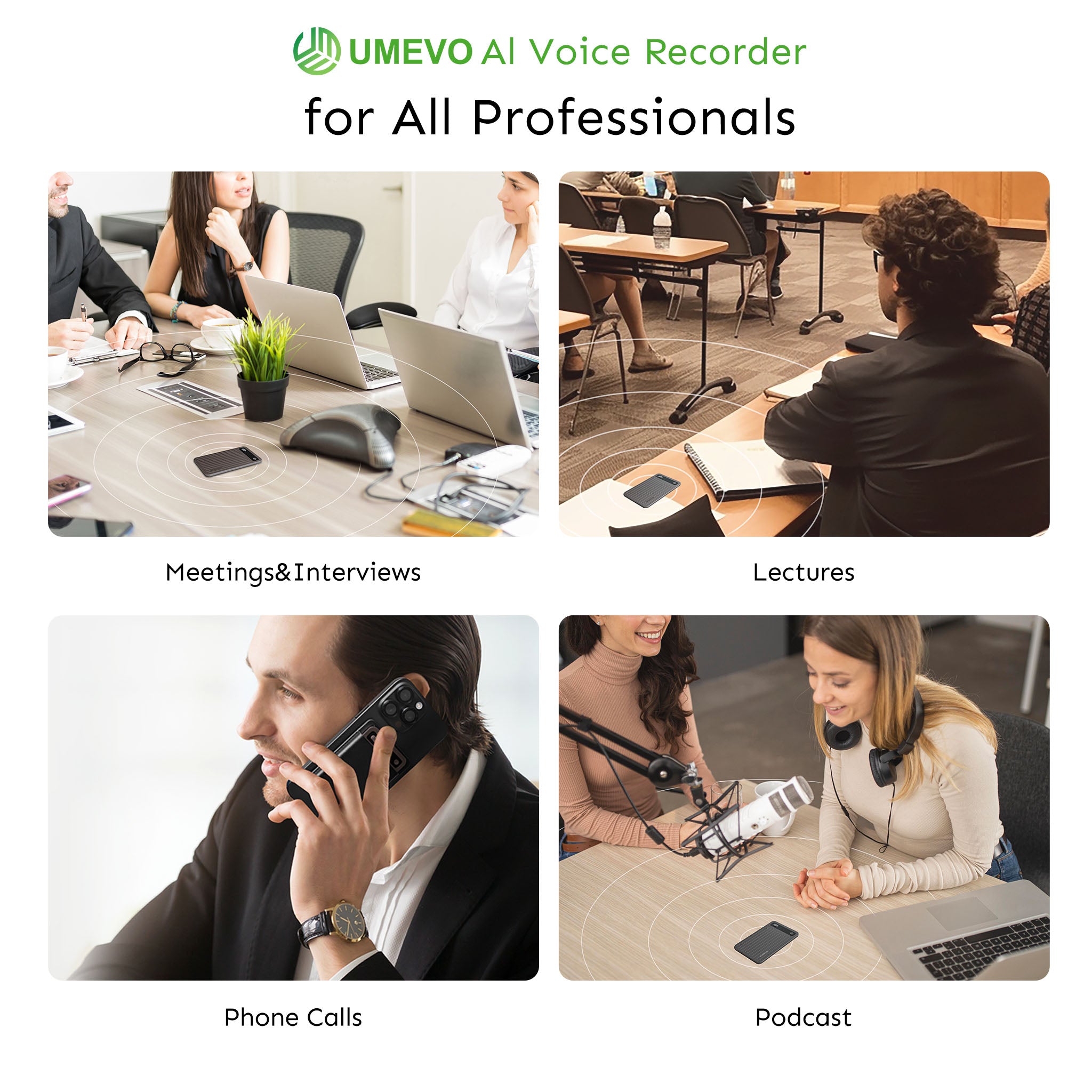
Learn more about the UMEVO Note Plus Magnetic Call Recorder.
Frequently Asked Questions
Is it legal to record phone calls for action items without consent?
Legality depends entirely on your jurisdiction. In single-party consent states (like Singapore or New York), you can record a call you are participating in without notifying the other party. In two-party consent states (like California), all parties must be notified and agree to the recording.
How secure is my confidential meeting data when using AI transcription?
In visual stress tests of AI tools, experts conclude with a prominent warning: "Important: Check AI tool privacy policies before uploading sensitive business data. Not all platforms are secure." Uploading confidential strategy meetings to public, free AI models constitutes a data breach risk. Secure hardware-to-cloud pipelines that utilize private API endpoints (where data is not used to train public models) are required for business use.
What happens if a meeting is conducted in multiple languages?
Advanced AI engines, such as the ChatGPT-powered system utilized by modern hardware recorders, support transcription and translation across 140+ languages. The AI can transcribe the native language and output the action items in English.
How does a physical voice recorder capture phone calls without app permissions?
Physical recorders utilize Vibration Conduction Sensors (VCS). Instead of trying to access the phone's software audio feed (which Apple and Google block), the VCS captures structure-borne sound—the physical vibrations traveling through the phone's chassis—and converts them into high-fidelity audio.
Can I export these summaries into mind maps or custom templates?
Yes. Advanced AI transcription tools allow users to format the extracted text into structured meeting minutes, mind maps, or specialized templates tailored for legal, medical, or sales fields, rather than just a standard text list.
References
- Evaluating the performance of artificial intelligence-based speech recognition for clinical documentation: a systematic review — National Center for Biotechnology Information (PMC)
- Conversations remotely detected from cellphone vibrations, researchers report — Penn State University
- Talk to the bot: A scoping review on using AI-powered transcription tools in qualitative research — Annals Academy of Medicine, Singapore





0 comments