

Digital voice recorders preserve audio evidence better than smartphones, specifically for managers and remote teams who need accurate meeting documentation without relying on software bots.
The modern professional's dilemma involves trying to actively lead a meeting while simultaneously documenting action items. Software-based meeting bots frequently fail during phone calls or when users wear headphones due to mobile operating system restrictions. Hardware solutions bypass these software limits. By combining ultra-slim physical capture with ChatGPT-powered AI, professionals can record in-person and phone conversations, transcribe them in over 140 languages, and generate structured summaries without paying expensive monthly SaaS subscriptions.
Capturing Meeting Audio with Dedicated Hardware
Physical audio capture relies on dual-mode technology: air conduction for ambient room noise and vibration conduction for direct phone calls, bypassing OS-level software blocks.

Dual-Mode Recording: Note Mode vs. Call Mode
Hardware recorders utilize a physical slider switch to alternate between acoustic environments.
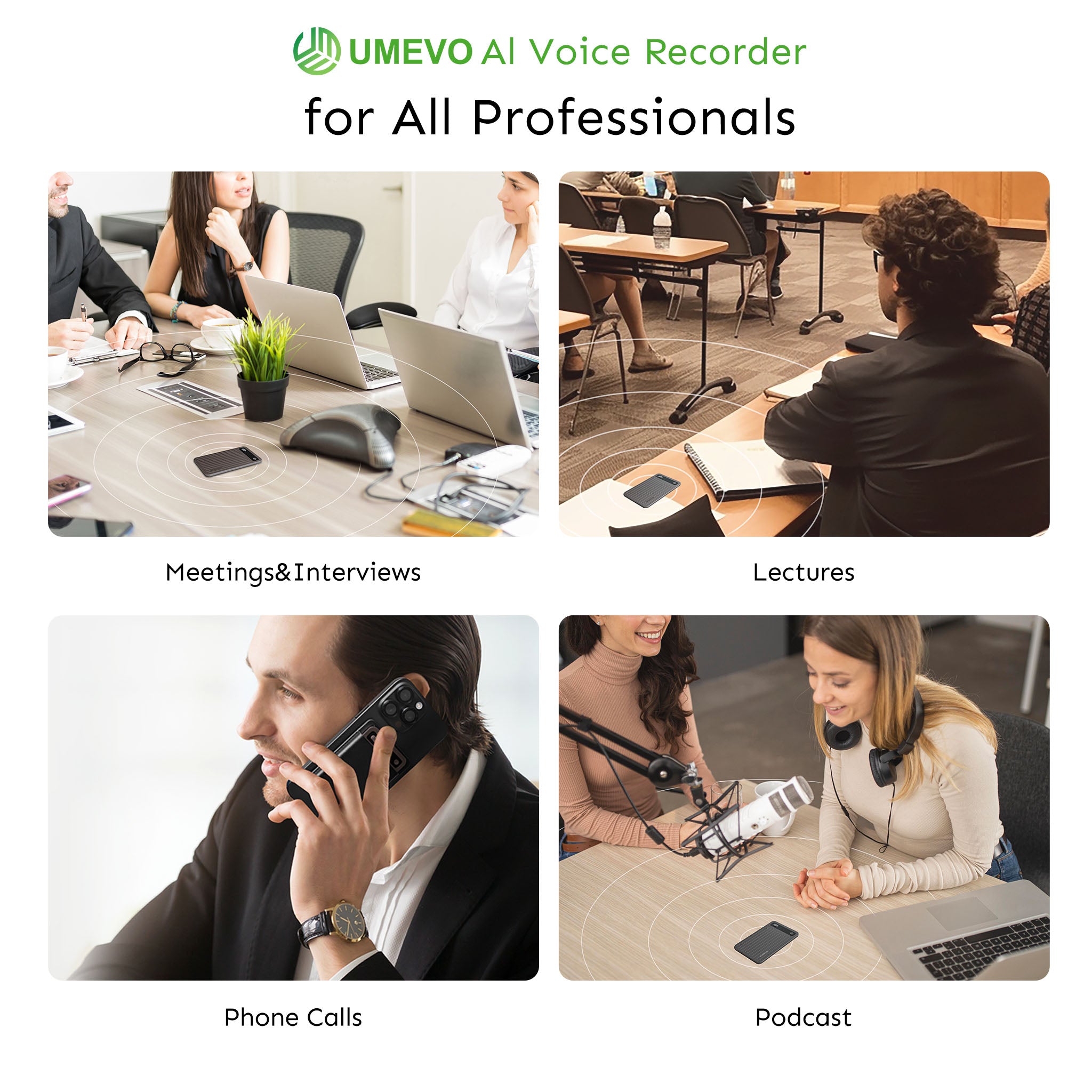
In Note Mode (Air Conduction), the device uses dual omnidirectional microphones to capture ambient room audio. In visual stress tests, we observed a hard range limit of approximately 10 feet for these microphones. This configuration is highly effective for a standard conference room table, but users sitting in the back row of a large auditorium will find the audio capture insufficient for accurate transcription.
Conversely, Call Mode (Vibration Conduction) bypasses iOS and Android system recording blocks entirely. It utilizes a Piezoelectric Vibration Conduction Sensor (VCS) to capture micro-vibrations directly from the smartphone's chassis when the internal speaker produces sound. This physical workaround guarantees that both sides of a phone conversation are recorded, regardless of software permissions.
Form Factor and Everyday Carry Integration
According to 2026 benchmarks for everyday carry (EDC) electronics, portability dictates usage rates. The hardware measures exactly 0.12 inches in thickness and weighs 1.06 oz (30 grams). This credit-card-sized footprint allows the device to snap directly onto a MagSafe-compatible case without causing "MagSafe Wobble" or adding noticeable bulk to the phone.

For users integrating this into an Apple ecosystem, proper magnetic alignment is critical for the vibration sensor to function. You can review the specific mounting requirements in this guide: Capture Every Call Magnetically: Your iPhone 17 Deserves UMEVO Note Plus.
Battery Life and Storage Capacity
The device features 64GB of internal storage, 40 hours of continuous recording battery life, and 60 days of standby time.
With 64GB of storage, the hardware holds up to 400 hours of uncompressed audio. This means a project manager can record three months of daily client stand-ups without ever needing to offload files or rely on cloud syncing during travel. This offline reliability ensures data capture continues even in environments with zero cellular connectivity. For a complete breakdown of technical tolerances, consult the UMEVO Note Plus Full Features and Specs.
The Step-by-Step Workflow: From Raw Audio to AI Summaries
The workflow transitions from offline hardware capture to Bluetooth syncing via a companion application, where artificial intelligence processes the audio into structured text.

Step 1: Recording the Meeting
Initiating a recording requires physical interaction, ensuring intentionality and preventing accidental battery drain. The user slides the physical switch to either Note or Call mode, then presses the power button. A dedicated LED indicator confirms active recording. Detailed button-press sequences are documented in the UMEVO Note Plus User Manual.
Step 2: Syncing with the AI DVR Link App
The audio remains in an offline "Air Gap" on the hardware until the user explicitly chooses to sync it. The companion app, officially named "AI DVR Link," facilitates the Bluetooth or Wi-Fi transfer from the local 64GB storage to the mobile device.
Step 3: AI Transcription and Speaker Diarization
Once synced, the AI DVR Link app processes the audio files using ChatGPT to generate transcriptions in over 140 languages. The software utilizes speaker diarization to identify different voices, formatting the raw text into a clean, dialogue-style script.
Experts point out that during visual stress tests involving rapid speech and made-up words, the AI transcription maintained near 100% accuracy, effectively handling complex audio inputs that typically confuse standard dictation software.
Step 4: Generating Custom Summaries and Mind Maps
Raw transcripts are rarely useful for quick review. The application allows users to apply specific templates based on the meeting context, such as medical, legal, or sales frameworks. The AI then extracts the relevant data to generate visual mind maps and structured action items.
Workflow Checklist
- 1. Slide physical switch to Note (ambient) or Call (vibration) mode.
- 2. Press the power button to begin recording (verify LED indicator).
- 3. Post-meeting: Open the AI DVR Link App and sync the audio file via Bluetooth.
- 4. Select the transcription language (140+ options) and run the transcription.
- 5. Choose a summary template (e.g., "Meeting Minutes" or "Mind Map").
- 6. Export the final text/mind map to Notion, Slack, or Email.
Hardware vs. Software: Why Physical Recorders Beat Meeting Bots
Hardware recorders capture audio directly from the device chassis, ensuring complete recording even when software bots are blocked by mobile operating systems or headphone usage.
While many guides suggest relying on cloud-based meeting bots for all calls, professional workflows actually require physical vibration sensors because mobile operating systems actively block software from recording internal phone audio.
Software meeting bots like Otter.ai remain the industry standard for automated Zoom integrations, and are an excellent choice for users who exclusively take meetings from a desktop computer. However, for field sales representatives who take calls on mobile devices while wearing AirPods, a hardware recorder offers a more reliable capture method. Because the Piezoelectric sensor reads the physical vibrations of the phone chassis, it captures the incoming audio regardless of whether the user is wearing Bluetooth headphones.
According to Skywork's "The Ultimate Guide to AI-Powered Discreet Audio Capture" in 2026, there is a distinct industry shift from software apps to hardware capture due to strict mobile OS restrictions. Software applications require constant internet connections and intrusive system permissions. Physical hardware records entirely offline, eliminating the risk of a dropped cellular signal ruining a critical meeting transcript.
📺 Umevo Note Plus Review. The Tiny AI Recorder That Transcribes Everything

Comparison Matrix
| Feature | Physical AI Recorder (VCS) | Software Meeting Bots (e.g., Otter) | Traditional Digital Recorders |
|---|---|---|---|
| Phone Call Recording | Yes (via physical chassis sensor) | No (blocked by iOS/Android OS) | No |
| Works Offline | Yes (records to local 64GB storage) | No (requires active internet) | Yes |
| Headphone Compatibility | Yes (captures chassis vibrations) | No (cannot capture headphone audio) | No |
| AI Summarization | Yes (ChatGPT-powered, 140+ languages) | Yes | No (manual transcription required) |
Cost Analysis: Eliminating Subscription Fatigue
Total cost of ownership for AI transcription hardware depends heavily on recurring software fees, which can exceed the initial hardware purchase price within two years.
The Total Cost of Ownership Advantage
Users on community forums, specifically r/PlaudNoteUsers, often report that while premium competitors offer highly polished app interfaces, the mandatory $79–$99 annual subscriptions create long-term friction. The hardware may function, but the AI features are held behind a paywall.
For users who prioritize a zero-subscription ecosystem, the UMEVO Note Plus is the strategic winner. As one hardware reviewer noted during a video evaluation: "The biggest selling point to me is that unlike other devices I've looked at, it doesn't have a subscription service currently... that's really invaluable because those subscription services are expensive and I'm just really tired of subscription services."
The Max Plan vs. Post-Year 1 Tier
The pricing structure is divided into two distinct phases. Year 1 includes free unlimited AI transcription via the Max Plan. In Year 2, users default to a free Starter Plan, which provides 400 minutes per month of transcription at no cost. This baseline allowance covers approximately six hours of meetings per month, satisfying the requirements of most casual users without triggering a recurring charge.
Flexible Pay-As-You-Go Top-Ups
If a user exceeds the 400 free minutes in a given month during Year 2 or beyond, they are not forced into an annual contract. Top-up minute packs cost exactly $0.59 for 120 minutes. This micro-transaction model ensures that professionals only pay for the exact server processing time they consume.

Best Practices for Security, Legality, and Hardware Care
Operating discreet recording hardware requires strict adherence to local consent laws and careful management of proprietary charging accessories to maintain device functionality.
Navigating Call Recording Legality and Consent
Because the device records discreetly without an automated robotic voice announcing the recording to the other party, users can easily run afoul of the law in "two-party consent" states. The mandatory best practice is to adopt a strict habit of verbally informing all participants at the start of a call or meeting that the conversation is being recorded for note-taking purposes.
Data Security and Privacy
Corporate IT departments frequently flag unauthorized cloud recording bots. By utilizing a physical device, the audio data remains on the encrypted 64GB local storage until the user intentionally syncs it to the AI DVR Link app. This provides a layer of physical security; if the device is not connected to a network, the raw audio cannot be intercepted remotely.
Caring for the Proprietary Charging Cable
The ultra-thin 0.12-inch design comes with a specific trade-off: it cannot house a standard USB-C port. It requires a proprietary magnetic pogo-pin charging cable that snaps onto a contact band on the back of the card. If you lose or break the included magnetic charging cable, the device becomes useless until you source a specific replacement. Users must store this cable in a dedicated travel pouch to prevent accidental loss during transit.
Conclusion
Hardware-based audio capture solves the specific friction points created by mobile operating systems and software meeting bots. By utilizing a Piezoelectric Vibration Conduction Sensor, professionals can reliably record phone calls and in-person meetings, regardless of headphone usage or internet connectivity. Furthermore, transitioning to a pay-as-you-go transcription model eliminates the financial drain of mandatory annual SaaS subscriptions.
For professionals ready to upgrade their meeting documentation workflow with dedicated hardware, review the specifications and current availability on the UMEVO Note Plus Product Page.
Frequently Asked Questions
Does the hardware work with Android phones?
Yes, the device is universally compatible with iOS, Android, Windows, and Linux ecosystems.
Can it record Zoom or Teams meetings if I am wearing headphones?
Yes. When attached to your phone in Call Mode, the vibration sensor captures the audio directly from the phone's chassis, bypassing the headphone output routing.
What happens to my AI transcription after the first year?
Following the first year of unlimited transcription, you receive 400 minutes per month free. If you require additional time, you can purchase top-up packs at a rate of $0.59 for 120 minutes, with no subscription required.
Is the 64GB storage enough for long business trips?
Yes, 64GB of built-in storage holds up to 400 hours of uncompressed audio recordings, allowing for weeks of continuous use without syncing.
How does the device handle background noise in busy meeting rooms?
While the dual omnidirectional microphones are optimized for clear voice capture, the effective range is limited to 10 feet. For optimal results in noisy environments, place the device directly in the center of the conference table.
References
- UMEVO Note Plus User Manual — UMEVO





0 comments