

Quick answer: Use a phone app when you make occasional voice notes, control the room and are comfortable using your phone during the recording. Consider a portable voice recorder when recording is a recurring part of work, you need the phone free, you capture both in-person conversations and calls, or you want a separate original audio file. Choose specialist audio gear when sound quality for publication matters more than note taking. The right choice depends on the full workflow, not the device label.
Transparency note: UMEVO publishes this guide and sells UMEVO Note Plus. Product behavior and specifications attributed to UMEVO come from current UMEVO documentation. This is not an independent phone-versus-recorder laboratory test, and the guide does not assume that every phone, app, room or recorder behaves the same way.
Updated September 23, 2026. Phone features, app permissions, UMEVO plans and regional call-recording availability can change. Check the current documentation for the exact phone, operating system, app and location you use.
Jump to: verdict · key differences · phone fit · recorder fit · workflow · test · calls · privacy and cost · UMEVO workflow · scenario table · who should choose UMEVO · FAQ
Portable voice recorder vs. phone app: the verdict first
A modern phone can make a useful recording. For a short memo in a quiet room, buying another device may add cost without solving a real problem. Phone apps are familiar, immediately available and often good enough when the speaker is close and the phone can remain dedicated to the task.
A portable recorder becomes valuable when recording is part of a repeatable work process. Its practical advantage is separation: the recorder captures while the phone remains available for messages, reference material or calls. A dedicated device can also provide physical controls, local storage and a consistent handoff from audio to transcription. These benefits matter most when missing the recording would create more work than carrying one small device.
What actually changes between a phone and a portable recorder?
The useful comparison is not “which microphone is better?” It is “which setup produces a dependable record with the least effort in my real environment?” Phone hardware and apps vary widely. Dedicated recorders vary too. Microphone placement, room acoustics, speaker distance and handling noise may affect the result more than the logo on the device.
| Decision factor | Phone app | Portable recorder | What to verify |
|---|---|---|---|
| Starting a recording | Open or unlock the phone, choose the app and confirm recording. | Often uses a physical button, but controls differ by model. | Can you start, confirm and stop without confusion? |
| Phone availability | The phone is part of the capture setup. | The phone can remain available while the recorder captures locally. | Will you need the phone for calls, notes, navigation or reference material? |
| Audio result | Can be good at sensible distance with the right app and placement. Some phones support external microphones and advanced controls. | Designed around recording, but results still depend on placement, room noise and microphone design. | Test the actual room, distance and speakers you use. |
| Interruptions | Behavior depends on the app, operating system, calls, permissions and power settings. | A separate device avoids many phone-workflow conflicts, but still needs battery and storage checks. | Run a full-duration test and confirm the saved file. |
| Transcription | May be built in, added by another app or handled after export. | May connect to a companion app or require a separate transcription service. | Check language support, speaker labels, exports, review tools and usage limits. |
| Original-file control | Depends on the app and phone storage or backup settings. | Often stores a local source file, but transfer and backup options differ. | Find the original file, copy it and restore it before relying on the workflow. |
| Total cost | May use hardware you already own, with optional app or transcription fees. | Adds a hardware purchase and may include free, subscription or usage-based AI services. | Compare the full cost at your monthly recording volume. |
When is a voice recorder app on your phone enough?
A phone app is usually the simplest choice when you record infrequently and can keep the phone close to the speaker. It is especially practical for personal reminders, draft ideas, short interviews in quiet spaces and a meeting where someone else is already responsible for the official record.
- You record for a few minutes at a time rather than throughout the working day.
- You can place the phone where voices are clear and leave it there.
- You do not need the phone for another call or task during the session.
- You know where the app saves the original file and how to export it.
- You have tested what happens when the screen locks, another app opens or a call arrives.
- The app's privacy, retention and deletion options fit the sensitivity of the conversation.
A phone is also a reasonable first step for someone who is still learning whether recording improves their work. Use it for several real sessions, track what slows you down and buy dedicated hardware only when the recurring problem is clear.
When does a dedicated voice recorder earn its place?
A dedicated recorder is useful when capture must happen consistently across many situations. Physical controls can make the start and stop action predictable. Separate storage keeps the source recording independent from the phone's available space, and the phone remains free for the rest of the job.
This does not mean a recorder automatically produces better audio. It means you can design a more repeatable process around it. For a sales visit, interview or class, the same device can be charged, placed, started, checked, synchronized and archived in the same order each time. That consistency can be more valuable than a theoretical specification advantage.

Dedicated hardware is worth considering when you repeatedly encounter one or more of these conditions:
- Recording is required several times a week.
- The phone must remain available for work during the conversation.
- You need a local source file that can be copied separately from the app workflow.
- You record both room conversations and compatible phone calls.
- Multiple people must follow the same capture procedure.
- You want transcription, speaker review, summaries and sharing connected to the recording process.
Compare the complete recording workflow
A short audio test can sound fine while the real workflow still fails. Compare both options from preparation to final output.
Measure the effort as well as the sound. Count how many steps are needed to start, locate the file, create a transcript, correct speaker names, produce the final notes and store the evidence. A device that saves two taps but creates a difficult export process may not improve the job.
Run a 10-minute phone-versus-recorder test
Do not rely on a generic distance claim. Test the phone and recorder under the same conditions you expect at work. This is a practical comparison protocol, not a claim that UMEVO has independently tested every phone or app.
- Use the real room, table and seating positions.
- Place both devices together so distance does not favor one option.
- Record ten minutes with normal speech, one quiet speaker, overlapping speech, a name, a date and a number.
- Keep default settings first. Repeat only if you would realistically change a setting in daily use.
- Play the beginning, middle and end through the same headphones.
- Create transcripts through the workflows you would actually use.
- Mark every wrong name, number, speaker change and missing phrase.
- Record the time required to find, correct, export and back up each result.
Repeat the test in a second difficult environment if that environment matters to your work. One quiet-room result does not establish lecture-hall, café, vehicle or conference performance.
Phone-call recording: compatibility and consent come first
Phone-call recording is controlled by more than the recording device. Native features vary by phone, carrier, operating-system version, language and region. Apple's current guidance says supported iPhone call recording gives both participants an audio notice and is unavailable in some regions. Google's Phone app guidance says availability depends on the device, operator and region, and both parties are notified when recording starts.
A portable recorder can offer another audio path. UMEVO Note Plus documents a CALL mode that uses physical contact with a compatible phone to capture call vibration. Case thickness, attachment, call volume and phone design can affect the result, so test both sides of the conversation before an important call.

How to compare privacy, storage and total cost
“Stored locally” and “uses AI” describe different parts of a system. A source recording may begin on a device while transcription and summaries are processed through a mobile service. Review the entire data path before recording confidential work.
- Original audio: Where is it saved, and can you copy it without a subscription?
- AI processing: Does transcription require an account or network connection? Which privacy notice applies?
- Retention: What remains on the device, phone and service after export or deletion?
- Sharing: Does the app create a file, an expiring link or both? Who can access it?
- Administration: Do you require a desktop app, enterprise agreement, designated data region or central controls?
- Cost: Add hardware, included transcription, recurring plans, usage packs, accessories and staff review time at your actual monthly volume.
UMEVO currently states that Note Plus stores original recordings locally and can copy original MP3 files to a computer over USB without an account. UMEVO also states that it does not provide automatic cloud backup or traditional cloud-drive storage for original recordings. Transcription, summaries and in-app sharing are mainly mobile-app workflows and require separate review under the current UMEVO privacy policy. Back up important source files intentionally.
Plan terms can change, so avoid deciding from an old price comparison. Check the current included minutes, renewal terms, export access and top-up or subscription choices on the live product and support pages.
The UMEVO Note Plus record-to-output workflow
UMEVO Note Plus is designed for people who want dedicated capture connected to a mobile AI workflow. Current UMEVO documentation lists 64GB of built-in storage and about 40 hours of recording time. These are manufacturer specifications rather than independent measurements; actual endurance depends on battery condition, temperature and use.
- Choose NOTE or CALL mode. Use NOTE mode for room audio such as meetings, interviews and lectures. Use CALL mode for the documented compatible-phone setup.
- Capture locally. Start and stop with the device control, then confirm that the intended file was saved.
- Synchronize when needed. Pair the recorder with the AI DVR Link mobile app over Bluetooth and sync the selected file.
- Create and review the transcript. Select the correct language, use speaker identification where helpful and verify critical details against the audio.
- Generate the useful output. AI DVR Link documents summaries, mind maps, translation, speaker naming, sharing and Ask AI after transcription.
- Export and back up. Share the reviewed content from the app and copy important original recordings to a computer with a data-capable USB-C cable.
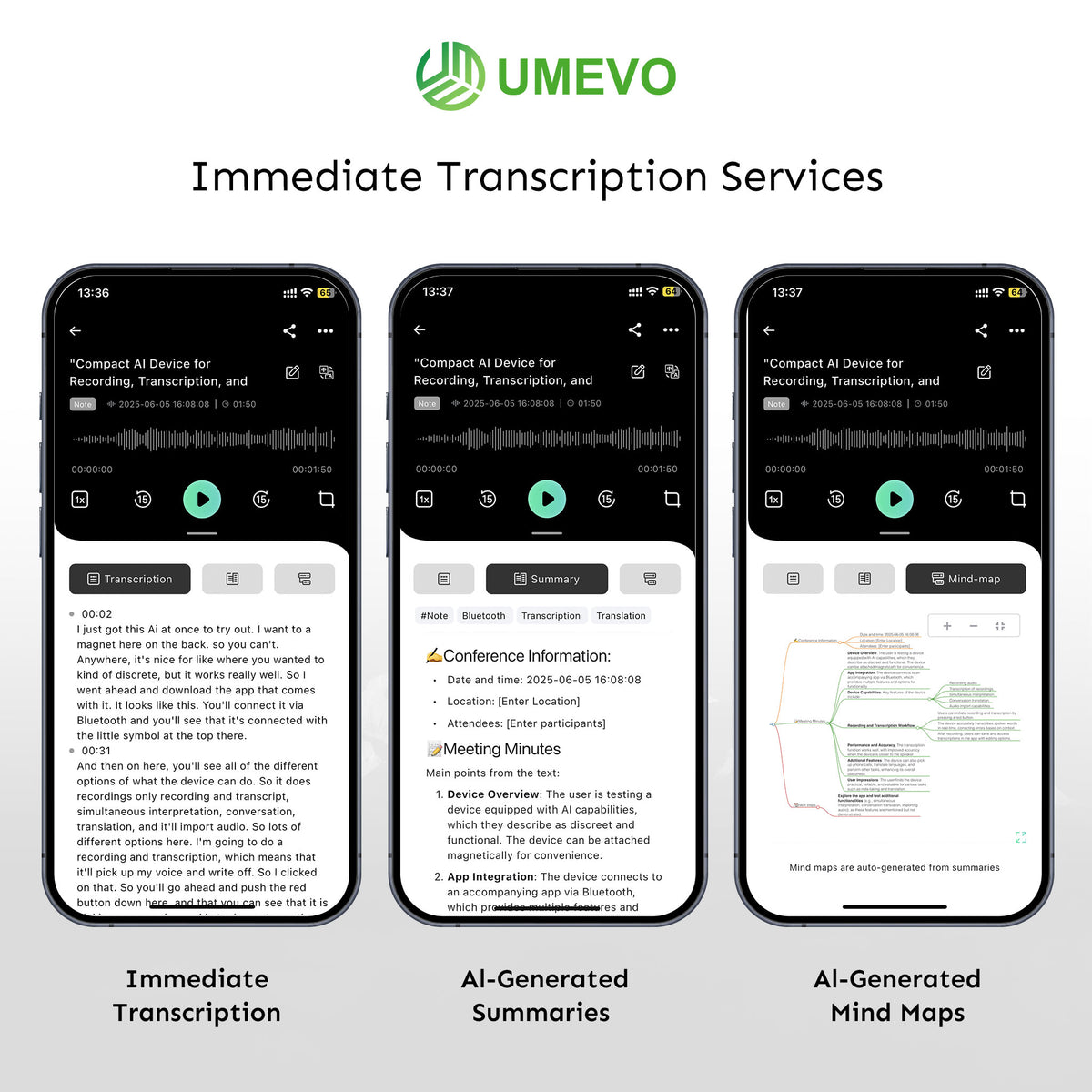
Keep the original audio until the transcript and final notes have been approved. Speaker labels, names, figures and negative statements can still be wrong even when the text reads fluently. The UMEVO transcript-checking protocol provides a focused review method.
Decision table by recording scenario
| Scenario | Good starting choice | Why | Check before relying on it |
|---|---|---|---|
| Personal memo or idea | Phone app | Fast, familiar and usually already available. | Export path and whether automatic backups match your privacy needs. |
| Occasional quiet-room interview | Phone app or portable recorder | Either can work with good placement; use the simpler verified workflow. | Speaker distance, interruptions, file location and transcription review. |
| Recurring meetings and client visits | Portable recorder | Separate capture keeps the phone available and supports a consistent process. | Placement, charging, storage, consent and team handoff. |
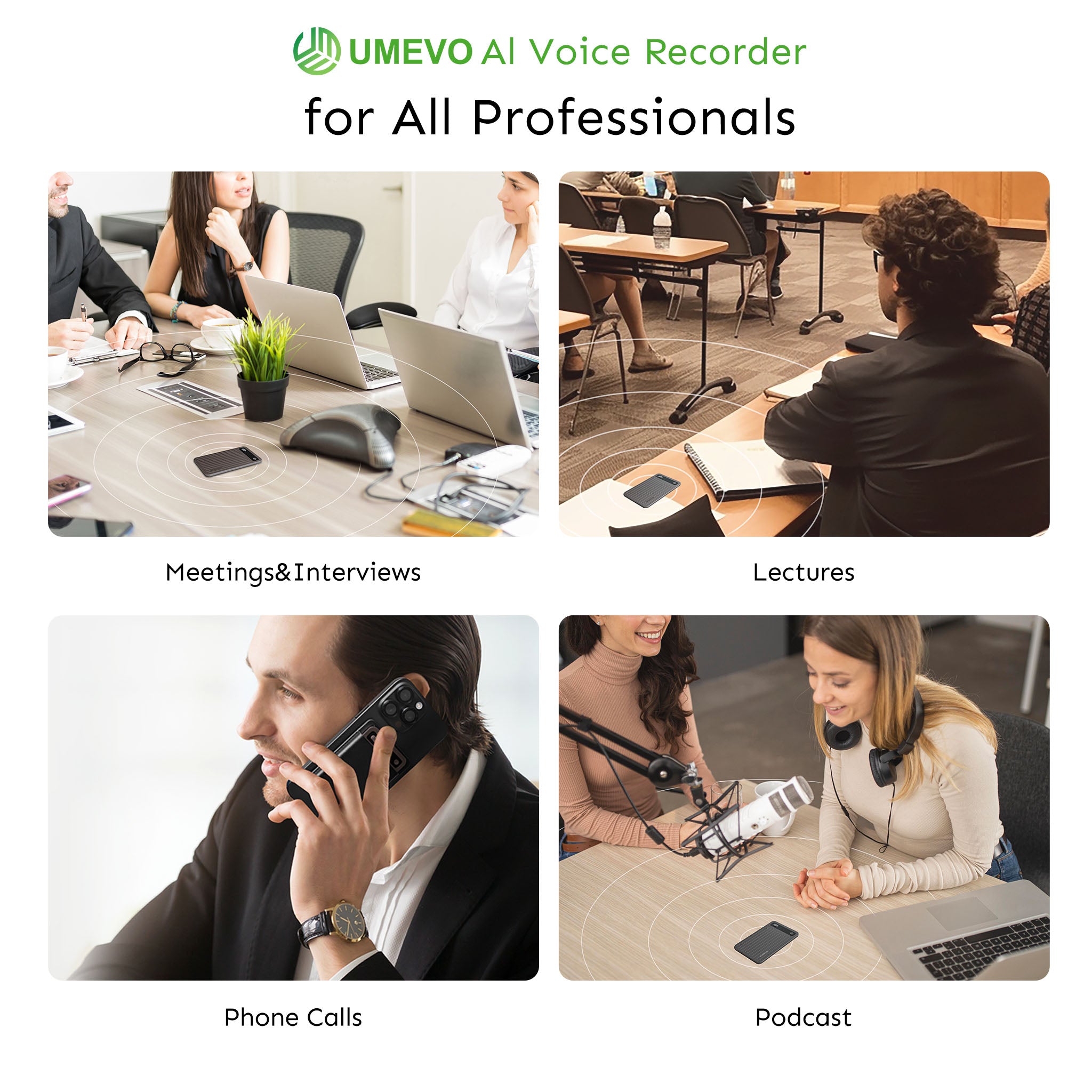
| Lecture or large meeting room | Test first; consider portable or specialist gear | Room acoustics and distance dominate the result. | Run a test from the actual seat. Move closer or use a suitable microphone when possible. |
| Phone calls | Supported native feature or compatible dedicated workflow | Availability depends on phone, platform, region and consent requirements. | Both sides of the audio, notices, local law and organization policy. |
| Podcast, music or published production | Specialist recorder and microphone | Monitoring, microphone choice and editable audio quality matter more than note-taking features. | Inputs, monitoring, format, backup recording and post-production workflow. |
Who should choose UMEVO Note Plus?
UMEVO Note Plus is a strong fit when spoken information repeatedly needs to become searchable, reviewable work. It is most relevant to people who want one small recorder for in-person conversations and compatible phone calls, local source capture, a mobile transcription workflow and USB access to original files.
Choose a phone app instead if occasional recordings already meet your needs. Choose another workflow if you require automatic cloud backup, a full desktop application for AI processing, direct conference-platform integration, centralized enterprise controls or production-quality audio inputs. UMEVO documents mobile-app transcription and summaries; it does not currently provide automatic cloud backup for original recordings.
Recommendation: start with the simplest option that passes your own test. If recording is frequent and the phone repeatedly becomes the bottleneck, UMEVO Note Plus can separate capture from the phone and connect the source audio to a structured review and export process.
Check current UMEVO Note Plus details
Frequently asked questions
Do I need a separate voice recorder if my phone already has one?
Not necessarily. Keep using the phone if it records clearly in your real environment, remains available when you need it and gives you a manageable file, transcript and backup workflow. A separate recorder becomes useful when recording is frequent or using the phone for capture repeatedly interrupts other work.
Is a voice recorder app safe?
Safety depends on the specific app, permissions, storage, backups, account controls, retention, sharing and deletion behavior. Read the current privacy notice, locate the original file, test export and deletion, and avoid recording sensitive conversations until the workflow meets your organization's requirements.
Does a dedicated voice recorder always sound better than a smartphone?
No. Results vary by device, microphone design, app, placement, distance and room. A well-placed phone can outperform a poorly placed recorder. Compare both under the same real conditions before deciding.
Will recording drain my phone battery?
Recording uses power, but the impact varies by phone, battery health, app, screen use, network activity and session length. Measure the battery change during a representative recording instead of relying on a universal runtime claim. Dedicated hardware keeps that load off the phone.
Can UMEVO Note Plus record without the app?
Yes. UMEVO states that Note Plus can record independently and save original audio locally. The AI DVR Link mobile app is used for synchronization, transcription, summaries and related AI tools.
Can UMEVO Note Plus back up recordings automatically?
No. UMEVO currently states that it does not provide automatic cloud backup or traditional cloud-drive storage for original recordings. Copy important source files to a computer over USB or use an intentional app-sharing process.
Can I record phone calls without telling the other person?
Do not assume that you can. Laws and workplace rules vary, and many situations require notice or consent. Apple and Google also document participant notices for their supported native call-recording features. Obtain the required permission regardless of the recording method.
Official sources and further reading
- UMEVO Note Plus product page for current manufacturer specifications, plan terms and availability.
- UMEVO Note Plus user manual for controls, NOTE/CALL modes and device setup.
- UMEVO App Guides for AI DVR Link synchronization, transcription, summaries, speaker tools, sharing and Ask AI.
- UMEVO Help Center FAQs for current storage, USB, cloud-backup, compatibility and plan answers.
- UMEVO privacy policy for current data-processing disclosures.
- Apple Support: How to record a call on iPhone and iPad.
- Google Phone app Help: Use the Phone app to record calls.
- UMEVO meeting-minutes workflow for turning a verified recording into decisions and action items.





0 comments