

Budget-conscious professionals and students evaluating an AI note-taker without subscription must look beyond advertised free minutes to calculate the total cost of ownership over a full year.
A genuinely free AI note-taker depends on what users retain, not just how many recording minutes they receive. While many software platforms advertise free tiers, these often obscure strict per-meeting time limits, storage ceilings, and export restrictions. The strategic buying decision requires analyzing output access, fair-use terms, and the one-year financial comparison between recurring software subscriptions and one-time hardware purchases. This guide examines the exact limitations of free tiers, calculates a 12-month cost framework, and provides a scenario-based decision matrix for selecting a non-subscription workflow.
What “Free” Really Means in AI Note-Takers: Hard Caps, Soft Caps, and Paywalls
Free AI transcription tiers frequently impose hard caps on meeting length, restrict file exports, and limit storage. Evaluating these constraints reveals whether a free plan supports professional workflows or merely forces an early paid upgrade.
Free Minutes Are Not All the Same: Hard Caps vs. Fair-Use Caps
Advertised monthly minutes rarely tell the whole story. The Otter.ai Basic free tier offers 300 transcription minutes per month[1]. Similarly, the Plaud Starter Plan provides 300 free transcription minutes per month[3]. Notta’s free tier provides 120 monthly minutes. However, a high monthly allowance is irrelevant if the platform restricts how those minutes are consumed during a single session.
The 30-Minute Session Limitation
While many guides suggest that 300 minutes a month is sufficient for casual users, professional workflows actually require uninterrupted session recording because client meetings frequently exceed standard timeframes. Otter.ai Basic enforces a strict 30-minute per-conversation cap. Notta limits each session to just 3 minutes per recording. Users on community forums often report that these per-session limits render free tiers useless for standard 45-minute client calls, forcing users to manually restart recordings mid-conversation. Fathom operates without time limits, but strictly requires a scheduled Zoom, Google Meet, or Microsoft Teams web conference, making it non-viable for spontaneous offline use.
Storage, Export, and Output Restrictions
Fireflies.ai Free includes unlimited transcription but caps total team storage at 400 minutes[2], limits monthly AI credits to 20, and prevents transcript exports. Otter Basic restricts file imports to 3 lifetime uploads and stores only 25 recent conversations before archiving older ones. Furthermore, user interface limitations can artificially restrict access to AI outputs. In visual stress tests, we observed HappyScribe’s AI prompt assistant operating inside a floating pop-up overlay box; closing the overlay hides the generated response, and re-generating content more than 5 times triggers a hard rate-limit lockout requiring an hour-long waiting period.
Fair-Use Terms and “Unlimited” Claims
A common consensus among enthusiasts is that "unlimited" software claims often precede a policy change. Transparent hardware alternatives publish post-promotional terms upfront, allowing buyers to calculate exact long-term costs without fearing sudden paywalls.
Table: Free-Tier Reality Check
| Tool | Advertised Free Tier | Actual Limitation | Cost to Remove Limitation |
|---|---|---|---|
| Otter.ai Basic | 300 minutes/month | 30-minute per-conversation cap; 3 lifetime imports; 25 stored conversations | Otter Pro: $16.99/month or $99.96/year |
| Notta Free | 120 minutes/month | 3-minute per-conversation cap; exports and key features restricted | Paid plan required for practical meeting use |
| Fireflies Free | Unlimited transcription | 400 total team storage minutes; 20 AI credits/month; no transcript export | Fireflies Pro: $18/month or $120/year |
| Plaud Starter Plan | 300 minutes/month | Monthly allowance tied to app plan | Plaud Pro: $99.99/year |
| Hardware with Bundled AI | Varies by manufacturer | Overages beyond bundled minutes require top-up | Pay-as-you-go minute packs |
One-Year Total Cost: Subscription Apps vs. a No-Subscription Recorder

Over 12 months, subscription apps cost between $100 and $120 annually. Comparing this to a one-time hardware purchase with bundled transcription clarifies the most cost-effective path for moderate to heavy users.
The Real Cost of “Free” Apps After One Year
When users inevitably hit a 30-minute session cap or an export restriction, they are forced into paid tiers. Otter Pro costs $16.99/month or $99.96/year[1]. Fireflies Pro costs $18/month or $120/year[2]. Plaud Pro costs $99.99/year[3] for 1,200 minutes/month, which is an ongoing software cost on top of its initial hardware purchase ($159–$189).
What $149 Buys with UMEVO Note Plus: Year 1 vs. Year 2
For users prioritizing fixed costs, the UMEVO Note Plus[4] serves as a clear example of the hardware-bundled model. A $149 one-time purchase[4] includes the physical device and 1 full year of free unlimited AI transcription via the Max Plan. In Year 2, the device automatically converts to the free Starter Plan, providing 400 free minutes/month.
Top-Up Pricing Math: Do You Ever Pay More Than a Subscription?
If a user exceeds 400 minutes in Year 2, optional top-up packs start at $0.59 for 120 minutes, $2.59 for 600 minutes, $10.99 for 3,000 minutes, and $19.99 for 6,000 minutes (valid for 2 years). Alternatively, users can select annual plans (Pro at $2.50/month, Max at $5.83/month). A single $2.59 top-up covers an extra 10 hours of meetings. Consequently, the total cost of ownership remains drastically lower than a $120/year software subscription, framing top-up pricing as a highly efficient trade-off rather than a recurring tax.
How to Estimate Your Own Monthly Minute Needs
- Count the total minutes of meetings or lectures you record each week.
- Multiply by 4.3 to get a monthly estimate.
- Add a 20% buffer for longer meetings or accidental re-recordings.
- Compare that number to the 400-minute free allowance and top-up pricing.

Note-Taking Output, Not Recording Hardware, Is Where Value Lives

Raw audio holds little utility without structured deliverables. The true value of an AI note-taker lies in its ability to generate accurate meeting minutes, mind maps, and speaker identification without export restrictions.
The Deliverables That Matter: Transcripts, Summaries, Meeting Minutes, and Mind Maps
Modern hardware-based AI platforms utilize ChatGPT-powered intelligence to deliver 140+ language transcription/translation, smart summaries, mind maps, meeting minutes, and custom templates. Conversely, software interfaces vary wildly in how they present this data. In visual stress tests, we observed Otter's dashboard featuring a Slack-like channel sidebar that automatically captures periodic visual screenshots of video calls, embedding them chronologically alongside speaker dialogue.
I Tested 4 Popular AI Notetaker Tools So You Don't Have To
Speaker Identification Can Make or Break Meeting Notes
Speaker diarization is essential for meeting minutes and action items. Experts point out that instant recording features on free apps often struggle with this processing. In visual stress tests, Notta’s specialized "MindMap" tab auto-generated visual branching diagrams, but every speaker line was misattributed to "Unknown Speaker" without a manual option to reassign names when recorded via instant record. Reliable speaker identification requires dedicated processing power that free tiers frequently throttle.
Export and Workflow Freedom: Are the Notes Actually Yours?
Fireflies.ai Free blocks transcript downloads. Otter Basic restricts file imports to 3 lifetime uploads. Devices with local storage ensure recordings remain accessible offline, bypassing cloud dashboard lock-ins. With 64GB of local onboard storage, a professional can record 400 hours of uncompressed audio. This means a consultant can record three months of client meetings without ever offloading files or relying on an internet connection to secure their data.
Where Apps, Bots, and Basic Recorders Break Down

Software applications and meeting bots fail during spontaneous phone calls, in-person lectures, and offline environments. Physical dual-mode recorders bridge this gap by capturing audio directly at the source.
Bot Shame and Privacy Friction
Automated meeting bots cause social friction in confidential calls. Furthermore, bots like Fathom only function inside active Zoom, Google Meet, or Microsoft Teams calls and cannot record in-person meetings, offline lectures, or regular telephone calls. In visual stress tests, we observed Fathom's live meeting overlay displaying a real-time talk-time percentage meter (e.g., showing the speaker used 44% Talk Time), which is useful for web calls but entirely irrelevant for physical, in-room meetings.
Phone-Call Recording Is the Hard Test
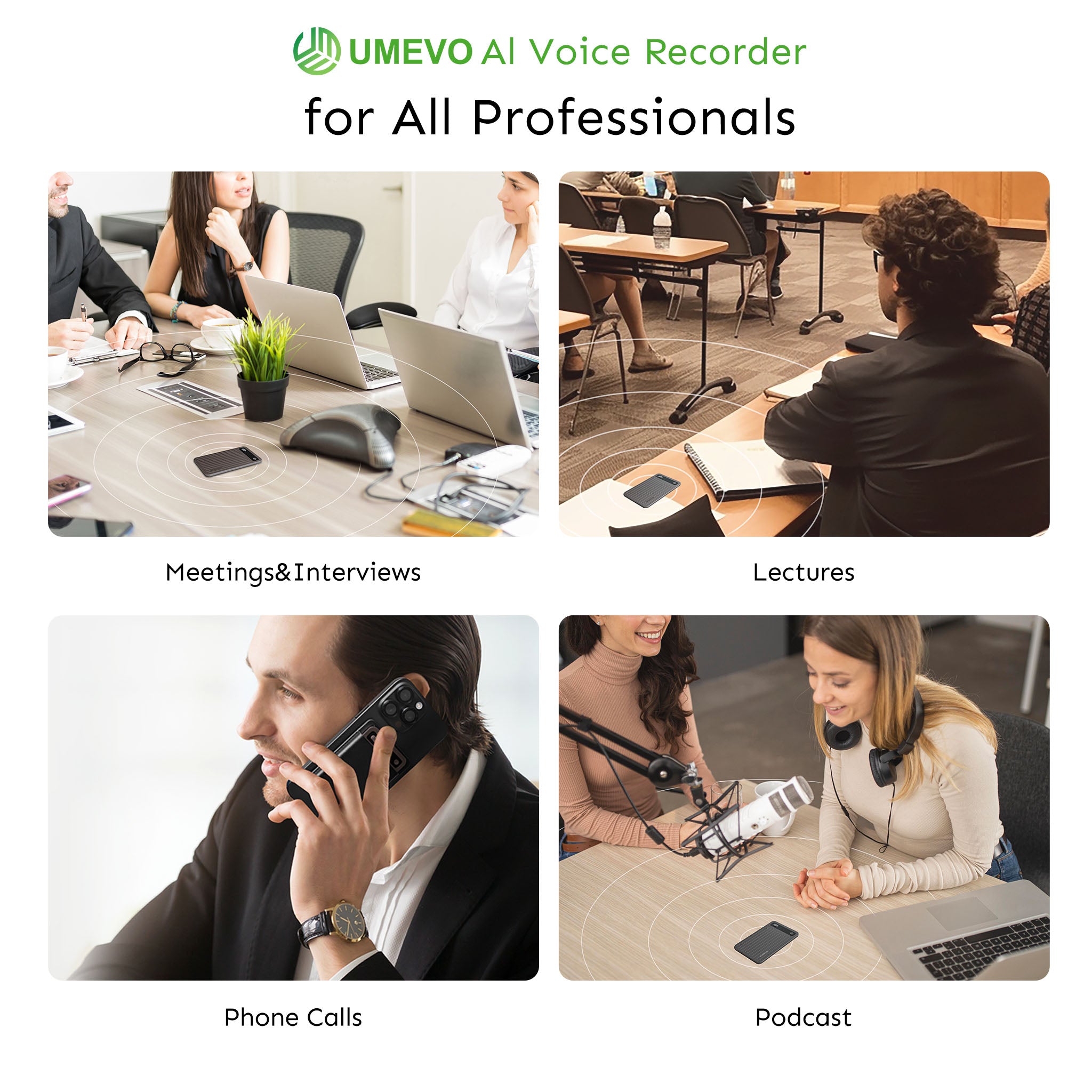
Mobile operating systems restrict internal call recording, resulting in muffled or one-sided audio when using smartphone apps. The UMEVO Note Plus bypasses this via dual-mode hardware recording. It utilizes vibration conduction sensors for mobile phone call recording and features a one-press switch between Call Recording and Note Recording. Its MagSafe-compatible magnetic body attaches directly to the phone chassis, capturing the physical vibration of the internal speaker rather than relying on software permissions.
In-Person Meetings, Lectures, and Cross-Platform Workflows
For room audio, dual MEMS microphones capture ambient sound with high fidelity. While most people think higher sample rates are universally better, for voice dictation, 16kHz is actually superior for AI transcription accuracy because it isolates human vocal frequencies from background noise. Physical specifications dictate reliability: flagship models feature 40 hours continuous recording, 60 days standby time, an ultra-slim 0.12-inch (3mm) body, and a weight of 1.06 oz (30g). This hardware works across iOS, Android, Windows, and Linux, ensuring cross-platform compatibility.

How to Choose a No-Subscription AI Note-Taker: Checklist and Red Flags
Selecting the right tool requires matching specific workflow constraints—such as meeting volume, privacy requirements, and recording environments—against the limitations of free software tiers and hardware capabilities.
Calculate Your Real Workflow First
- How many recorded meeting minutes do you actually need per month?
- What is the cap per recording, not just the total monthly cap?
- Do you need phone-call recording, in-person recording, or offline recording?
- Can you export and keep your transcripts and summaries?
- Are meeting minutes, mind maps, and speaker ID included, or do they require extra AI credits?
When an App Subscription Genuinely Makes Sense
The Fireflies or Otter Pro plans remain the industry standard for web-conferencing integrations, and are an excellent choice for users who need automated CRM syncing for virtual sales calls. If your work happens almost entirely inside web meetings, if you do not need phone-call capture, and if you are comfortable with a recurring monthly cost, a subscription app is the simplest fit.
When a No-Subscription Recorder Wins
However, for professionals who prioritize offline privacy, in-person recording, and data sovereignty, a hardware device offers a more cost-effective path. If you prioritize phone-call capture and avoiding recurring fees, then a one-time purchase hardware recorder with bundled AI transcription is the strategic winner. This device is not designed for users who require fully automated, hands-free bot integration into Zoom calls without physical hardware.
Red Flags to Avoid
- “Free unlimited” claims lacking published fair-use or storage policies.
- Free tiers with 3-minute or 30-minute per-conversation caps.
- Export restrictions that lock transcripts inside a proprietary dashboard.
- No clarity regarding what happens after a first-year promotional plan expires.
Conclusion
Free AI note-takers usually mean capped minutes, short recording limits, or blocked exports. Over one year, subscription apps can cost $100–$120 or more, plus workflow friction. A no-subscription model like the UMEVO Note Plus offers a one-time hardware price, Year 1 unlimited AI transcription, Year 2 free minutes, and transparent top-up packs.
Before buying another subscription, calculate your monthly meeting minutes and compare the one-year cost. If you need phone calls, in-person meetings, and structured AI outputs without a monthly fee, review the current UMEVO Note Plus details and pricing here[4].
Related Guides:
- Best no-subscription AI voice recorders compared in 2026: one-time buy options
- Free AI note-taker: 8 genuinely free options in 2026 and where each one caps out
- Best offline AI voice recorders compared in 2026: no internet, no compromise
FAQ
Is there really an AI note-taker without subscription?
Yes, but “free” depends on minute caps, output access, and long-term policy. UMEVO Note Plus currently includes Year 1 free unlimited Max Plan with hardware, then 400 free minutes/month in Year 2.
What happens after the one-year free unlimited Max Plan expires?
The device switches to the Starter Plan with 400 free transcription minutes per month. Users can also buy top-up minute packs or upgrade to Pro/Max annual plans.
How much do top-up minutes cost?
UMEVO Note Plus top-up packs are $0.59 for 120 minutes, $2.59 for 600 minutes, $10.99 for 3,000 minutes, and $19.99 for 6,000 minutes, valid for 2 years.
Is 400 free minutes per month enough for real meetings?
For light-to-moderate use, yes. Estimate your needs by multiplying weekly recorded meeting minutes by 4.3, then add a buffer. 400 minutes is about 6 hours 40 minutes of transcription per month.
Can a hardware note-taker record phone calls and in-person meetings?
Yes. UMEVO Note Plus uses vibration conduction for phone calls and dual MEMS microphones for in-person meetings, lectures, and offline notes — no meeting bot required.
Will the device become useless if the plan changes later?
Check current policy before buying. UMEVO Note Plus stores recordings on 64GB of local storage, and its Year 2 Starter Plan and top-up pricing are published upfront, reducing surprise policy risk.
References
- Pricing | Otter.ai — Otter.ai
- Pricing & Plans | Fireflies.ai — Fireflies.ai
- Plaud AI Plan Pricing — Plaud.ai
- UMEVO Note Plus Specifications & Pricing — UMEVO





0 comments