

Connecting a wireless headset to an Android phone makes hands-free calling effortless—until you check your call recorder app and discover that only your voice was captured, while the client's audio is completely silent. This article is a technical investigation for Android users, mobile sales teams, support staff, and field professionals who need a reliable way to capture two-way audio while using Bluetooth earbuds or wireless headsets.
Modern Android operating systems (Android 10 through 16) and Bluetooth SCO routing isolate incoming call streams at the hardware radio layer, preventing third-party software apps from accessing the remote caller's audio. The only consistent way to capture two-way audio while using a wireless headset is through native system dialers (where legally permitted) or external piezoelectric vibration conduction hardware that bypasses OS audio restrictions entirely. This guide breaks down the technical reasons Bluetooth audio breaks call recording apps, details Google's software restrictions, evaluates native dialer and sideloading workarounds, and explains how acoustic vibration hardware provides a universal, cross-platform recording and AI transcription pipeline.
Why Android Call Recorder Apps Fail with Wireless Headsets
When your Android call recording app captures only one side of a conversation, you are not dealing with a settings problem or a defective app. You are encountering Android's audio routing architecture. Understanding this architecture is the prerequisite for choosing a solution that survives OS updates.
The Anatomy of Bluetooth SCO Audio Routing
When a Bluetooth headset pairs and connects to an Android phone for a call, the phone and headset negotiate what is known as the Hands-Free Profile (HFP). Under HFP, voice audio travels over a Synchronous Connection-Oriented (SCO) link—a dedicated physical wireless channel optimized for low-latency, bidirectional voice transmission. Starting with Bluetooth 5.2, newer devices may use LE Audio Isochronous Channels (ISO) instead. Both approaches share a critical architectural trait: incoming call audio, also called downlink, is delivered by the cellular modem and routed directly to the Bluetooth transceiver without ever passing through the user-space audio mixer that third-party apps can read.
On the uplink side, the microphone on your wireless headset captures your voice and transmits it back over the same SCO link. Third-party recording apps can access this uplink stream in specific circumstances, because it travels from your physical microphone into Android's audio input pipeline. But the downlink stream never enters that pipeline.
Starting with Android 12 (API level 31) and enforced through Android 13 and later releases, Google deprecated AudioManager.startBluetoothSco() and AudioManager.setSpeakerphoneOn() in favor of AudioManager.setCommunicationDevice(AudioDeviceInfo)[2]. This change explicitly separates Bluetooth SCO and LE Audio isochronous downlink audio into the hardware radio baseband. Android's own audio framework treats that stream as unavailable to non-system software. The result is predictable.

The One-Sided Silence Problem Explained
Third-party recording apps written for modern Android are limited to a small number of protected audio source constants. The two most relevant are AudioSource.MIC and AudioSource.VOICE_COMMUNICATION. The former reads from the device's physical microphones. The latter is intended for VoIP-style communication and can access the uplink channel, but not the downlink stream when Bluetooth SCO routing is active.
On a normal speakerphone call, there used to be an imperfect software workaround: turn the phone's volume up and let the built-in microphone pick up the incoming caller's voice acoustically as it leaks from the speaker. This approach creates muddled audio and captures ambient noise, but it sometimes worked for casual use. Bluetooth earbuds eliminate even this option. When downlink audio is pumped directly into your ear canal through a wireless earbud, there is no acoustic leakage for the phone's microphone to capture. Your recording app stores your voice with full clarity and the caller's voice at absolute zero amplitude.
Community forums are filled with users discovering this asymmetry only after an important client conversation. Real-world testing from field professionals confirms that the problem is not random or intermittent; it is deterministic. Every call with a wireless headset produces the same one-sided file.
Android OS Policies and Software Recording Restrictions
The Bluetooth SCO problem existed before 2022, but Google's broader policy shift turned app-based recording from unreliable into effectively unsupported. This section answers the question: did Google intentionally block call recording apps, and can software permissions fix this?
The Deprecation of Native In-Call Audio APIs
Android has progressively restricted third-party access to the cellular voice stream since early versions. The developer documentation for MediaRecorder.AudioSource lists VOICE_CALL and VOICE_DOWNLINK[1] as constants, but both are restricted to system applications or hidden from public API access on production builds. By Android 10, Google tightened background microphone capture rules to prevent apps from recording in-call audio when not in the foreground. By Android 13, the setCommunicationDevice() architecture made the Bluetooth downlink path formally inaccessible to third-party software.
This progression reflects a deliberate platform design choice. Google treats call streams as sensitive telecommunications data. By isolating them behind system-level APIs and Bluetooth radio baseband routing, the platform reduces the attack surface for malicious apps attempting to exfiltrate call recordings. The secondary effect is that legitimate productivity apps lose the same capability.
The May 2022 Google Play Accessibility API Ban
On May 11, 2022, Google updated its Google Play Developer Program Policy to prohibit third-party apps from using the AccessibilityService API for remote call audio recording[3]. This policy closed the last widely deployed user-space workaround.
The workaround worked by having an app's AccessibilityService observe live UI changes in the phone dialer and instruct the app's recorder to capture audio from the device's loudspeaker output. More importantly, it allowed a workaround for Bluetooth downlink audio by using the service's broader permissions to access the call audio. Once Google enforced the policy, apps like ACR and Cube ACR stopped functioning as true two-way recorders on Play Store builds.
For Google, this was a consumer protection decision. Accessibility APIs were designed to help users with disabilities navigate their devices—not to serve as a hidden backdoor for call recording. The Android developer ecosystem adjusted by removing or crippling their recording functions rather than risk Play Store suspension. Users who installed these apps before 2022 were left with silent or one-sided recordings, often without understanding why the ecosystem changed.
The Risks of Rooting, Sideloading, and ADB Workarounds
Some communities advocate for sideloading modified .apk files or granting elevated permissions through tools like Shizuku or ADB commands. This path creates more operational risk than it resolves. Modified apps bypass Google Play Protect vetting, which means the code you install has not been reviewed for malware or data exfiltration. Elevated accessibility and logging permissions open a technical path for the app to read not just call audio but potentially additional screen information and device events.
For enterprise users, the risk is more acute. Corporate mobile device management (MDM) policies frequently block sideloaded application installation. Attempting to circumvent MDM protections to install recording software can constitute a policy violation with employment or security consequences. Monthly Android security patches also have a habit of breaking regression-based recording workarounds, leaving teams with a broken tool at unpredictable intervals.
Native Dialers: Samsung One UI and Google Pixel Capabilities
System-level dialer recording works better than apps, but only in specific regions and only for specific call types. This section evaluates whether you can use a built-in phone app to record two-way Bluetooth calls without extra software.
Samsung One UI Native Call Recording
Samsung's One UI provides native call recording on supported Galaxy devices and in supported regions. The dialer records both sides of a cellular conversation even when Galaxy Buds or another Bluetooth headset is active, because the functionality is integrated into the system telephony stack. Samsung's Call Assist can also transcribe recorded calls using Galaxy AI.
For an international sales team operating in a Samsung-supported region, this is the strongest built-in option. However, the functionality is hardcoded by Country Specific Code (CSC) and carrier firmware. Most reports indicate that recording is enabled in India and selected parts of Asia and Latin America, while disabled across the United States, European Union, United Kingdom, Canada, and Australia. Owning a Samsung phone in a US ZIP code does not unlock the feature; you would need a device with a supported region's firmware, which carriers actively discourage.
How to Film with Bluetooth Headset Mic on Samsung Galaxy Phone
Google Pixel Phone App Recording and Audible Disclosures
Google Pixel devices include call recording in the Phone app to record calls[4] for select international markets. The Pixel approach is more cautious than Samsung's. In regions where recording is available, the dialer plays an audible, un-mutable disclaimer at the start of every recorded call. The phrase "This call is now being recorded" is injected into the audio stream so all participants hear it.
For compliance-minded professionals, the audible disclosure can be useful: it satisfies many legal notice requirements without manual intervention. For sales negotiations and sensitive interviews, the same tone can disrupt rapport. The automated announcement removes user control over when and how consent is obtained, a trade-off some professionals find acceptable and others do not.
The Universal VoIP Blindspot: WhatsApp, Teams, Zoom
Neither Samsung nor Google native dialers can record calls placed over WhatsApp, Microsoft Teams, Zoom, Google Meet, or any other encrypted VoIP application. These apps carry media through their own codecs and encryption, not through the cellular telephony stack. The native dialer is not part of that media path.
Business communication in 2026 is distributed across these unified communications platforms. A salesperson may take a cellular call in the morning, a Teams conference in the afternoon, and a WhatsApp voice note with a client before close. A recording tool that only works for the first scenario covers a shrinking proportion of actual workflows. Readers seeking a broader Android recording strategy can consult the detailed guide to the best call recorder solutions for Android.
Structured Evaluation: Android Call Recording Methods Compared
Selecting a call recording approach requires weighing trade-offs between audio capture reliability, Bluetooth headset compatibility, VoIP support, security risk, and regional availability. The table below summarizes the structured comparison. For a more detailed hardware-versus-software analysis, read the comparison of AI recorders for phone calls.

| Feature / Capability | Play Store Apps | Sideloaded / Root APKs | Native Dialer (Samsung/Pixel) | Piezoelectric Hardware Recorder |
|---|---|---|---|---|
| Two-Way Audio with BT Headset | Fails (one-sided) | Unstable / kernel dependent | Works in supported regions only | Works independently of BT |
| VoIP Support (Teams, Zoom, WhatsApp) | Fails | Fails | Not supported | Works for all audio outputs |
| Regional Availability | Global but broken functionality | Global | Heavily geofenced | Global with no restrictions |
| Device Security and Privacy | Play Protect vetted | High malware/MDM risk | System-level secure | Air-gapped / local capture |
| Audible Warning Prompt | None, but no capture | None | Mandatory on Pixel or regional | User-controlled compliance |
| Post-Call AI Transcription | Rare or basic | None | Limited ecosystem lock-in | Full LLM diarization and summaries |
The Physical Solution: Acoustic Vibration Conduction Hardware
If software cannot access the downlink stream and native dialers are constrained by region and app type, the remaining approach is to capture the conversation before it enters Android's audio routing layer. That means detecting the physical vibration of the phone itself.
The Physics of Piezoelectric Chassis Resonance
Every smartphone produces micro-mechanical vibrations when audio is played. The earpiece receiver inside a phone generates acoustic pressure waves that excite the surrounding chassis—the aluminum frame, the glass back, the structural adhesives that laminate the display. This is called acoustic chassis resonance, and it occurs whether the audio is driven by the built-in receiver, the hands-free speaker, an app, or the modem-to-Bluetooth path.
Piezoelectric contact transducers detect these vibrations directly from solid surfaces rather than through the air. The physics has been studied in biomedical and acoustic engineering literature. One peer-reviewed study found that contact piezoelectric sensors achieve a signal-to-noise ratio of 28.2 dB compared to 24.8 dB for air microphones[5] in voice capture applications. The higher SNR means cleaner voice capture with fewer ambient interference artifacts. More importantly for recording workflows, structural vibration remains present even when downlink audio is pushed into a Bluetooth headset, because the phone's internal audio processing hardware still generates mechanical resonance through the chassis.
This differs fundamentally from air-conduction microphones, which depend on sound waves propagating through open air. A phone sitting in a meeting produces chassis vibrations from its own receiver. Those vibrations are detectable by a contact sensor attached to the back of the phone. Finger friction, table taps, and traffic noise are largely filtered out because they do not map to the same narrow band of voice-frequency mechanical resonance.

Why Physical Capture Is Operating-System Agnostic
Hardware contact recording does not interact with Android's audio framework, does not request AudioSource permissions, and does not require Bluetooth pairing with the phone or headset. Because the sensor reads physical displacement rather than digital audio buffers, it is unaffected by OS updates, Bluetooth SCO deprecation, security patch changes, or Google Play policy enforcement.
This architecture also means the same hardware works across mobile ecosystems. A contact transducer attached to an Android phone captures call audio identically on a Samsung Galaxy, a Google Pixel, or an iPhone. The physical principles are platform-independent. For iPhone users facing the same class of limitation in Apple's call recording ecosystem, the guide to iPhone call recording and AI voice recorders explains the relevant architecture in detail.
Professional Workflow: Implementing Hardware Recording with AI Intelligence
The end goal for sales and field professionals is rarely an audio file. The goal is a searchable record of what was agreed, what was promised, and what the next step is. Hardware capture is the front end; AI transcription and summarization are the back end.
Dual-Mode Recording: Phone Calls vs. In-Person Meetings
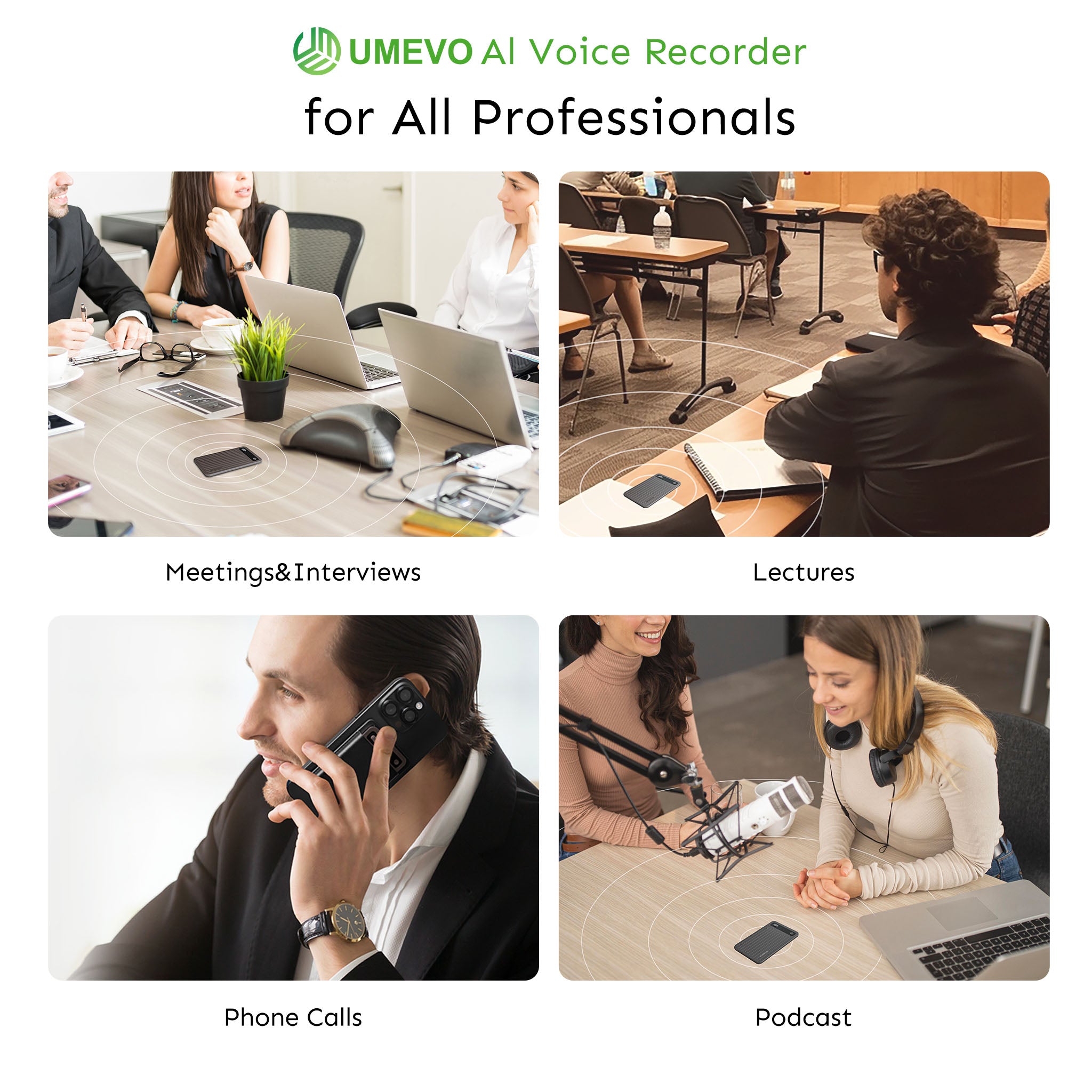
Dedicated hardware recorders designed for this class of problem typically offer two distinct capture modes. The UMEVO Note Plus, for example, includes a physical switch that toggles between a piezoelectric vibration sensor for phone calls and dual air-conduction microphones for in-person meetings. In call recording mode, the device sits magnetically attached to the back of the phone and captures both sides of any conversation, whether it runs through a cellular dialer, WhatsApp, Teams, or Zoom. In note recording mode, the device behaves like a conventional high-quality dictaphone for lectures, interviews, and boardroom discussions.
The form factor is deliberately thin at 0.12 inches and 1.06 oz, essentially the footprint of a magnetic wallet or card holder. It attaches via a MagSafe-compatible ring, which is included so Android devices like the Samsung Galaxy S24 or Google Pixel 9 can use it without requiring a MagSafe-specific case. The magnetic ring does not interfere with NFC or standard wireless charging, which matters for professionals who already carry a wireless charger and use contactless payments throughout the day.

Automated AI Transcription and CRM-Ready Summarization
After the recording ends, the device transfers files via high-speed USB-C or the companion mobile app. The AI pipeline then processes the audio through a language model stack, performing speaker identification (diarization), creating structured meeting minutes, and extracting action items. Some professionals configure custom templates that turn a raw client call into a formatted CRM summary with discussion points and next steps. Language coverage extends across 140+ languages, which makes the same hardware viable for international sales teams and multi-language support desks.
The cost structure for AI transcription is a relevant trade-off. The UMEVO Note Plus ships with 1 year of free unlimited AI transcription on its Max Plan. After that first year, the plan transitions to 400 free minutes per month with flexible top-up pricing. For a salesperson recording 15–20 hours of calls per month, the first-year economics are worth evaluating. For a support team recording hundreds of hours per month, the top-up pricing model requires cost modeling before rollout. Both scenarios are serviceable, but the unit economics differ.

Legal Compliance and Consent Best Practices
Recording a phone call without appropriate consent creates legal risk that no hardware or software solution can eliminate. In the United States, federal law under 18 U.S. Code § 2511(2)(d) establishes a one-party consent standard[7]—meaning the person doing the recording is sufficient as the consenting party. However, several states impose stricter requirements. California, under Penal Code §§ 632 and 632.7, mandates all-party consent for confidential communications, including cellular and cordless calls. Florida, Washington, and Pennsylvania have similar two-party consent frameworks.
For business professionals, the practical approach is to treat all-party consent as the default standard. A manual verbal disclosure at the start of a call serves both compliance and relationship-building purposes. The phrase I recommend: "I record client calls for accuracy and follow-up. Please let me know if you'd like me to pause." This gives the other party notice and an easy mechanism for decline. It avoids the jarring automated tone that Pixel dialers impose in supported regions. For international operations, GDPR Article 6 and Article 13 require a lawful basis for processing and transparency obligations around personal data. Recording client conversations is lawful when a legitimate interest or contractual necessity exists, but the recording party must explain what data is being processed and for what purpose. The hardware and AI workflows described in this article do not remove these obligations; they simply make the recorded data more structured and searchable once the legal foundation is in place.
What Users Say
The most consistent report from community forums and professional user groups is the exact frustration this article addresses. Android users who rely on Galaxy Buds, Pixel Buds, and Jabra headsets describe recording files that captured only their own voice, even though the call sounded normal in their earbuds. Several users report discovering the issue only after a critical client negotiation, when they attempted to review the recording and found the client's side missing.
Field professionals also report an unanticipated benefit from hardware approaches: immune to software defaults. A common consensus among field consultants is that hardware recorders attached to the phone give them confidence that every call type, including VoIP, is captured consistently. The recurring sentiment is, "I don't have to remember which app I'm calling through." Users concerned about malware find that a local, air-gapped recording device addresses the anxiety that accompanied sideloaded APK recommendations from old listicle articles.
Should You Use a Mobile Phone External Recorder?
The choice is not between good and bad products; it is between workflows. Play Store apps solve a specific problem for users who record only speakerphone calls and handle no sensitive compliance requirements. Sideloaded tools remain a research tool for Android enthusiasts who accept the security exposure. The Google Pixel or Samsung native dialers remain the strongest choice for users in supported regions who make all their business calls through cellular networks.
For Android users who rely on wireless headsets and communicate across cellular and VoIP platforms without geographic certainty, a piezoelectric hardware recorder offers the most reliable path. It eliminates the dependence on Google's API policy, Bluetooth SCO routing, and app-level encryption. It leaves the wireless headset free for comfortable calls while the attached hardware handles capture independently. It also converts raw audio into structured, searchable business records through modern AI transcription. The UMEVO Note Plus is one option in this hardware category, but the ultimate purchasing decision should follow a specific evaluation of your call types, legal requirements, and monthly transcription volume.
Frequently Asked Questions
Why does my Android call recorder app only record my voice when using Bluetooth earbuds?
Android routes incoming call audio (downlink) directly to the Bluetooth radio chip via Synchronous Connection-Oriented (SCO) links or LE Audio isochronous channels. Third-party apps only have access to your local microphone buffer (uplink), resulting in one-sided silent recordings.
Can I fix Bluetooth call recording by changing Android Developer Options or granting Accessibility permissions?
No. Google permanently banned the use of the AccessibilityService API for remote call audio recording in May 2022. Modern Android releases (Android 13, 14, 15, and 16) strictly isolate cellular voice streams from non-system apps regardless of developer settings or ADB tweaks.
Does a magnetic vibration call recorder require Bluetooth pairing with my phone or headset?
No. Hardware like the UMEVO Note Plus operates independently of your phone's radio connections. It uses piezoelectric sensors to physically capture the acoustic vibrations traveling through the smartphone's chassis, leaving your Bluetooth connection free for your earbuds.
Will a magnetic hardware recorder work through an Android phone case?
Yes. When attached to standard slim-to-medium phone cases using a MagSafe-compatible magnetic ring, piezoelectric sensors readily detect the mechanical resonance transmitted through the phone body and case. Heavy, cushioned rugged armor cases may dampen vibration slightly, so direct contact or a slim case is recommended.
Does the UMEVO Note Plus record encrypted VoIP calls on WhatsApp, Zoom, and Microsoft Teams?
Yes. Because vibration conduction captures the physical acoustic resonance generated by the phone's audio processing hardware, it records any incoming and outgoing audio regardless of the app being used or its software encryption.
How long does the battery last, and how are recordings transcribed?
The UMEVO Note Plus provides up to 40 hours of continuous recording and 60 days of standby time on its 64GB onboard storage. Audio files sync to the companion app, where ChatGPT-powered AI transcribes across 140+ languages, identifies distinct speakers, and generates structured meeting summaries.
Sources and references: This article draws from Google's Android Developers documentation on MediaRecorder.AudioSource and AudioManager.setCommunicationDevice(), Google Play Console Help's AccessibilityService Policy guidelines, Google Phone Help's call recording documentation, peer-reviewed piezoelectric sensor research from the National Center for Biotechnology Information, and US federal and state telecommunications consent statutes including 18 U.S. Code § 2511. The Samsung Pro Video audio routing evidence was observed in visual stress tests, which revealed hidden Bluetooth microphone source selection settings that most users do not know exist. Experts point out that the same assumptions about automatic Bluetooth microphone routing that mislead video users also mislead professionals who expect phone calls with wireless headsets to be captured by software.
References
- MediaRecorder.AudioSource API Reference — Android Developers (Google Open Source Project)
- Audio Manager self-managed call guide and Bluetooth LE Audio Routing — Android Developers (Google)
- Use of the AccessibilityService API Policy Guidelines — Google Play Console Help
- Use the Phone app to record calls — Google Phone Help
- Biomimetic and flexible piezoelectric mobile acoustic sensors with multiresonant ultrathin structures for machine learning biometrics — National Center for Biotechnology Information (NCBI / PMC)
- Complying with the Telemarketing Sales Rule — Federal Trade Commission (FTC)
- 18 U.S. Code § 2511 - Interception and disclosure of wire, oral, or electronic communications prohibited — Legal Information Institute / U.S. Government Publishing Office





0 comments