

Quick answer: UMEVO builds recording hardware and an app workflow for turning spoken information into material people can review and use. UMEVO Note Plus captures in-person conversations and phone calls in separate recording modes. AI DVR Link then helps users synchronize files, create transcripts, identify speakers, generate summaries and mind maps, translate text, and share selected outputs. The original audio remains the reference for checking names, numbers, decisions, and commitments.
Updated September 18, 2026. Product and app details in this guide were checked against current UMEVO product, manual, Help Center, and AI DVR Link documentation.
What is UMEVO?
UMEVO focuses on the work that begins with a conversation and ends with usable information. A meeting may contain a decision, a phone call may contain a commitment, and a site visit may contain a model number or deadline. Recording preserves the source, but the useful result usually comes later: a searchable transcript, a checked summary, a list of actions, or a file that can be shared with the right context.
The UMEVO brand story describes this as the path from recording to readable, searchable, and reusable content. The hardware and software have different jobs. Note Plus captures audio and stores recordings; AI DVR Link organizes the next stage. Human review connects those stages to a dependable work product.

How Note Plus and AI DVR Link work together
Note Plus offers separate recording modes for different audio paths. Note mode is intended for speech in the room. Call mode is intended for phone-call capture when the recorder is positioned against the phone. The switch changes how the device captures sound; magnetic attachment positions the recorder but does not itself transmit digital audio.
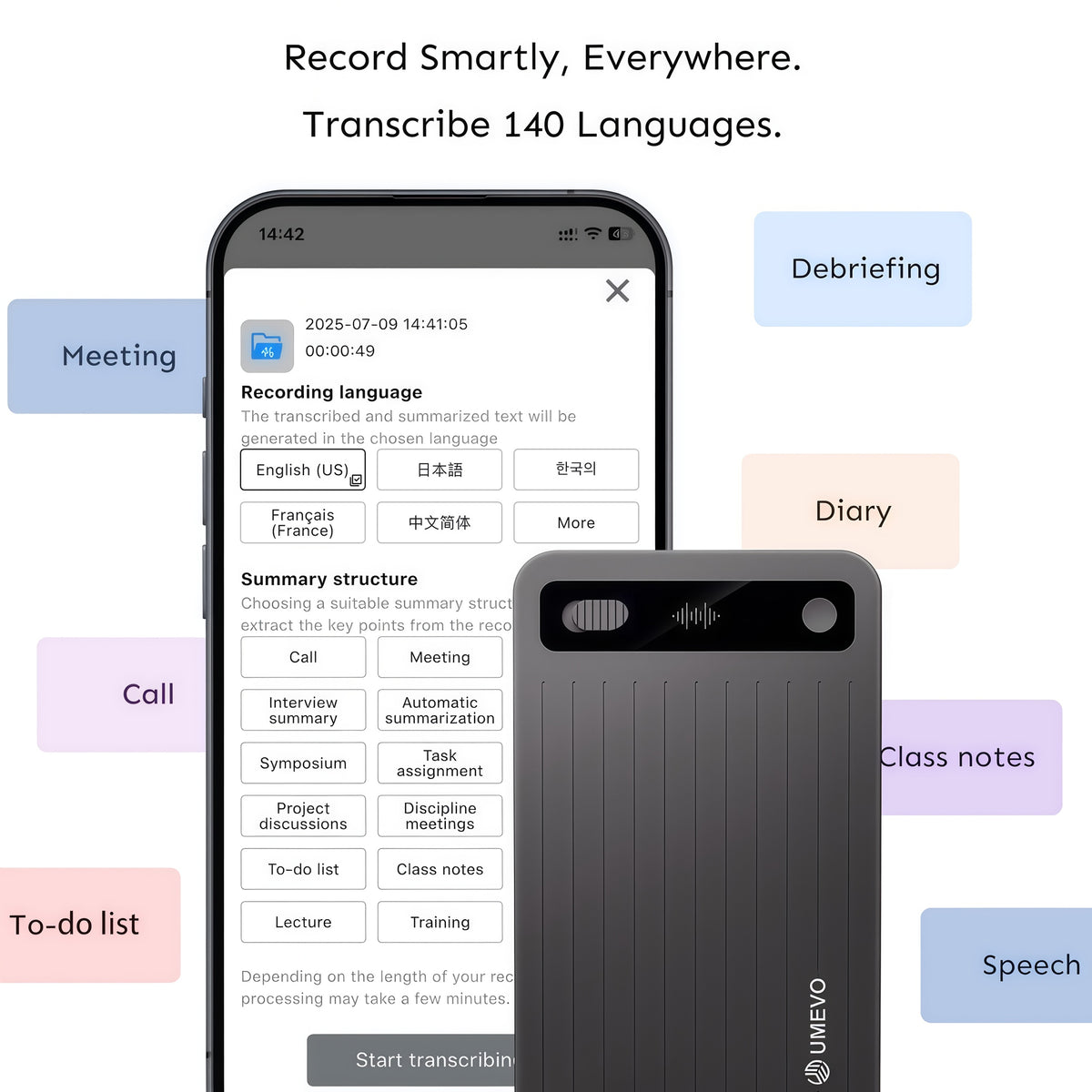
After a recording is saved, AI DVR Link provides the documented app workflow. Current UMEVO App Guides cover device binding, file synchronization, transcription, speaker identification, summaries, mind maps, translation, Ask AI, file management, and sharing. A feature being available does not make every generated detail correct, so review remains part of the workflow.
The UMEVO workflow: from recording to reviewed notes
| Stage | What happens | What to check |
|---|---|---|
| 1. Capture | Select the appropriate mode, place the recorder correctly, obtain required permission, and save the recording. | Confirm the indicator, duration, and a short playback sample. |
| 2. Synchronize | Connect Note Plus to AI DVR Link and transfer or synchronize the saved file. | Confirm the expected file, date, duration, and beginning/end audio. |
| 3. Process | Choose the recording language and create the transcript or other app output needed for the task. | Use the correct source language and an output type suited to the conversation. |
| 4. Review | Compare important text and summary points with the source audio. | Names, dates, amounts, negation, speaker labels, decisions, and deadlines. |
| 5. Use or share | Name the reviewed file clearly and send only the version the recipient needs. | Permission, confidentiality, context, retention, and access. |
This sequence is deliberately simple. It prevents a polished AI summary from hiding a weak recording or an incorrect transcript. If the source audio is incomplete, return to the capture setup. If the audio is clear but the transcript is wrong, correct the text while keeping the recording available for reference.
Path 1: meetings and interviews
For an in-person meeting, select the room-oriented recording mode and place Note Plus where voices can reach it without being covered by papers, a laptop, or clothing. Begin with a short sound check when seating, distance, or background noise changes. Tell participants that recording is taking place and follow the consent and workplace rules that apply to the conversation.
After synchronization, choose the source language, generate a transcript, and use a meeting-oriented summary structure if it matches the task. Review decisions and action items against the original audio before assigning them to people. Speaker labels are useful navigation aids, but handoffs and overlapping speech still deserve manual checking.
Path 2: phone calls
Phone calls use a different physical setup. Select Call mode, attach the recorder securely to the phone, and make a short two-person test. A case, a gap between the devices, or an audio route through wireless earbuds can change what reaches the recorder. The detailed UMEVO Note Plus phone-call guide explains setup, playback checks, one-sided audio, synchronization, and transcript review.
A call recorder does not announce consent or decide whether recording is permitted. Tell the other participant when required and follow the rules for the location and context. Keep the audio when a name, price, date, or commitment matters; a transcript or summary is a working derivative of the recording.
Path 3: field work and ideas on the move
Portable capture is useful when typing would interrupt the task: a site observation, an interview, a sales visit, or a voice memo made away from a desk. The main discipline is to add context. Say the date, location, project, and subject at the beginning. Spell names and identifiers that will be difficult to infer later, and separate observations from decisions that another person still needs to confirm.
Field conditions change quickly, so check wind, distance, machinery, and device placement before a long session. The UMEVO Device Guides provide current instructions for meeting placement, phone attachment, interviews, lectures, sales visits, care, and troubleshooting. They are a safer reference for controls than a dated description copied into a blog post.

Choose the workflow that matches the conversation

What AI DVR Link can produce
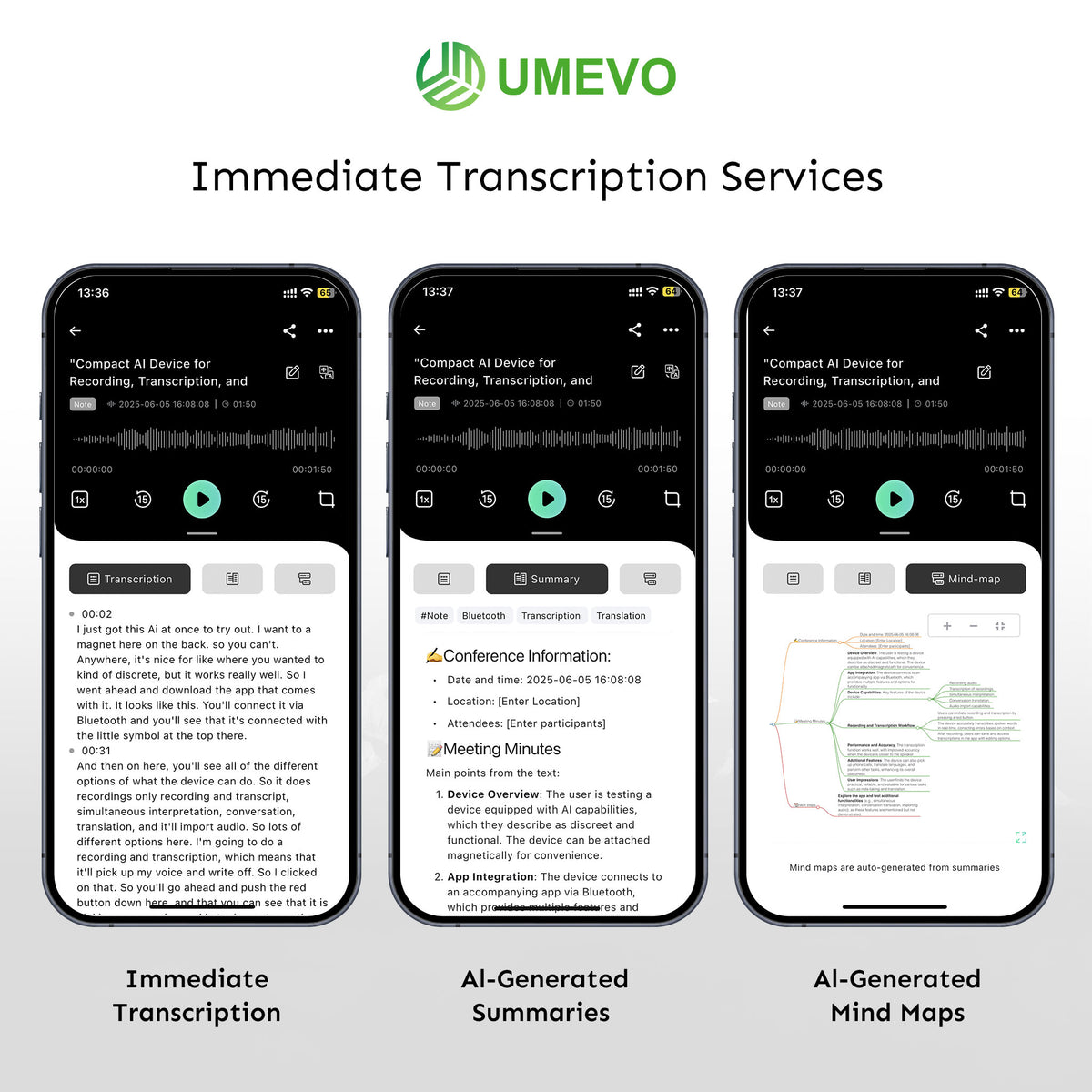
The current app documentation describes transcripts, speaker identification, structured summaries, mind maps, translation, sharing, and Ask AI. These outputs serve different purposes:
- Transcript: useful for search, quotations, detailed review, and finding the source moment.
- Summary: useful for decisions, themes, and next steps after the details have been checked.
- Mind map: useful for seeing relationships among topics, especially in longer conversations.
- Translation: useful for access across languages, while names, numbers, idioms, and specialist terms still need review.
- Ask AI: useful for exploring a completed transcript and preparing a draft, not for adding facts that were absent from the recording.
Choose the smallest output that solves the task. A short call may need only a checked action list. A research interview may require a full transcript with timestamps. A project meeting may need a summary plus the source passages behind every decision.
Review the output before you share it
Start with details that can change an outcome: names, dates, currency, percentages, addresses, model numbers, negation, approvals, and deadlines. Play the corresponding audio and correct the working transcript. Check speaker labels where voices overlap or change quickly. Then map every important summary statement to something that was actually said.
UMEVO’s transcript-checking protocol provides a repeatable method. The goal is not to treat AI output as useless; it is to make the review effort proportional to the consequence of an error.
Keep the source. Editing a transcript improves the working document, but it should not silently replace the original audio when accuracy, consent, or accountability matters.
What UMEVO does and does not promise
Current official information describes Note Plus as a dual-mode recorder with 64GB of device storage, Bluetooth pairing for the app workflow, and support for transcription and translation in more than 140 languages. The current product page also publishes approximate recording and standby figures. Actual results depend on battery condition, recording settings, audio quality, language, environment, phone, case, and app version.
UMEVO can provide a dedicated capture device and tools for working with recorded information. It cannot guarantee perfect capture in every environment, perfect transcription, correct summaries, universal phone/case compatibility, legal permission to record, or compliance for an entire organization. Privacy and compliance depend on consent, configuration, access, storage, processing, sharing, retention, contracts, and organizational controls.
Prices, included plans, minute allowances, and app capabilities can change. Check the current UMEVO Note Plus product page instead of relying on a price copied into an older article.
Where to start with UMEVO
- Read the current product manual for controls, safety, setup, and specifications.
- Use the AI DVR Link App Guides for connection, synchronization, transcription, summaries, file management, and sharing.
- Choose the recording mode and make a short test in the actual environment.
- Preserve the audio and review high-impact details before distributing generated text.
- Use the UMEVO Help Center or contact support with the device model, serial number, app version, and a screenshot if a step fails.
Frequently asked questions
Is UMEVO a recorder, an app, or both?
UMEVO’s workflow combines hardware and software. Note Plus captures and stores recordings. AI DVR Link connects to the device and provides synchronization, transcription, summaries, mind maps, translation, sharing, and other documented tools.
Does UMEVO Note Plus record meetings and phone calls the same way?
No. Note mode is intended for speech in the room, while Call mode is intended for a phone-call setup with the recorder positioned against the phone. Select the mode before recording and make a short playback test.
Can I trust an AI summary without listening to the recording?
Use the audio as the reference. Check names, numbers, speaker labels, decisions, and commitments before using or sharing the summary.
Does UMEVO guarantee legal or compliant recording?
No device can establish permission or organizational compliance by itself. Follow applicable recording-consent rules and your organization’s policies for access, storage, processing, sharing, and retention.
Where can I find current pricing and transcription-plan details?
Use the current product page and account terms. Avoid relying on prices or allowances copied into an older article because offers can change.
Where do I get setup or troubleshooting help?
Start with the UMEVO Help Center, current product manual, Device Guides, and AI DVR Link App Guides. When contacting support, include the device model, serial number, app version, and a screenshot of the issue.





0 comments