

Quick answer: To record a phone call with UMEVO Note Plus, move the physical switch to Call mode, attach the recorder flat against the back of the phone, make a short test call, and confirm both voices are clear before an important conversation. After the recording is saved, sync it to AI DVR Link for transcription and summaries. Review names, numbers, speaker labels, and commitments against the original audio before sharing the result.
Updated September 18, 2026. This guide uses current UMEVO product and support documentation. Exact results depend on the phone, case, audio route, calling app, environment, language, and app version.
How UMEVO Note Plus records phone calls
UMEVO Note Plus is a separate hardware recorder. It does not need a meeting bot to join the call, and it does not depend on an app receiving a platform audio feed. UMEVO documents two recording modes: Note mode for room conversations and Call mode for phone audio. The side switch selects the mode before recording begins.
For a phone call, the recorder must sit securely against the phone so its call-recording sensor can pick up sound from the handset. Magnetic attachment positions the device; it does not transmit digital audio. This distinction explains why a recorder can appear attached and active while still producing a weak or one-sided file when the wrong mode or audio route is used.

Before you record: permission, battery, and storage
Tell the other participant that you plan to record and obtain the permission required for the conversation. Recording rules vary by country, state, workplace, and context. The US Federal Trade Commission notes that state laws can impose different consent requirements for recorded telephone transactions. If the recording involves legal, medical, employment, or confidential business information, follow the policy and professional guidance that apply to you.
Prepare the device before the call:
- Charge the recorder and confirm that it powers on normally.
- Check that enough device storage remains for the expected call length.
- Choose Call mode rather than the room-oriented Note mode.
- Attach the recorder flat to the phone without a wallet, card, or loose accessory creating a gap.
- Decide how the call audio will play. A phone-mounted recorder needs audio to reach the phone body; wireless earbuds can route the remote voice away from that path.
Do not use a first-time setup for a critical call. A 20-second test is faster than discovering afterward that the remote participant was missing or too quiet.
Step 1: select Call mode and position the recorder
- Move the side switch to Call mode. Check the device screen or indicator instead of relying on memory.
- Attach Note Plus to the back of the phone. Keep it below the camera area and seated flat against the case or magnetic adapter.
- Check the case. Thick, rugged, or loosely fitted cases can weaken physical contact. If the test is muffled, repeat it with a thinner compatible case or direct contact where safe.
- Use the handset audio path for the test. Disconnect AirPods, a car system, or another Bluetooth headset if it routes the caller away from the phone speaker.
This setup applies to supported Apple, Samsung, Google, and other Android phones, but magnetic attachment and audio behavior differ by model and case. Treat compatibility as something to verify with your own phone, not as a universal result.
Step 2: make a short test, then record the call
Ask the other person to say a name, a date, and a number while you respond with a different short sentence. Start recording with the device button, wait for the recording indicator, and stop after about 20 seconds. Save the file and play it back before the real conversation.
| Check | Passing result | If it fails |
|---|---|---|
| Your voice | Clear and easy to understand | Check device position and avoid covering the recorder |
| Remote voice | Audible throughout, without long dropouts | Check Call mode, phone audio route, call volume, and case contact |
| Beginning and end | The file starts and stops where expected | Watch the indicator and use a deliberate short press |
| Names and numbers | Understandable in playback | Improve the source audio before using transcription |
Once the test passes, repeat the same setup for the real call. Keep the phone and recorder stable. When the conversation ends, stop and save the file, then confirm that it appears in the device or app file list. A visible recording indicator during the call does not replace checking the saved result.
Step 3: sync the recording to AI DVR Link
UMEVO Note Plus works with the AI DVR Link mobile app. Pair the device through the app with Bluetooth enabled, open the saved recording, and transfer or synchronize the file before starting AI processing. Bluetooth is used for device and app communication; it is not proof that the recorder has access to audio playing through Bluetooth earbuds.
Give the file a descriptive name before processing, such as “2026-09-18 supplier call.” Confirm that the duration matches the conversation and play a section from the beginning, middle, and end. If the audio itself is incomplete, solve that capture problem first. Transcription cannot reliably recreate speech that never reached the recording.
Step 4: create a transcript, summary, and mind map
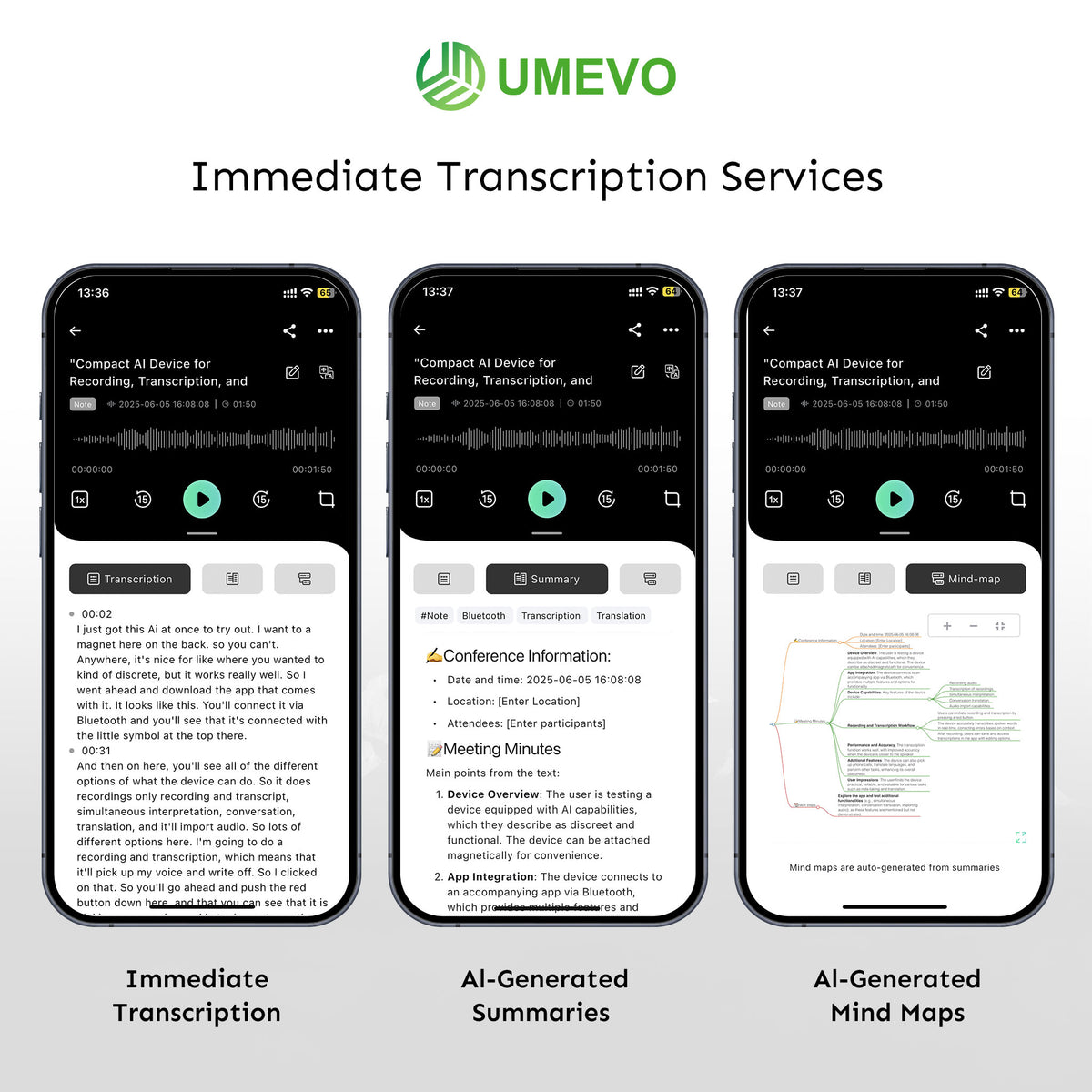
In AI DVR Link, choose the recording language and the output you need. The current UMEVO app guides document transcription, speaker identification, summaries, mind maps, translation, and sharing. Select a Call or other relevant summary structure rather than accepting a generic template for every conversation.
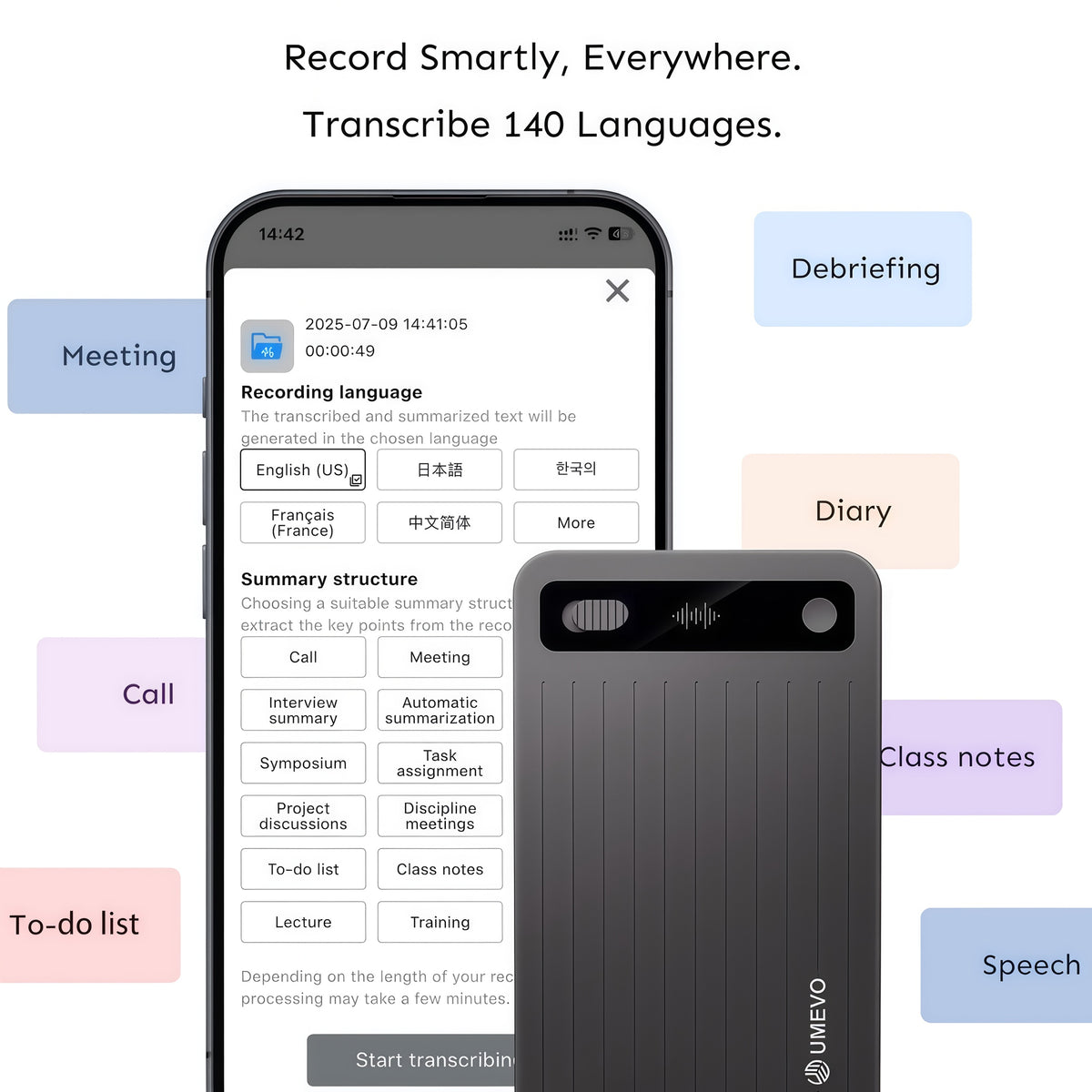
Use the transcript for search and review. Use the summary for decisions and follow-up only after checking it. A polished paragraph can still contain a wrong name, amount, deadline, or speaker attribution. For that reason, keep the original audio available during review.
Check the transcript before sharing it
Start with the details that can change the meaning of the call:
- Search for names, dates, currency amounts, percentages, order numbers, and words such as “can,” “cannot,” “approved,” and “not approved.”
- Play the corresponding audio around each important detail.
- Check speaker labels at handoffs and during overlapping speech.
- Map each action item in the summary to something that was actually said.
- Correct the working transcript and label the reviewed version clearly.
For a repeatable review method, use UMEVO’s transcription verification protocol. Preserve the original audio when accuracy matters; editing a transcript should not replace the source recording.
Troubleshoot one-sided, quiet, or missing audio
| Problem | Likely check | Next action |
|---|---|---|
| Only your voice is clear | Audio may be routed to earbuds or another Bluetooth device | Return audio to the handset and repeat the short test |
| Remote voice is muffled | Recorder is not flush, or the case absorbs vibration | Remove gaps, reposition the device, or test a thinner compatible case |
| Room conversation sounds weak | Call mode was used for airborne speech | Select Note mode for meetings and face-to-face conversations |
| No saved recording appears | The session may not have stopped and saved correctly | Repeat a short recording while watching the indicator |
| Transcript misses names or figures | Source audio, language selection, accent, or crosstalk | Review the audio and correct high-impact details manually |
Change one variable at a time. If you change the case, call app, audio route, and device position together, you will not know which change fixed or caused the problem. UMEVO’s recording-mode guide explains the difference between phone-call capture and room recording in more detail.
What UMEVO Note Plus can and cannot do
Note Plus can provide a dedicated recording path, local device storage, and an app workflow for transcription and structured outputs. It can reduce the need to keep a meeting bot in the call. It also keeps recording separate from the phone’s battery and native recorder controls.
It cannot guarantee that every phone, case, calling app, headset, language, or acoustic condition will produce the same result. It does not automatically announce recording consent, and a transcript or summary is not automatically a verified legal record. It also does not make weak audio accurate after the fact.
For iPhone-specific options, including Apple’s built-in call recording where available, see the iPhone call-recording guide. For calls through wireless headsets, review the Android and Bluetooth-headset limitations before choosing a method.
Current specifications and transcription allowance
The current UMEVO Note Plus product page lists dual recording modes, 64GB of storage, approximately 40 hours of continuous recording, and support for transcription and translation in more than 140 languages. Actual battery time and transcription quality vary with use and audio conditions.
The current offer includes the Max plan for the first year. From the second year, the Starter plan provides 400 transcription minutes each month, with paid plans or additional minute packs available. Offers, prices, plan names, and included features can change, so check the product page and account terms rather than relying on a dated price in a blog post.
Use the product manuals for device controls and the AI DVR Link app guides for current connection, transcription, summary, and export steps.
Frequently asked questions
Can UMEVO Note Plus record calls on both iPhone and Android?
UMEVO lists compatibility with Apple, Samsung, Google, and other major Android phones. Attachment and audio routing differ by device, case, and calling app, so make a short two-person test before relying on the setup.
Can I use AirPods or a Bluetooth headset while recording?
A wireless headset can route the remote voice away from the phone body used by Call mode. Do not assume the caller will be captured. Test the exact headset and call route, or return audio to the handset for hardware call recording.
Does UMEVO Note Plus record automatically when a call starts?
No. Select Call mode, start recording with the device control, and confirm the recording indicator. Stop and save the file when the call ends.
Does the transcript replace the original audio?
No. Keep the audio as the reference. Review names, numbers, speaker labels, and action items before distributing a transcript or AI summary.
Is the device guaranteed to be HIPAA, GDPR, or SOC 2 compliant?
Do not treat a recorder alone as proof that a workflow meets a law, contract, or certification. Compliance depends on configuration, access, storage, sharing, retention, agreements, and organizational controls. Request current documentation for any formal requirement.
Do I get unlimited transcription forever?
The current offer provides the Max plan during the first year. From year two, the Starter plan includes 400 minutes per month, with optional paid usage. Check current terms because plan details can change.





0 comments