

Voice technology has transformed how you interact with the world, and GPT-4o Voice Recorders take this innovation to the next level. These devices deliver exceptional accuracy in transcription tasks. For instance, GPT-4o-transcribe excelled in the Fleurs dataset, even outperforming leading models. This makes it a reliable tool for capturing every word with precision. Unlike traditional recorders, GPT-4o integrates advanced AI to provide seamless functionality, empowering you to record, transcribe, and organize your audio effortlessly.
With GPT-4o Voice Recorders, you gain a smarter, more efficient way to handle voice data.
Key Takeaways
- GPT-4o Voice Recorders can type what you say instantly.
- They also understand feelings, making them better than old recorders.
- These recorders work in over 50 languages, so you can use them easily anywhere.
- Workers save time with GPT-4o by quickly typing meeting notes.
- For fun, GPT-4o helps plan ideas, make lists, or tell stories with feelings.
- Students can record classes or practice new languages, making learning easier.
Overview of GPT-4o Voice Recorders
Purpose and Functionality
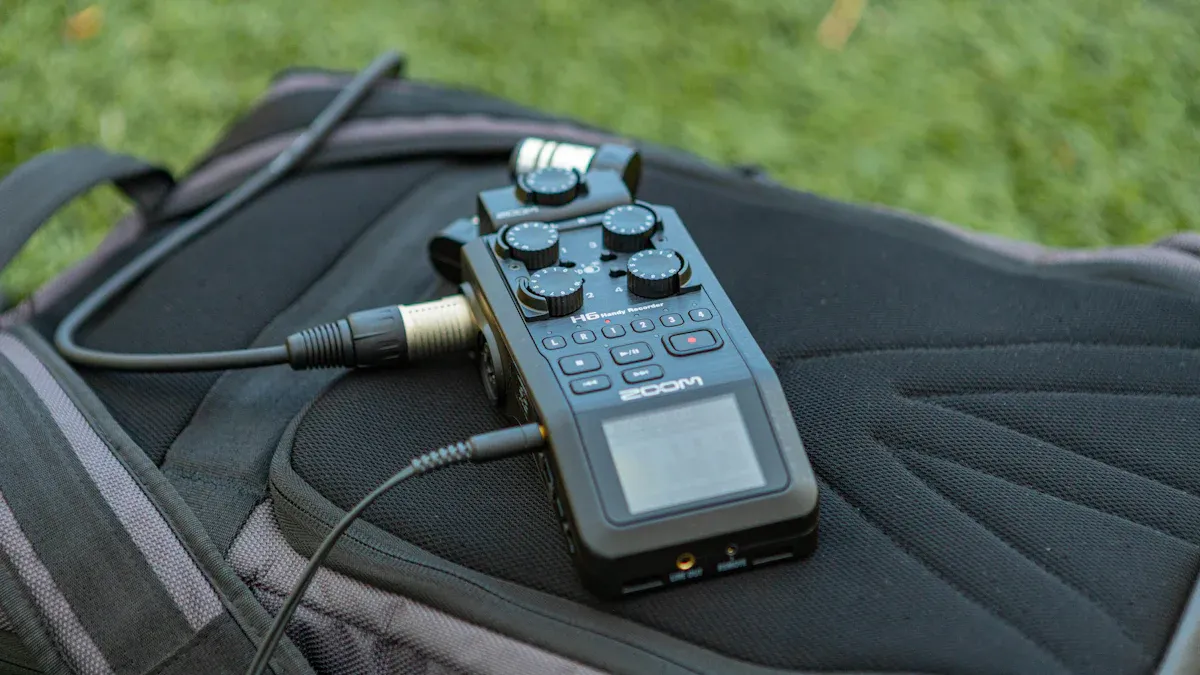
The GPT-4o Voice Recorder is designed to redefine how you capture and interact with audio. Its primary purpose is to provide real-time, accurate voice recording and transcription while offering advanced features that traditional devices lack. Whether you're recording a lecture, conducting an interview, or capturing personal notes, this device ensures seamless functionality.
GPT-4o Voice Recorders excel in real-time interactions. They process audio with an average response time of just 320 milliseconds, making conversations feel natural and uninterrupted. These devices also support over 50 languages, allowing you to record and transcribe in multiple languages effortlessly. Additionally, they can detect emotional nuances in speech, making them ideal for sensitive communication scenarios.
|
Functionality |
Description |
|---|---|
|
Real-time interactions |
Engages in verbal conversations without noticeable delays. |
|
Language and audio processing |
Handles over 50 different languages effectively. |
|
Voice nuance |
Generates speech with emotional nuances for sensitive communication. |
By combining speed, accuracy, and emotional intelligence, GPT-4o Voice Recorders stand out as a versatile tool for both professional and personal use.
Key Features
The GPT-4o Voice Recorder offers a range of features that set it apart from traditional devices. These include:
- Human-like Interactions: The device can engage in real-time conversations, responding with text, audio, or even video.
- Emotional Expressiveness: It recognizes and responds to emotional cues, enhancing the quality of interactions.
- Multi-Speaker Recognition: It can differentiate between multiple speakers, ensuring accurate transcription in group settings.
- Advanced Problem-Solving: The AI can explain complex concepts, narrate stories with dramatic tones, and even sing.
- Resilience: It recovers from technical glitches during conversations, ensuring uninterrupted functionality.
These features make the GPT-4o Voice Recorder a powerful tool for various applications, from professional meetings to creative storytelling.
How GPT-4o Enhances Voice Recording
GPT-4o Voice Recorders outperform traditional methods in several key areas. They offer faster response times, advanced emotional recognition, and native audio processing. Unlike older devices, they can recognize non-speech sounds and adapt to different accents or speech variations.
|
Feature |
Traditional Methods |
GPT-4o |
|---|---|---|
|
Response Time |
Slower |
Average 320ms |
|
Emotional Recognition |
Limited |
Advanced |
|
Native Audio Processing |
No |
Yes |
|
Multi-Speaker Recognition |
No |
Yes |
|
Real-time Interaction |
No |
Yes |
|
Ability to Hear Non-Speech Sounds |
No |
Yes |
|
Speech Variation |
Limited |
Extensive |
These enhancements make the GPT-4o Voice Recorder a game-changer in the voice recording industry. Whether you're a journalist, educator, or business professional, this device ensures you capture every detail with precision and clarity.
Benefits of GPT-4o Voice Recorders

Professional Applications
The GPT-4o Voice Recorder offers significant advantages for professionals across various industries. Its ability to transcribe audio with exceptional accuracy saves time and reduces manual effort. For example, in healthcare, voice technology is transforming workflows. Physicians report a 65% improvement in efficiency when using voice AI tools. Additionally, 72% of patients now rely on voice assistants for tasks like scheduling appointments or refilling prescriptions. These statistics highlight how voice recorders like GPT-4o streamline operations and improve user experiences.
In customer service, intelligent voice agents powered by AI reduce call center volumes by 35-40%. They also cut average handling times for inquiries by 65%, ensuring faster resolutions. Businesses benefit from 24/7 customer support without the need for additional staffing. Furthermore, industries like media and marketing use GPT-4o Voice Recorders to produce high-quality content. Audiobook production, for instance, is completed in days instead of weeks. Similarly, multilingual marketing campaigns no longer require multiple voice actors, saving both time and resources.
|
Statistic |
Value |
|---|---|
|
Reduction in call center volumes |
35-40% |
|
Improvement in conversion rates |
20% |
|
Workflow efficiency improvement in healthcare |
65% |
|
Patients using voice assistants |
72% |
|
Customer support availability |
24/7 |
These benefits make the GPT-4o Voice Recorder an essential tool for professionals seeking to enhance productivity and deliver better results.
Personal Use Cases
For personal use, the GPT-4o Voice Recorder simplifies everyday tasks. You can use it to record voice memos, create to-do lists, or even document your thoughts. Its real-time transcription feature ensures you never miss important details. Whether you're brainstorming ideas or capturing moments of inspiration, this device keeps everything organized.
The recorder's emotional recognition capabilities also make it ideal for personal interactions. It can detect the tone of your voice and respond accordingly, creating a more engaging experience. For instance, you can use it to narrate stories for your children, complete with emotional expressiveness. Additionally, its multi-speaker recognition feature is perfect for family gatherings or group discussions, ensuring every voice is captured accurately.
Another standout feature is its ability to process multiple languages. If you're learning a new language, the GPT-4o Voice Recorder can help you practice pronunciation and improve fluency. Its versatility makes it a valuable companion for both practical and creative pursuits.
Educational Advantages
In education, the GPT-4o Voice Recorder serves as a powerful learning tool. Students can use it to record lectures, ensuring they capture every detail for later review. Its transcription feature converts spoken words into text, making it easier to create study notes. Teachers can also benefit by using the device to prepare lesson plans or record instructional videos.
The recorder's ability to recognize multiple speakers is particularly useful in group discussions or classroom settings. It ensures that every participant's input is documented, fostering collaboration and inclusivity. Additionally, its emotional recognition feature can enhance storytelling or presentations, making lessons more engaging for students.
For language learners, the GPT-4o Voice Recorder offers unique advantages. It supports over 50 languages, allowing you to practice listening and speaking skills. You can also use it to translate phrases in real time, making it easier to communicate in different languages. These features make the device an invaluable resource for both students and educators.
Comparing GPT-4o Voice Recorders to Other Tools
Traditional Voice Recorders vs. GPT-4o
Traditional voice recorders focus on basic audio capture. They store sound files without offering advanced processing capabilities. You often need additional tools to transcribe or analyze recordings. GPT-4o Voice Recorders, on the other hand, provide real-time transcription and emotional recognition. These features eliminate the need for manual intervention.
Older devices struggle with multi-speaker environments. They fail to differentiate voices, leading to inaccurate recordings. GPT-4o excels in this area. It identifies individual speakers and ensures precise transcription. Additionally, traditional recorders lack language versatility. GPT-4o supports over 50 languages, making it ideal for global users.
Smartphone Apps vs. GPT-4o
Smartphone apps offer convenience. They combine voice recording with basic transcription features. However, these apps depend heavily on internet connectivity. Without it, their functionality diminishes. GPT-4o Voice Recorders operate independently. They process audio natively, ensuring consistent performance even offline.
Apps often struggle with complex tasks like emotional recognition or multi-speaker differentiation. GPT-4o handles these effortlessly. Its advanced AI detects emotional nuances and adapts to various accents. This makes it suitable for sensitive communication scenarios. While apps may suffice for casual use, GPT-4o offers professional-grade capabilities.
Unique Features of GPT-4o
GPT-4o Voice Recorders stand out due to their unique features. They excel in areas like word-finding difficulties and emotional expressiveness. Quantitative analyses highlight their precision:
|
Feature |
Correlation with Disfluency Ratio |
ICC (Human Raters) |
ICC (GPT vs Human) |
Significance (p-value) |
Effect Size (Cohen's d) |
|---|---|---|---|---|---|
|
Word-Finding Difficulties (Anomia) |
0.55 (CI: 0.43-0.65) |
0.53 (CI: 0.44-0.62) |
< 10^-10 |
> 1.1 |
These metrics demonstrate the device's ability to handle complex speech patterns. Its high effect size indicates significant improvements over traditional tools. With GPT-4o, you gain access to cutting-edge technology that enhances both accuracy and usability.
Getting Started with GPT-4o Voice Recorders
Selecting the Right Model
Choosing the right GPT-4o Voice Recorder depends on your needs. If you plan to use it for professional purposes, such as transcribing meetings or interviews, look for models with advanced multi-speaker recognition and extended battery life. For personal use, compact models with basic transcription features may work best. Students and educators might prefer devices with enhanced language support and real-time translation capabilities.
When comparing models, consider factors like storage capacity, audio quality, and supported languages. Some models also include additional features, such as emotional recognition or offline functionality. These can be especially useful if you work in environments with limited internet access. By identifying your priorities, you can select a model that aligns with your goals.
Setting Up Your GPT-4o Device
Getting started with your GPT-4o Voice Recorder is simple. Follow these steps to set up your device:
- Download the latest version of the ChatGPT app.
- Open the app and enable Advanced Voice Mode.
- Start a new chat and tap the soundwave icon.
- Choose your preferred voice settings.
- Begin speaking to test the device.
- End the session when you're done.
These steps ensure your device is ready to use. GPT-4o's advanced capabilities, such as its 88.7 score on the MMLU benchmark, make it highly effective for speech recognition and translation. This setup process allows you to experience its full potential right away.
Tips for Optimal Usage
To get the most out of your GPT-4o Voice Recorder, follow these tips:
- Positioning: Place the recorder close to the speaker for clear audio capture.
- Environment: Use it in quiet spaces to minimize background noise.
- Updates: Regularly update the software to access the latest features.
- Customization: Adjust settings like language preferences and transcription formats to suit your needs.
- Practice: Familiarize yourself with its features, such as emotional recognition and multi-speaker differentiation, to maximize efficiency.
By applying these tips, you can ensure accurate recordings and seamless functionality. Whether you're using it for work, study, or personal projects, these practices will enhance your experience.
Privacy and Security in GPT-4o Voice Recorders
Data Protection Features
GPT-4o Voice Recorders prioritize your data security by incorporating advanced protection measures. These devices encrypt all recorded audio files, ensuring that unauthorized users cannot access your sensitive information. Additionally, they comply with key privacy regulations, which set strict standards for handling personal data.
|
Regulation |
Description |
|---|---|
|
FTC Act |
Prohibits deceptive and unfair business practices, including the protection of personal data. It identifies voice recordings as highly sensitive data. |
|
GDPR |
Established in the EU to protect personal data, it has led to significant legislative changes in response to AI technologies like ChatGPT. |
These regulations highlight the importance of safeguarding your voice data. By adhering to such standards, GPT-4o ensures your recordings remain private and secure.
Secure Usage Practices
Using your GPT-4o Voice Recorder responsibly can further enhance its security. Start by enabling password protection or biometric authentication on your device. This prevents unauthorized access. Always update the firmware to benefit from the latest security patches.
When sharing recordings, use encrypted channels to prevent interception. Avoid uploading sensitive audio files to unverified platforms. Instead, store them on secure cloud services or offline storage.
Tip: Regularly review your device's privacy settings. Adjust them to limit data sharing and ensure compliance with your personal preferences.
By following these practices, you can minimize risks and maintain control over your data.
Addressing Privacy Concerns
AI-powered devices like GPT-4o raise valid privacy concerns. For example, advancements in large language models (LLMs) have shown that attackers could infer private details from sensor data. While GPT-4o excels in analyzing audio, its ability to recognize daily routines remains limited. This reduces the risk of unintended data exposure.
To address these concerns, GPT-4o includes features that educate you about potential risks. The device can demonstrate how much personal information might be inferred from your recordings. This empowers you to make informed decisions about data collection and sharing.
Consumers often worry about the harms associated with AI throughout its lifecycle. By understanding these risks, you can use GPT-4o responsibly and confidently.
These proactive measures ensure that GPT-4o not only protects your data but also helps you stay informed about privacy in the digital age.
GPT-4o Voice Recorders redefine voice technology with features like real-time conversations, emotional expressiveness, and contextual understanding. These tools enhance productivity, creativity, and accessibility for everyone.
|
Feature/Benefit |
Description |
|---|---|
|
Real-time Conversations |
Near real-time interaction, enhancing user experience. |
|
Expressive Communication |
Mimics human emotions for more engaging interactions. |
|
Accessibility for All |
Free access to advanced AI tools for everyone. |
|
Personalized Experience with Memory |
Remembers user preferences for tailored interactions. |
Voice technology continues to evolve, promising even smarter tools. By exploring GPT-4o, you stay ahead in this exciting AI-driven future.
FAQ
What makes GPT-4o Voice Recorders different from traditional recorders?
GPT-4o Voice Recorders use advanced AI to provide real-time transcription, emotional recognition, and multi-speaker differentiation. Traditional recorders only capture audio, while GPT-4o processes and organizes it for you. This makes it more efficient and versatile for both professional and personal use.
Can GPT-4o Voice Recorders work offline?
Yes, GPT-4o Voice Recorders can process audio offline. Unlike smartphone apps that rely on internet connectivity, these devices handle transcription and other features natively. This ensures consistent performance, even in areas with limited or no internet access.
How secure is my data with GPT-4o Voice Recorders?
Your data is highly secure. GPT-4o encrypts all recordings and complies with privacy regulations like GDPR. You can also enable password protection or biometric authentication for added security. These measures ensure your sensitive information stays private.
Are GPT-4o Voice Recorders suitable for students?
Absolutely! Students can record lectures, transcribe notes, and practice languages with GPT-4o. Its multi-speaker recognition captures group discussions accurately. The device also supports over 50 languages, making it a valuable tool for learning and collaboration.
How do I update my GPT-4o Voice Recorder?
Updating is simple. Connect your device to Wi-Fi and navigate to the settings menu. Select "Check for Updates" and follow the prompts. Regular updates ensure you access the latest features and security enhancements for optimal performance.
Tip: Enable automatic updates to save time and keep your device up-to-date effortlessly.


0 comments