

Quick answer: buy a dedicated AI voice recorder when recording is frequent, starting quickly matters, and you will use the audio to create reviewed transcripts, summaries, action items, or searchable notes. Compare the whole workflow—not just the device price. The right choice depends on how it captures the audio, how files move into the app, what the AI output can do, what still needs human review, and whether the plan, privacy, and support terms fit your work.
Transparency note: UMEVO publishes this buying guide and sells UMEVO Note Plus. Product details are based on current UMEVO documentation, not an independent laboratory test. Manufacturer specifications are labeled as such. Prices, promotions, subscriptions, included minutes, app features, and policies can change, so confirm live terms before buying.
Updated September 22, 2026. This guide does not use unnamed “user reports,” universal accuracy percentages, or unverified battery comparisons as evidence.
Jump to: quick verdict · recording job · audio paths · workflow · AI output · total cost · privacy · hardware · UMEVO fit · who it is for · FAQ
AI voice recorder buying guide: the verdict first
An AI voice recorder is useful when it solves a repeated capture problem. The hardware should make recording easy and dependable. The companion software should make the result easier to find, review, organize, and share. If either half is weak, an impressive specification sheet will not create a good daily workflow.
The best buying decision is therefore not “Which recorder has the longest list of AI features?” It is “Which recorder removes friction from the spoken information I already need to capture and use?”

1. Define the recording job before comparing devices
Begin with the conversation you need to preserve. A weekly team meeting has different requirements from an interview, a lecture, a phone call, or a quick idea captured while commuting. Write down the situation, the people involved, the expected recording length, the environment, and the output you need afterward.
| Buying question | What to decide | Why it matters |
|---|---|---|
| What are you recording? | Meetings, interviews, lectures, calls, solo notes, or field observations. | The audio path, placement, controls, and ideal form factor change by situation. |
| What must happen next? | Transcript, summary, action items, translation, mind map, quotation check, or export. | AI features have value only when they match the document you actually need. |
| How often will you use it? | Occasionally, several times per week, or throughout the workday. | Frequent use makes one-button capture, storage, charging, and file management more important. |
| What cannot go wrong? | Names, numbers, deadlines, consent, confidentiality, or access. | High-impact details need a review path back to the original audio. |
| Where will files go? | Personal archive, team system, research notes, CRM, or client deliverable. | Export formats, sharing controls, retention, and policy requirements affect the choice. |
If the answer is only “an occasional private voice memo,” a phone app may already be enough. Dedicated hardware becomes easier to justify when capture needs to start quickly, the phone is busy with another task, or the recording is the first step in a repeatable knowledge workflow.
2. Match the recorder to the audio path
“Records meetings and calls” can describe two different technical situations. In-room recording captures sound traveling through the air. Phone-call recording depends on the phone, its case, the recorder’s placement, the call volume, and the device’s documented mode. A buyer should understand both paths before assuming one setup handles every conversation equally well.
For UMEVO Note Plus, the documentation distinguishes NOTE mode for speech in the room from CALL mode for a phone-call setup. The UMEVO recording-mode guide explains the placement difference. That distinction matters more than a vague claim that one device “records everything.”

3. Evaluate the complete recording-to-notes workflow
A recorder can capture a good file and still create friction later. Before buying, trace one real task from beginning to end. How do you start? How do you confirm the file? How does it reach the app? Can you choose the source language? What outputs are available? Can you correct the transcript, find the matching audio, export what you need, and remove material when the task is finished?
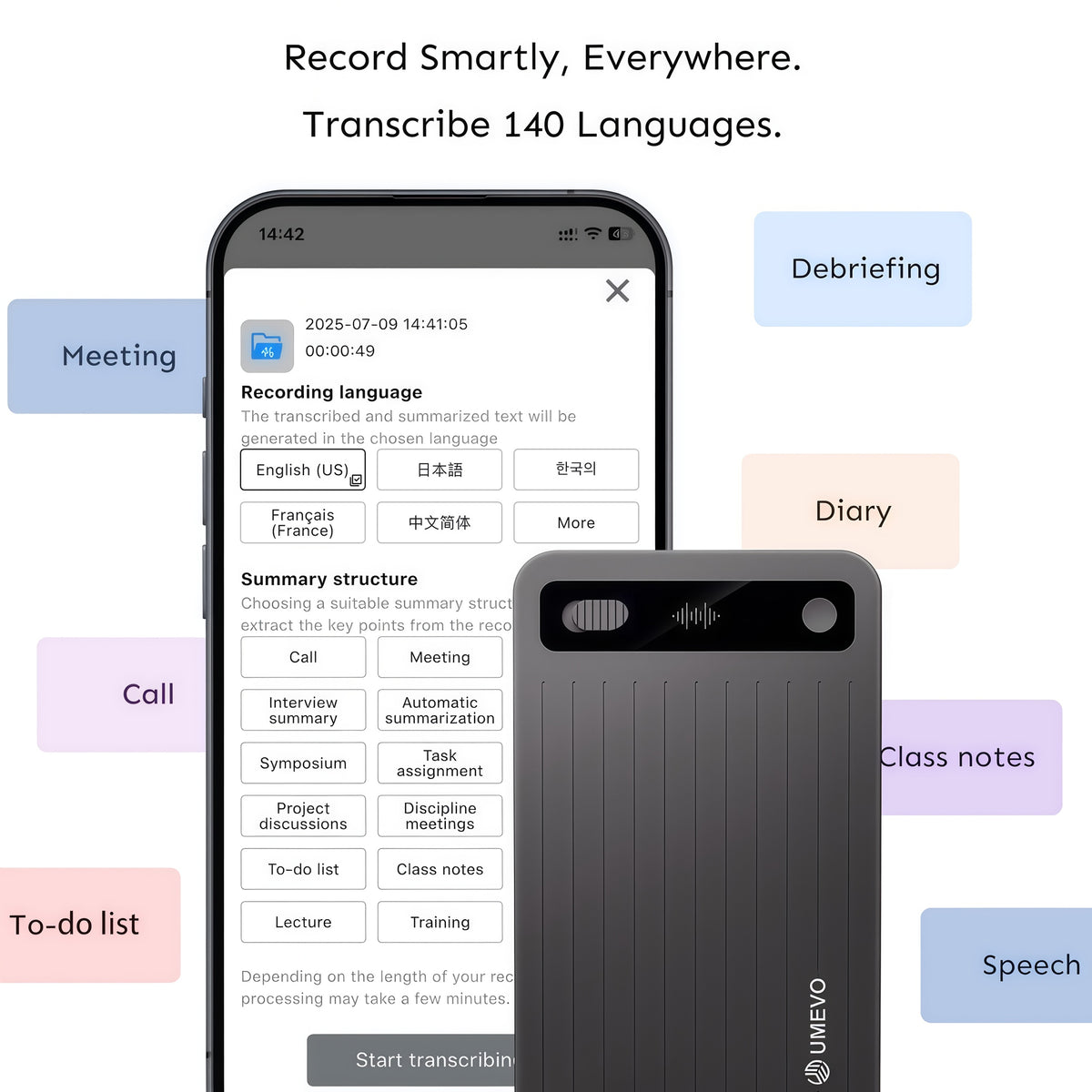
UMEVO Note Plus and AI DVR Link divide these jobs. The device captures and stores audio. The app provides the documented connection, synchronization, transcription, speaker-label, summary, mind-map, translation, sharing, and Ask AI tools. This separation makes it easier to diagnose a problem: improve capture when the source audio is weak; correct the text when the audio is clear but a name is wrong; revisit the source when a summary omits an important commitment.
4. Treat transcripts and summaries as reviewable outputs
No responsible buying guide can promise one accuracy percentage for every room, speaker, language, accent, call, or technical term. Transcription results depend on the source recording, speaker distance, overlap, background noise, language choice, pronunciation, and vocabulary. Summaries add another layer because they compress what was said.
A dependable workflow keeps the original audio available. Review names, figures, dates, negation, specialist terms, decisions, owners, and deadlines before acting on the generated text. If you plan to quote someone, listen to the relevant passage. If a summary will become meeting minutes, check each commitment against the transcript and audio.
UMEVO’s transcript-checking protocol gives buyers a practical evaluation method. Use the same test recording before purchase when possible, or immediately after delivery while the return window and support path are clear.
Evidence boundary: this guide does not claim a measured failure rate, a universal accuracy score, or a controlled battery result. It distinguishes documented manufacturer information from results that would require a defined independent test.
5. Compare total cost, not only the hardware price
The purchase price is only one part of the decision. AI processing may include a plan, a monthly allowance, paid upgrades, minute packs, or other terms. Those details can change faster than the hardware, so a copied number in an old article is not a reliable purchasing reference.
Use your own recording volume to compare the total cost:
- Estimate the hours recorded in a normal month and in a busy month.
- Separate audio storage from transcription or AI-processing allowances.
- Check what is included at purchase, when that inclusion ends, and what happens next.
- Confirm renewal, upgrade, top-up, cancellation, and account-access terms.
- Include accessories, replacement needs, shipping, returns, warranty, and the time needed to review outputs.
The current UMEVO Note Plus product page is the source for live price and plan terms. Check it at the time of purchase rather than relying on a permanent price claim in this guide.
6. Check privacy, storage, account access, and consent
An AI recorder handles more than sound. The workflow may involve an account, a companion app, synchronization, processing, exports, sharing, and retained files. Before recording sensitive material, read the current UMEVO privacy policy and decide whether the workflow fits your organization, client, school, research project, or personal requirements.
Ask where the source audio and generated outputs can be viewed, how access is controlled, what can be exported, how data is deleted, and which internal policy governs retention. A product page cannot answer every company-specific compliance question, so organizations should complete their own assessment.
A recorder also cannot decide whether a conversation may be recorded. Consent and notice requirements vary by location and context. Workplaces, clients, schools, research projects, and regulated activities may add their own rules. Obtain the required permission and avoid describing a device as making a workflow legally compliant.
7. Check hardware fit, placement, storage, and charging
Manufacturer specifications help narrow the choice, but physical fit decides whether the recorder works in daily life. Check the controls with the phone and accessories you actually use. Confirm how the device attaches, whether a case or magnetic ring is needed, where microphones remain unobstructed, and how recording status is communicated.
For storage and battery, use published figures as planning information rather than personal guarantees. Real use varies with battery condition, temperature, recording habits, charging, file management, and service use. A short test is more useful than assuming the maximum figure will appear in every environment.

How UMEVO Note Plus fits this buying checklist
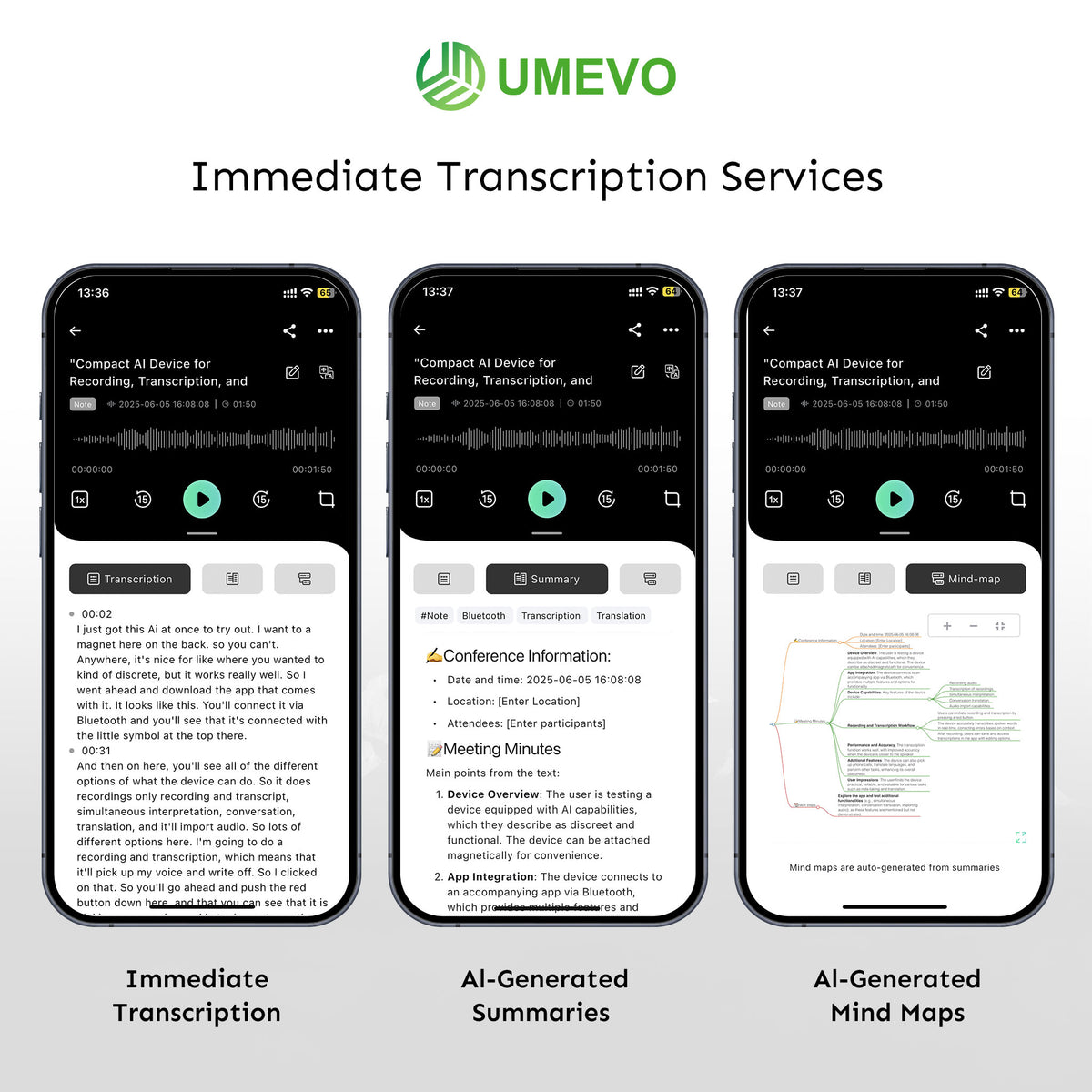
UMEVO Note Plus is designed as dedicated capture hardware connected to the AI DVR Link workflow. The current manufacturer documentation lists separate NOTE and CALL modes, built-in storage, a lightweight magnetic form factor, spoken-word recording, and app tools for transcripts, summaries, speaker labels, mind maps, translation, Ask AI, and sharing.
| Criterion | Documented UMEVO approach | What the buyer should verify |
|---|---|---|
| Capture | Physical control with separate NOTE and CALL modes. | Button feedback, correct mode, placement, and a test in the intended environment. |
| File workflow | Device connection and synchronization through AI DVR Link. | Phone compatibility, account setup, transfer steps, naming, export, and deletion. |
| AI output | Transcription, summaries, speaker labels, mind maps, translation, Ask AI, and sharing are documented. | Language and feature availability, output quality for your speakers, and review requirements. |
| Hardware | The product page currently lists 64GB storage and up to 40 hours of continuous recording as manufacturer specifications. | Actual endurance, charging routine, available storage, phone-case fit, and accessories. |
| Commercial terms | The live product page describes the current purchase offer and plan structure. | Price, included period, allowance, renewal, top-ups, warranty, return, shipping, and support terms at checkout. |
This guide is intentionally cautious about the last column. Buying confidence comes from knowing both what the documentation says and what must still be tested in your own workflow.
Who should consider dedicated UMEVO hardware
- Record meetings, calls, interviews, lectures, or field notes several times each week.
- Want a physical recording control instead of opening a phone app first.
- Need transcripts, summaries, speaker labels, translation, mind maps, or exports.
- Will review consequential text against the source audio.
- Accept an app- and service-based AI workflow.
- Record only occasional short personal memos.
- Do not need a repeatable path from audio to structured notes.
- Cannot use a companion app or service under your policy.
- Require high-fidelity music, broadcast, or film production audio.
- Require fully offline AI processing with no account or service connection.
For setup details, use the UMEVO Note Plus user manual. For app tasks, use the AI DVR Link App Guides. These sources should be checked again whenever an app update, new phone, plan change, or workflow requirement affects the decision.
Pre-purchase checklist
- I can name the main recording situation and the output I need afterward.
- I understand the difference between in-room and phone-call recording setups.
- I checked phone compatibility, attachment, case fit, accessories, charging, and controls.
- I reviewed the live price, included plan, renewal, allowance, upgrade, warranty, return, shipping, and support terms.
- I understand how files synchronize, where I can access them, and how I can export or delete them.
- I know which details must be checked against the source audio.
- I confirmed consent, privacy, retention, and organizational-policy requirements.
- I know why dedicated hardware is better for this job than the phone I already own.
Check current UMEVO Note Plus details
AI voice recorder buying guide FAQ
What should I look for in an AI voice recorder?
Start with the recording job, then check the capture mode, physical controls, placement, phone compatibility, file-transfer workflow, transcript review, export, storage, privacy, consent, plan terms, and support. A long feature list is less useful than a workflow that reliably produces the document you need.
Is a dedicated AI voice recorder worth the price?
It can be when recording is frequent, fast capture matters, and the resulting transcripts or summaries save useful work. It is harder to justify for occasional private memos that a phone already handles well. Compare the full cost with the time and friction the workflow removes.
Is it better to pay once for hardware or use a subscription?
Hardware ownership and AI-processing terms are separate questions. Estimate your monthly recording volume, check what is included, and review the current renewal or top-up choices. Use the live product page because plan terms can change.
Can UMEVO Note Plus record phone calls and meetings?
UMEVO documents separate CALL and NOTE modes for those situations. Use the correct mode, follow the recommended physical setup, make a short test, and obtain any required recording permission.
Does UMEVO Note Plus require the app?
The hardware captures audio, while AI DVR Link provides the documented synchronization, transcription, summary, speaker-label, translation, mind-map, Ask AI, and sharing workflow. Buyers who require fully offline AI processing should verify that requirement before purchasing.
How should I judge transcription accuracy?
Use a representative recording with your real speakers, distance, room, phone, language, and terminology. Check names, numbers, dates, negation, decisions, and speaker labels against the audio instead of relying on one universal percentage.
How do I know whether my recordings are stored securely?
Read the current privacy policy and app documentation, then assess account access, synchronization, processing, exports, sharing, deletion, and retention against your own requirements. An organization may need an additional security or vendor review.
Official UMEVO sources checked
- UMEVO Note Plus product page for current manufacturer specifications, features, live price, plan wording, warranty, return, shipping, and support links.
- UMEVO Note Plus user manual for setup, controls, modes, file handling, and technical information.
- UMEVO App Guides for AI DVR Link connection, synchronization, transcription, summaries, speaker labels, translation, sharing, and Ask AI.
- UMEVO privacy policy for current data-processing disclosures.





0 comments