

Quick answer: UMEVO Note Plus is a voice recorder with transcription built around two separate parts: the recorder captures and stores the audio, while AI DVR Link synchronizes the file and creates the transcript, speaker labels, summary, mind map, translation, exports, and Ask AI responses. The workflow can reduce the work of finding and organizing information, but transcription quality still depends on the recording, selected language, speakers, terminology, and human review. This article evaluates that transcription workflow; it does not claim a universal accuracy score.
Review disclosure: UMEVO publishes this article and sells UMEVO Note Plus. This is a documentation-based transcription review using the current UMEVO product page, manual, App Guides, FAQ, and privacy notice. It is not an independent laboratory test, and no controlled accuracy, speed, battery, or durability test was performed for this review.
Updated September 29, 2026. App features, supported languages, plans, and service terms can change; check the linked live pages before making a purchase or workflow decision.
Jump to: verdict · review scope · workflow · accuracy factors · AI outputs · review checklist · strengths and limits · privacy · FAQ
UMEVO Note Plus transcription review: the verdict
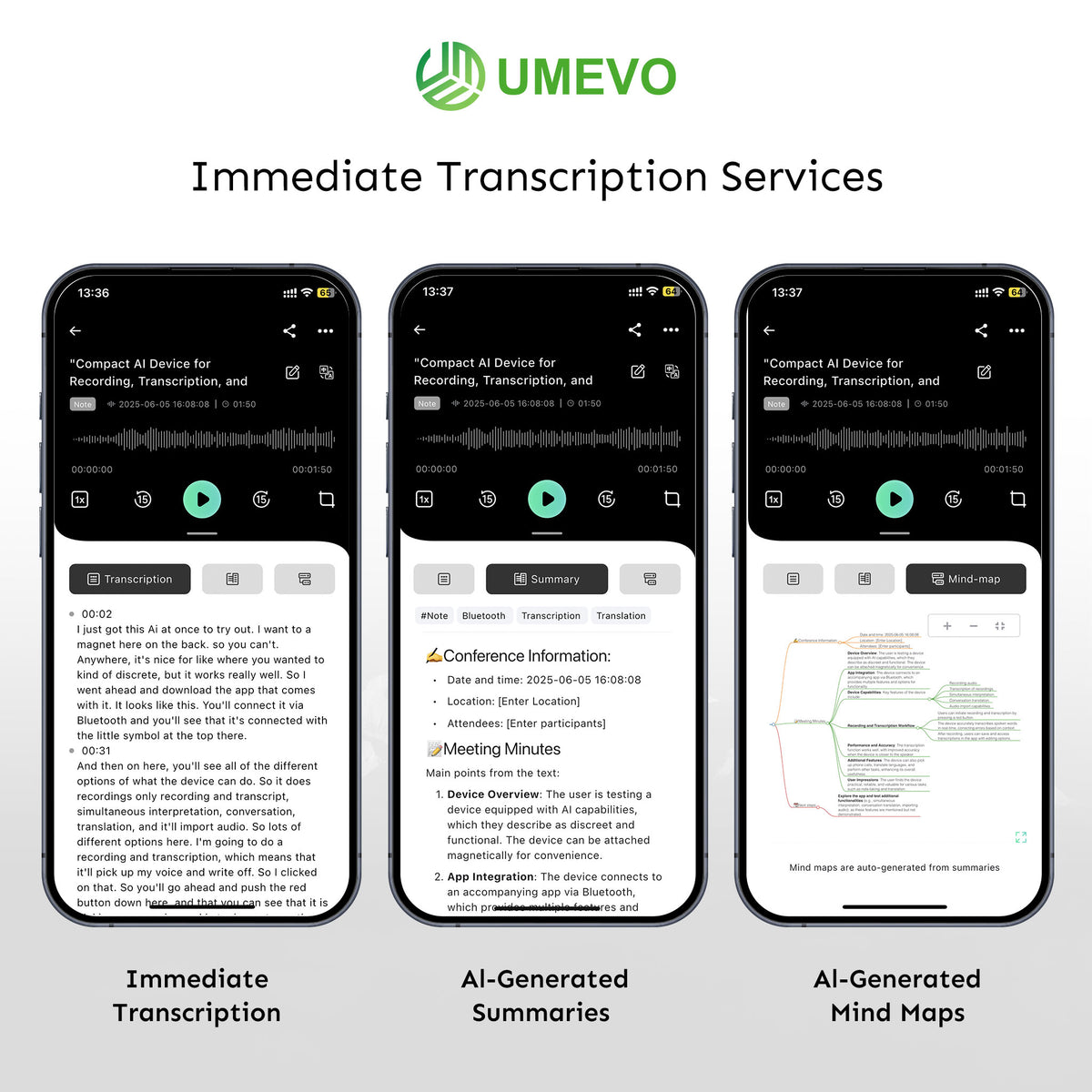
The strongest part of the UMEVO Note Plus transcription experience is the continuity from source audio to usable notes. A recording can move into AI DVR Link, become a transcript with speaker labels, and then support a summary, mind map, translation, export, or question-and-answer step. Keeping those outputs connected to the original recording makes it easier to check a name, number, decision, or quotation before using it.
The main limitation is equally clear: the recorder alone is not the complete AI workflow. Transcription and the later AI tools depend on AI DVR Link, the selected settings, account and service access, and processing outside the recorder. Generated text is useful working material, but it should not be treated as a certified record or an error-free substitute for the audio.

What this review evaluates
This page focuses specifically on transcription. It asks whether the workflow is understandable, what users can do with the resulting text, and where verification is still required. For a broader discussion of recording modes, hardware specifications, portability, and purchase fit, read the general UMEVO Note Plus review.
The distinction matters because capture quality and transcript quality are related but different. If the source audio is faint, distorted, incomplete, or dominated by overlapping voices, the app begins with weak evidence. If the audio is clear but a proper name is unfamiliar, the transcript can still be wrong. If the transcript is sound but the summary omits a decision, the problem appears at a later processing stage. A useful review therefore follows the whole chain instead of attaching one accuracy percentage to every situation.
How the UMEVO transcription workflow works
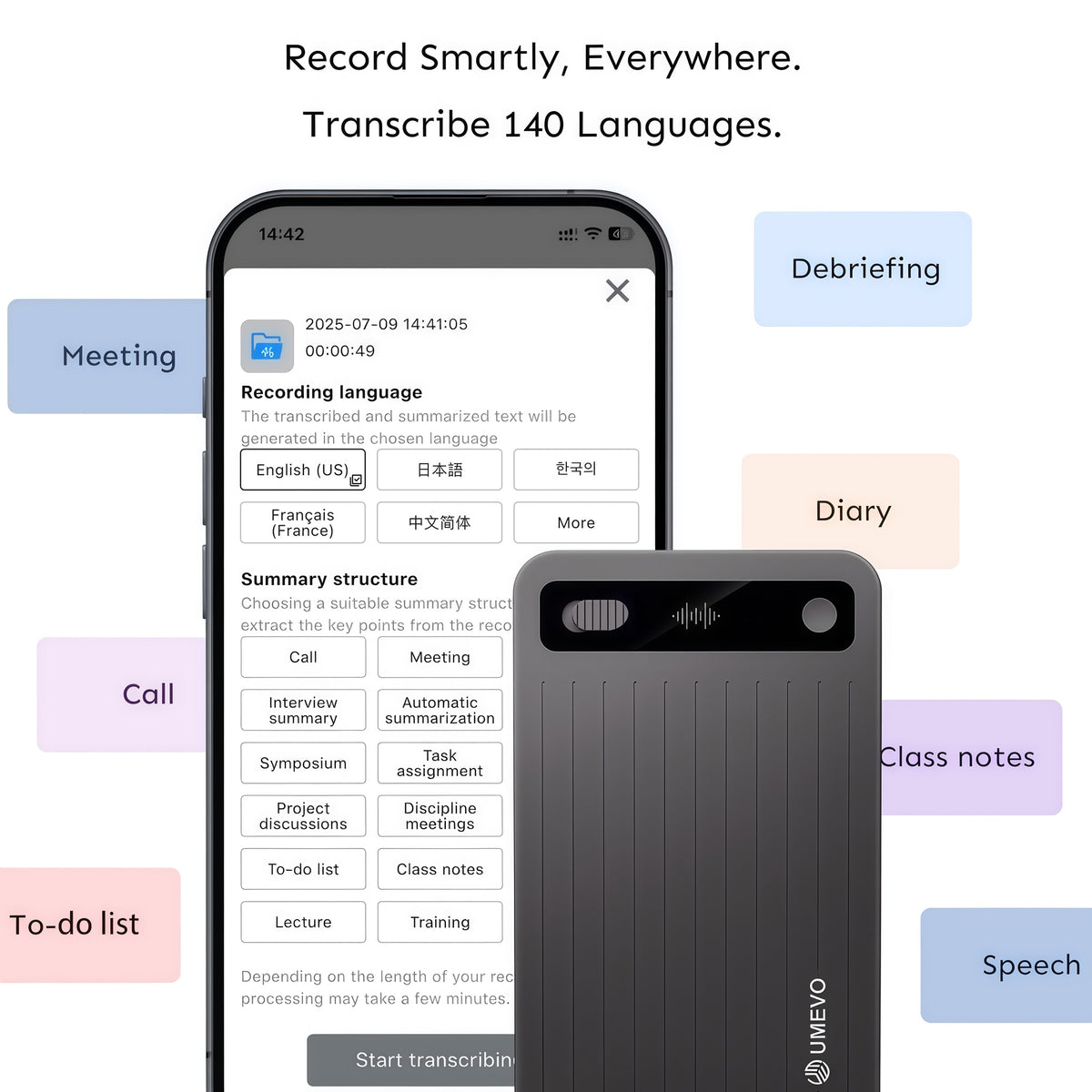
The current AI DVR Link App Guides document this file-based path: connect the recorder, synchronize and download a recording, open Transcription, choose the language and options, then generate the result. The app also documents transcription of a selected segment, which is useful when only one part of a long recording needs processing.
Do a short test before an important session. Confirm that the beginning and end are present, the voices are audible, the correct file arrived in the app, and the selected source language matches what was spoken. This small check prevents many failures that cannot be repaired by changing a summary template later.
What determines transcription accuracy
UMEVO's current FAQ describes a high accuracy result under optimal conditions. That statement should not be read as a guarantee for every file, speaker, or environment. This review does not reproduce it as an independently measured score because no controlled test was conducted here.
| Factor | Why it matters | Practical response |
|---|---|---|
| Source audio | Distance, obstruction, reverberation, noise, movement, and phone setup affect what the system receives. | Place the recorder deliberately and make a short test in the real environment. |
| Speaker overlap | Two people talking at once can confuse words and speaker boundaries. | Encourage turn-taking and verify disputed passages against the audio. |
| Language setting | A wrong source language can produce widespread errors even when the recording is clear. | Select the spoken language before generation and check dialect availability on the live language page. |
| Names and terminology | People, companies, acronyms, product names, and specialist terms may be unfamiliar to the model. | State spellings during the recording when practical and correct important terms afterward. |
| Numbers and negation | Amounts, dates, percentages, units, and words such as “not” can change the meaning of a record. | Replay the relevant audio and verify every consequential figure or instruction. |
| Summary transformation | A readable summary can still omit context, ownership, uncertainty, or disagreement. | Review the transcript first, then check summary claims against both transcript and audio. |
The most useful accuracy question is therefore not “What percentage will I get?” It is “Which details would cause harm if they were wrong, and how will I check them?” UMEVO's transcript-checking protocol provides a more detailed method for evaluating names, numbers, terminology, speaker labels, and summaries.
What you can do after transcription
A transcript is the base layer, not the final product. The documented AI DVR Link tools let users move from literal text toward different work outputs. Each output has a separate purpose and a separate review burden.
The App Guides state that a shared link expires after seven days and describe copying or exporting transcripts, summaries, mind maps, translations, and audio. Choose the smallest output the recipient needs. Sharing a reviewed summary may be more appropriate than sharing a complete recording that contains unrelated or sensitive material.
A practical review checklist before using the transcript
- Confirm the file: check the date, duration, beginning, ending, and participants.
- Check the source language: make sure it matches the dominant language in the recording.
- Listen to difficult passages: revisit overlap, noise, low volume, jargon, and abrupt speaker changes.
- Verify high-impact details: names, numbers, dates, prices, units, deadlines, decisions, quotations, and negation.
- Correct speaker names: confirm who said what before assigning actions or attributing statements.
- Review the summary separately: check that it did not invent, flatten, or omit a material point.
- Share intentionally: confirm permission, access, retention, and whether the recipient needs audio, transcript, or only a reviewed summary.
This checklist is especially important in legal, medical, financial, employment, research, or safety-sensitive contexts. In those settings, AI output should support an authorized workflow and qualified review rather than replace the official record or professional judgment.
Transcription strengths and limits
- A dedicated recorder separates capture from phone notifications and app navigation.
- AI DVR Link keeps transcription, speaker labels, summaries, mind maps, translation, Ask AI, and export tools in one documented workflow.
- Selected-segment transcription can reduce unnecessary processing.
- The original audio can remain available when generated text needs verification.
- The live language page documents broad multilingual support and identifies plan-specific languages.
- The AI stage depends on the companion app, account, connectivity, service availability, and current plan terms.
- No fixed accuracy percentage describes every room, call, accent, dialect, or specialist vocabulary set.
- Speaker identification and summaries can still require correction.
- The workflow is designed for spoken information, not studio, film, or music production.
- Important outputs require human review before distribution or action.
Current manufacturer specifications list 64GB of built-in storage and about 40 hours of recording, while the current product page explains the included transcription plan and later allowances. Those details can change independently of the workflow described here. Check the live UMEVO Note Plus product page and supported recording languages before relying on a price, allowance, or language for a planned project.
Privacy, processing, and recording consent
UMEVO's current privacy notice identifies AI DVR Link as a third-party companion app and says that recordings and related content uploaded for transcription, summaries, translation, AI features, cloud storage, or sharing may be processed by the app provider and its service providers. Review the applicable app privacy policy and your organization's vendor, retention, access, and deletion requirements before uploading sensitive material.
Recording permission is a separate decision. Laws and organizational policies vary by location and context. Tell participants and obtain permission where required. A device feature, transcription plan, or marketing statement does not make a specific recording workflow legally or professionally appropriate.
Backup boundary: do not assume that synchronizing a file for transcription is the same as maintaining a permanent backup. Decide how original audio and reviewed outputs will be named, exported, retained, protected, and deleted.
Who this transcription workflow fits
UMEVO Note Plus is most useful for people who repeatedly capture spoken material and need to find or reuse details afterward: meetings with action items, interviews with quotations, lectures with study notes, calls with decisions, or field notes that must become organized text. The workflow is a weaker fit for occasional voice memos, users who require fully offline AI processing, or teams that cannot send recordings to the companion app's processing environment.
Before deciding, run a representative test with the language, room, speakers, phone setup, and terminology you expect to use. Then review both the transcript and summary. That sample will tell you more about workflow fit than a universal marketing percentage.
UMEVO Note Plus transcription FAQ
Does UMEVO Note Plus transcribe audio by itself?
The recorder captures and stores audio. The documented transcription and AI workflow takes place through AI DVR Link after the recording is connected, synchronized, and opened in the app.
Is 99% transcription accuracy guaranteed?
No universal percentage can be guaranteed for every recording. Results vary with source audio, distance, noise, overlap, accent, terminology, selected language, and the details being measured. Verify important text against the audio.
Can UMEVO Note Plus record without the app?
The recorder can capture audio independently. AI DVR Link is required for the documented synchronization, transcription, speaker-label, summary, translation, Ask AI, and sharing workflow.
Does AI DVR Link identify speakers?
The App Guides document speaker diarization and the ability to assign names. Speaker boundaries and identities should still be reviewed, especially when people interrupt, speak briefly, or have similar voices.
Which languages can it transcribe?
UMEVO currently advertises transcription and translation in more than 140 languages. Availability varies by plan, so check the live supported-language page for the specific language or dialect you need.
Can the transcript be exported?
The current App Guides document copying and exporting transcripts and summaries, along with audio, mind maps, and translated outputs. Review the exported content and choose access and retention controls appropriate to the recording.
Is the workflow suitable for legal or medical records?
It can assist with capture and drafting, but generated text should not replace required records, qualified review, consent procedures, or professional judgment. Verify consequential details and follow the rules that apply to the organization and location.
Final verdict
UMEVO Note Plus offers a coherent route from recorded speech to organized, searchable material. Its transcription value comes from the complete chain—intentional capture, correct synchronization and settings, useful AI outputs, and disciplined review. It should be judged by how well that chain fits a real workflow, not by an unsupported promise that every recording will produce the same result.


0 comments